







Blog
Insights & updates from our experts


Resolve plant floor and IT issues before they disrupt production.

Stay audit-ready while resolving issues and reducing operational risk.
Resolve issues quickly with an AI-powered system that automates ticketing.

Unifiy IT, HR, Facilities, Finance, and more on a single, AI-powered service platform.

Simplify on-call scheduling, automate escalations, and reduce burnout.

Automate postmortems, AI summaries, and post-incident workflows

Create, organize, and continuously improve your knowledge base to find the right answers with Sera AI.

We're here to help

The integration with Atlassian Jira using the Xurrent Integration Service is

The integration with Atlassian Jira using the Xurrent Integration Service is

The integration with Atlassian Jira using the Xurrent Integration Service is

The integration with Atlassian Jira using the Xurrent Integration Service is

The integration with Atlassian Jira using the Xurrent Integration Service is

The integration with Atlassian Jira using the Xurrent Integration Service is

The integration with Atlassian Jira using the Xurrent Integration Service is

The integration with Atlassian Jira using the Xurrent Integration Service is
Resolve issues quickly with an AI-powered system that automates ticketing.
Unifiy IT, HR, Facilities, Finance, and more on a single, AI-powered service platform.
Simplify on-call scheduling, automate escalations, and reduce burnout.
Automate postmortems, AI summaries, and post-incident workflows
Create, organize, and continuously improve your knowledge base to find the right answers with Sera AI.
Resolve plant floor and IT issues before they disrupt production.
Stay audit-ready while resolving issues and reducing operational risk.

Detect, respond, and resolve incidents fast to cut downtime and MTTR.

Keep your store online, even during your biggest sales moments.

Protect patient data and resolve issues fast, so care teams stay focused on care.

Standardize service delivery across every store and channel.

We are here to help 24/7

Connect with other Xurrent Users

Get insights and tips on how to get the most out of Xurrent

Apps, APIs, and updates

Xurrent service functionality

Eliminate manual tasks, optimize workflows, and deliver faster resolutions.
Learn how organizations have reduced downtime, improved 50% MTTA & MTTR, and cut costs with Xurrent IMR.
Discover Xurrent IMR's quick support, bidirectional integrations with Jira and Slack, and more cohesive incident response capabilities compared to Opsgenie.
Understand why users value Xurrent IMR for its intuitive interface, efficient incident alerting, customizable On-call schedules, and escalations.
A status page is a dedicated website or dashboard that communicates the real-time health and availability of your services to customers and internal teams. It serves as a single source of truth during outages, scheduled maintenance, or performance degradations—replacing the flood of "is it down?" support tickets with proactive, transparent communication.
This guide covers how status pages work, the core components that make them effective, and practical approaches to incident communication that build trust even when things break.
A status page is a dedicated website or dashboard that organizations use to communicate the real-time health and availability of their IT services, software, or websites. It serves as a central source of truth for customers and employees during outages, scheduled maintenance, or service degradations. Rather than leaving users to wonder whether a problem is on their end or yours, a status page provides immediate clarity about what's happening and when it will be fixed.
You can think of it like a public bulletin board for your digital services. When your payment system goes down or your API starts throwing errors, customers check the status page instead of submitting support tickets or refreshing your app repeatedly. Most status pages display individual service components, current incident details, historical uptime data, and subscription options for updates.
The concept itself is simple. Yet the impact on customer experience and operational efficiency is significant. Teams that communicate proactively during downtime tend to maintain trust even when things break. Teams that stay silent often face frustrated users and overwhelmed support queues.
Every outage creates two distinct problems. First, there's the technical issue itself. Second, there's the communication gap that follows. Without a status page, support teams get buried under duplicate tickets from users all asking the same question: "Is the service down?"
A well-maintained status page changes this dynamic entirely. Instead of reactive firefighting across email, chat, and phone, your team communicates once and reaches everyone simultaneously. Customers see that you've acknowledged the issue, understand what's affected, and know you're actively working on a fix.
Here's what often surprises people: transparency during incidents actually strengthens customer relationships. When users see clear, honest updates about failures, they're more likely to trust your organization long-term. The alternative—radio silence during an outage—erodes confidence far more than the outage itself ever could.
Incidents are real-time explanations of active problems. A good incident update tells users what's broken, which features are affected, and what steps your engineering team is taking to resolve it. Scheduled maintenance works differently—these are advance notices about planned downtime so users can prepare accordingly.
The key difference between the two? Incidents are reactive responses to unexpected problems. Maintenance is proactive communication about planned work. Both belong on your status page, but they serve different purposes in your communication strategy.
Components represent individual services or features that users can monitor independently. For a SaaS product, components might include the API, web dashboard, mobile app, and payment processing. Each component displays its own status indicator, which gives users granular visibility into what's working and what isn't.
Uptime metrics display historical availability and performance trends over time. Most status pages show uptime percentages for the past 90 days, often broken down by component. This visual record helps prospective customers evaluate your service reliability before they commit. It also helps existing customers understand whether recent issues are anomalies or part of a larger pattern.
Some teams also display response time graphs or latency metrics. These give technically-minded users deeper insight into service performance beyond simple up-or-down status indicators.
Not everyone wants to manually check a status page during an incident. Subscription options let users receive updates automatically through their preferred channel, which means critical information reaches people without requiring them to take action.
The goal is meeting users where they already are. Some prefer email. Others want a Slack notification. Offering multiple channels ensures updates actually reach the people who depend on them.
The workflow typically starts with detection. Monitoring tools identify an issue—maybe elevated error rates, failed health checks, or latency spikes. In manual setups, someone on the team creates an incident and posts an initial update. In automated setups, the status page syncs directly with monitoring and ITSM tools, posting updates as incident states change without human intervention.
Once an incident is live, subscribers receive notifications through their chosen channels. As the engineering team investigates and works toward resolution, they post updates that automatically propagate to the status page and all notification channels. When service returns to normal, a final update marks the incident resolved and closes the loop.
The best implementations minimize manual steps throughout this process. Bi-directional sync between your status page and incident management tools means updates flow automatically. No copy-pasting between systems. No delays while someone remembers to update the page. Just consistent, timely communication.
There's also a less obvious benefit worth mentioning: accountability. When your uptime history is public, it creates internal pressure to maintain reliability. Teams that track and display their performance tend to take reliability more seriously than teams that don't.
Manual updates create delays. By the time someone remembers to post an update, customers have already submitted support tickets and started complaining on social media. Bi-directional sync between your status page and observability platforms ensures incident states reflect real-time system health without human bottlenecks slowing things down.
Platforms like Xurrent Status Pages offer codeless integrations that connect monitoring tools, ITSM workflows, and collaboration platforms like Slack and Teams. When an incident triggers in your monitoring system, the status page updates automatically. When you resolve the incident, subscribers get notified without extra steps.
Avoid internal jargon that customers won't understand. "Database replication lag causing elevated p99 latency" means nothing to most users. Instead, try something like: "Some users may experience slower load times. We've identified the cause and are working on a fix."
Keep updates brief, specific, and action-oriented. Each update answers three questions: What's happening? What's affected? What are you doing about it?
If your primary infrastructure goes down, your status page still needs to work. Hosting your status page on the same servers as your main product defeats the purpose entirely. When everything fails, customers can't even check whether you know about the problem.
Most dedicated status page providers run on separate infrastructure specifically for this reason. It's a small architectural detail that matters enormously during major outages.
Your status page represents your organization during its most vulnerable moments. Consistent branding—logos, colors, typography—reinforces professionalism and helps users trust the information they're seeing. A generic-looking page can feel disconnected from your product, which undermines confidence at exactly the wrong time.
Tip: Create multiple branded pages for different audiences. Enterprise customers, internal teams, and public users often benefit from different levels of detail and different visual presentations.
Atlassian Statuspage is the most recognized tool in this space, but several alternatives exist depending on your integration requirements and workflow preferences. Instatus offers a lightweight, fast option for smaller teams. Status.io focuses on enterprise features and customization. Better Uptime combines uptime monitoring with status communication in a single platform.
For teams already running incident management workflows, Xurrent Status Pages provides deep integration with Xurrent IMR. Incidents, alerts, and status updates flow through a unified system rather than requiring manual sync between separate tools. This approach works particularly well for organizations that want status communication embedded in their broader incident response workflow rather than bolted on as an afterthought.
The right choice depends on your existing stack and how much automation you want. Teams using multiple monitoring and ITSM platforms benefit from status page solutions that connect across the ecosystem without custom code.
Standalone status pages solve part of the communication problem. Xurrent Status Pages goes further by embedding status communication directly into your incident response workflow. Real-time bi-directional sync with Xurrent IMR means incidents automatically update your status page as states change—no manual posting, no delays, no forgotten updates.
The drag-and-drop builder handles visual customization, while automated incident-to-status synchronization keeps information current across your entire stack. For teams running customer-facing digital services, this integration eliminates the gap between knowing about an incident and communicating it to the people who are affected.
Free Analyst Report: Unlock EMA's Findings on Faster, Smarter Incident Response →

Most AI SREs are pattern matchers trained on public data. They know what a memory leak looks like in the abstract. They don't know that your payments-api has a flaky liveness probe everyone ignores, that the checkout team owns the retry policy, or that the last three "database incidents" were actually cache misconfigurations. That knowledge lives in your postmortems, your Slack channels, and the heads of two senior engineers.
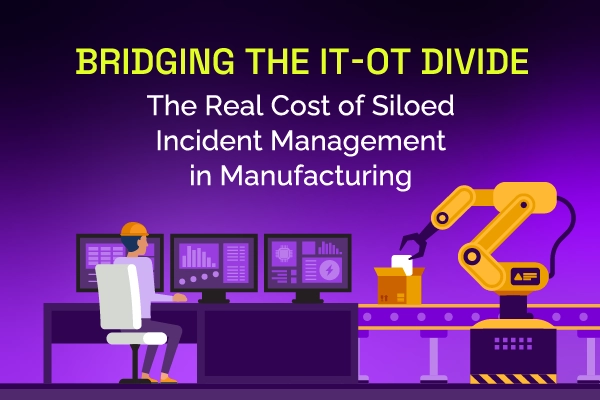
Same incident, different shift, same lost time. See why legacy ITSM keeps costing manufacturing IT teams in rework and overtime, and how modern incident and knowledge management breaks the cycle.
Most AI SREs are pattern matchers trained on public data. They know what a memory leak looks like in the abstract. They don't know that your payments-api has a flaky liveness probe everyone ignores, that the checkout team owns the retry policy, or that the last three "database incidents" were actually cache misconfigurations. That knowledge lives in your postmortems, your Slack channels, and the heads of two senior engineers.

Most vendors will tell you ITSM implementation takes six months to a year — but modern, configuration-first platforms have rewritten the math entirely. See what real implementations look like in 2026, and why a long rollout is now a choice, not a given.


.webp)
.webp)


.webp)





