Blog
Insights & updates from our experts


Resolve plant floor and IT issues before they disrupt production.

Stay audit-ready while resolving issues and reducing operational risk.
Resolve issues quickly with an AI-powered system that automates ticketing.

Unifiy IT, HR, Facilities, Finance, and more on a single, AI-powered service platform.

Simplify on-call scheduling, automate escalations, and reduce burnout.

Automate postmortems, AI summaries, and post-incident workflows

Create, organize, and continuously improve your knowledge base to find the right answers with Sera AI.

We're here to help

The integration with Atlassian Jira using the Xurrent Integration Service is

The integration with Atlassian Jira using the Xurrent Integration Service is

The integration with Atlassian Jira using the Xurrent Integration Service is

The integration with Atlassian Jira using the Xurrent Integration Service is

The integration with Atlassian Jira using the Xurrent Integration Service is

The integration with Atlassian Jira using the Xurrent Integration Service is

The integration with Atlassian Jira using the Xurrent Integration Service is

The integration with Atlassian Jira using the Xurrent Integration Service is
Resolve issues quickly with an AI-powered system that automates ticketing.
Unifiy IT, HR, Facilities, Finance, and more on a single, AI-powered service platform.
Simplify on-call scheduling, automate escalations, and reduce burnout.
Automate postmortems, AI summaries, and post-incident workflows
Create, organize, and continuously improve your knowledge base to find the right answers with Sera AI.
Resolve plant floor and IT issues before they disrupt production.
Stay audit-ready while resolving issues and reducing operational risk.

Detect, respond, and resolve incidents fast to cut downtime and MTTR.

Keep your store online, even during your biggest sales moments.

Protect patient data and resolve issues fast, so care teams stay focused on care.

Standardize service delivery across every store and channel.

We are here to help 24/7

Connect with other Xurrent Users

Get insights and tips on how to get the most out of Xurrent

Apps, APIs, and updates

Xurrent service functionality

Eliminate manual tasks, optimize workflows, and deliver faster resolutions.
Learn how organizations have reduced downtime, improved 50% MTTA & MTTR, and cut costs with Xurrent IMR.
Discover Xurrent IMR's quick support, bidirectional integrations with Jira and Slack, and more cohesive incident response capabilities compared to Opsgenie.
Understand why users value Xurrent IMR for its intuitive interface, efficient incident alerting, customizable On-call schedules, and escalations.

If Opsgenie powers your alerts today, you’ve got less than 18 months to migrate or risk losing control of your incident workflows. It might seem far but customers using Opsgenie as a part of their existing JSM license are forced to migrate by October 2025, which is just around the corner.
You’re here because you’ve got a decision to make. You’re probably thinking of what other options you have to migrate to and how to ensure your servers/systems stability throughout the migration process. We’ve done the research for you and this blog is all about helping you find a robust solution that can ensure reliability at your organization.
Atlassian has offered Compass and JSM as an alternative but JSM and Compass don’t replace Opsgenie. They fragment it. Here’s a reddit thread from an Atlassian user that explains why:
Opsgenie announced EOL, Pagerduty is too expensive and bloated. So, what’s next?
Before we dive into the guide, let’s have a look at how JSM might work for your operations since that’s the first alternative you’re being offered to you by Atlassian.
Atlassian has nudged you towards JSM and Compass to fill the gap Opsgenie has left for your organization. On the surface, it seems like a convenient option and it already is in your toolchain. It handles your tickets and offers some kind of altering. But fundamentally, it’s a ticketing-first tool.
Compass is a developer portal and not an orchestration layer. Yes, you can document your architecture and log who owns what service but it won’t alert the right person, create timelines, escalate across teams. All in all, it only adds complexity with tools fragmentation across your teams. Both these tools are great, but not an optimal solution for your production teams to handle incidents.
According to Gartner, every minute of downtime can cost organizations $5,600 per minute and when you’re dealing with a P1 incident at 2AM, JSM isn’t built to handle alert storms, automate escalations, or coordinate a response in real time. There's no RCA. No postmortem automation. No live fire drills.
By now, you’ve probably had some version of these conversations inside your Slack channels or sprint retros. Let’s address the real questions floating around engineering orgs:
Not if you plan now. You can export users, teams, escalation policies, and alert integrations but if you wait too long, rebuilding from scratch becomes your only option.
That depends on where you move. Tools like Xurrent IMR are built with an Opsgenie-like experience, so your workflows carry over and in many cases, get smarter with AI-driven workflows and Slack-native commands.
This is one of the biggest fears. But with the right approach (and support), your team can migrate in phases testing and validating everything before cutover. You don’t need to flip the switch blind.
In short: yes. Moving to JSM Premium is the only way to retain some alerting logic and it’s not cheap. Add Compass to the mix and you’re paying for more tools, not necessarily better operations. That too, for a mere patchwork.
If you’re an Opsgenie user, you’re forced to migrate. Why not update when you’re migrating anyway? This time, you’re laying the stone for your teams to handle incidents for the next five years. So the question becomes: are you moving to another alert router… or are you upgrading to an operations stack built for scale, speed, and reliability?
Many platforms claim to support incident response — but few are designed for the operational demands of today’s fast-moving, globally distributed engineering teams. Your platform should handle:
If a tool struggles under load or forces you to hack your processes just to fit within its limitations, it’s not built for growth-stage ops.
Manual triage is the bottleneck in most incident response workflows. The right platform helps teams resolve faster by enabling automated decisions where they matter most:
Tool fatigue is real and duct-taping together alerting, communications, timelines, and postmortems introduces latency and silos. A truly modern platform should provide:
Your platform should feel like an extension of your team, not a barrier between them.
When incidents strike, your response tooling has to be the most dependable part of your stack. Evaluate:
If your incident platform goes down when you do, it’s not a platform; it’s a liability.
“How do you move off Opsgenie without disrupting your incident response process, risking SLAs, or losing critical workflows?” “You don’t need to rip and replace. You need a zero-disruption migration plan that lets you test, validate, and upgrade.
Before evaluating alternatives, understand what you’re moving:
Not every Opsgenie user has the same setup and not every platform will solve your pain the same way.
Ask yourself:
If PagerDuty feels too expensive, and JSM + Compass too fragmented, Xurrent IMR often becomes the sweet spot. Xurrent IMR gives you Opsgenie familiarity, with built-in AI and team-first UX.
Avoid “all at once” cutovers. Smart teams migrate Opsgenie services in stages:
A tool migration is also a cultural moment. Instead of replicating old friction, invest in:
Once you’ve decided to move off Opsgenie, the next step is choosing a platform that won’t just match what you had but will raise the bar for your entire incident response process.
Here’s how Xurrent IMR stacks up against some of the most common alternatives.
You’ve seen the difference. Now here’s how easy it is to make the move.
Xurrent IMR’s Opsgenie migration flow is built to minimize disruption and maximize speed. Most teams go live in under 72 hours — without writing a single script.
Already integrated with tools like Datadog, CloudWatch, New Relic, and Slack? Just update the webhooks. Xurrent IMR does the rest.
Need help? Our engineers handle full-service migrations on request — from audit to cutover.
Want the full technical playbook? Read the full Opsgenie-to-Xurrent IMR migration guide →
When we first met one of Opsgenie’s founding team members, he said something that stuck with us:
“Opsgenie did a lot of things right. But in its new home, it lost the support it needed to evolve.”
Since then, we’ve helped organizations of every size from growth-stage startups to large-scale enterprises migrate from Opsgenie to Xurrent IMR in minutes, not weeks.
They didn’t just need a replacement. They needed:
And most importantly, they needed peace of mind.
Whether you're replacing Opsgenie ahead of the 2025 sunset or rethinking your incident management stack entirely, Xurrent IMR gives you a faster, more reliable path forward.
👉 Start your migration today Or talk to our team and get a walkthrough tailored to your setup.

Most AI SREs are pattern matchers trained on public data. They know what a memory leak looks like in the abstract. They don't know that your payments-api has a flaky liveness probe everyone ignores, that the checkout team owns the retry policy, or that the last three "database incidents" were actually cache misconfigurations. That knowledge lives in your postmortems, your Slack channels, and the heads of two senior engineers.
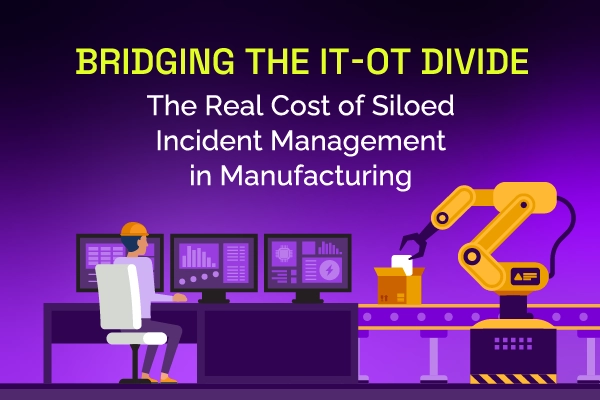
Same incident, different shift, same lost time. See why legacy ITSM keeps costing manufacturing IT teams in rework and overtime, and how modern incident and knowledge management breaks the cycle.
Most AI SREs are pattern matchers trained on public data. They know what a memory leak looks like in the abstract. They don't know that your payments-api has a flaky liveness probe everyone ignores, that the checkout team owns the retry policy, or that the last three "database incidents" were actually cache misconfigurations. That knowledge lives in your postmortems, your Slack channels, and the heads of two senior engineers.
Most vendors will tell you ITSM implementation takes six months to a year — but modern, configuration-first platforms have rewritten the math entirely. See what real implementations look like in 2026, and why a long rollout is now a choice, not a given.


.webp)
.webp)