
Blog
Insights & updates from our experts


Resolve plant floor and IT issues before they disrupt production.

Stay audit-ready while resolving issues and reducing operational risk.
Resolve issues quickly with an AI-powered system that automates ticketing.

Unifiy IT, HR, Facilities, Finance, and more on a single, AI-powered service platform.

Simplify on-call scheduling, automate escalations, and reduce burnout.

Automate postmortems, AI summaries, and post-incident workflows

Create, organize, and continuously improve your knowledge base to find the right answers with Sera AI.

We're here to help

The integration with Atlassian Jira using the Xurrent Integration Service is

The integration with Atlassian Jira using the Xurrent Integration Service is

The integration with Atlassian Jira using the Xurrent Integration Service is

The integration with Atlassian Jira using the Xurrent Integration Service is

The integration with Atlassian Jira using the Xurrent Integration Service is

The integration with Atlassian Jira using the Xurrent Integration Service is

The integration with Atlassian Jira using the Xurrent Integration Service is

The integration with Atlassian Jira using the Xurrent Integration Service is
Resolve issues quickly with an AI-powered system that automates ticketing.
Unifiy IT, HR, Facilities, Finance, and more on a single, AI-powered service platform.
Simplify on-call scheduling, automate escalations, and reduce burnout.
Automate postmortems, AI summaries, and post-incident workflows
Create, organize, and continuously improve your knowledge base to find the right answers with Sera AI.
Resolve plant floor and IT issues before they disrupt production.
Stay audit-ready while resolving issues and reducing operational risk.

Detect, respond, and resolve incidents fast to cut downtime and MTTR.

Keep your store online, even during your biggest sales moments.

Protect patient data and resolve issues fast, so care teams stay focused on care.

Standardize service delivery across every store and channel.

We are here to help 24/7

Connect with other Xurrent Users

Get insights and tips on how to get the most out of Xurrent

Apps, APIs, and updates

Xurrent service functionality

Eliminate manual tasks, optimize workflows, and deliver faster resolutions.
Learn how organizations have reduced downtime, improved 50% MTTA & MTTR, and cut costs with Xurrent IMR.
Discover Xurrent IMR's quick support, bidirectional integrations with Jira and Slack, and more cohesive incident response capabilities compared to Opsgenie.
Understand why users value Xurrent IMR for its intuitive interface, efficient incident alerting, customizable On-call schedules, and escalations.
If you've ever wondered "What does SRE mean?" or "Do I need SRE for my team?"
Site Reliability Engineering (SRE) is a proven engineering discipline created by Google's idea of SRE that blends software development and IT operations to build systems that are not just functional, but resilient, scalable, and fault-tolerant by design.
In today's digital-first world where downtime equals dollars lost, reliability is a business imperative. Whether you're running a SaaS platform, e-commerce store, or mobile app with global users, SRE helps you scale confidently, release faster, and maintain availability.
This guide breaks down:
SRE stands for Site Reliability Engineering, an engineering discipline that combines software development and IT operations to build and run scalable, reliable, and efficient systems.
The concept was first introduced at Google to address a growing challenge in fast-moving engineering environments: how to release features quickly without compromising system stability. The answer was to apply software engineering practices to operations tasks. This includes automation, monitoring, performance tuning, incident response, and availability management.
In simple terms, SRE is the use of code to manage infrastructure, reduce manual work, and ensure that services stay up and perform well at scale.
SRE teams write software to automate operational work and define the reliability metrics that keep production services available.
SRE teams write software to automate operational tasks like provisioning, alerting, deployment, and failure recovery. They are also responsible for defining and measuring reliability metrics such as SLAs, SLOs, and SLIs.
Site Reliability Engineering helps organizations:
By embedding reliability into the software delivery process, SRE enables engineering teams to move fast while keeping systems stable and users happy.
Reliability is now a business imperative: every second of downtime impacts user trust, revenue, and brand reputation. This is where Site Reliability Engineering becomes essential.
SRE gives organizations a structured way to manage production systems at scale, without slowing down feature delivery. It creates a balance between innovation and operational stability by making reliability an engineering goal.
Here's why companies across industries are adopting SRE:
SRE helps reduce downtime through proactive monitoring, alerting, and automation. By defining clear service level objectives (SLOs) and tracking error budgets, teams can measure and control reliability instead of reacting to failures after they happen.
SRE automates repetitive manual tasks such as deployments, infrastructure provisioning, and incident response. This reduces the burden on operations teams and gives engineers more time to focus on high-impact work.
With observability tools and automated alerting in place, SRE teams detect and respond to issues faster. Blameless post-incident reviews help prevent future outages by turning incidents into learning opportunities.
As user traffic grows, SRE ensures systems can scale without sacrificing performance. Teams use capacity planning, load testing, and auto-scaling strategies to prepare for growth and avoid over-provisioning.
SRE promotes a culture of shared ownership between developers and operations. This leads to better communication, faster deployments, and fewer production issues.
Whether you are running a SaaS platform, mobile application, or enterprise infrastructure, SRE provides the tools and frameworks to improve reliability, reduce risk, and scale with confidence.
SRE practices matter most in cloud-native, high-scale environments where distributed services fail in unpredictable ways.
As teams adopt microservices, containers, and elastic infrastructure, the number of moving parts—and potential failure points—grows quickly. SRE brings discipline to this complexity: defined SLOs, error budgets, and automated recovery keep availability predictable even as systems scale. This is especially critical for regulated, high-availability services where downtime directly affects revenue and compliance obligations.
A Site Reliability Engineer keeps production systems available, performant, and scalable by applying software engineering practices to operations work.
Site Reliability Engineers are responsible for ensuring the availability, performance, and scalability of production systems. They apply software engineering practices to operations work to eliminate manual tasks, automate processes, and improve system reliability.
An SRE works closely with development, operations, and platform teams to build tools and systems that keep infrastructure running smoothly at scale.
1. Automate operational tasks SREs write scripts and build tools to automate infrastructure management, service provisioning, deployment pipelines, and failure recovery. The goal is to eliminate manual effort and reduce human error.
2. Monitor system health SREs define and track key reliability metrics like uptime, latency, and throughput. They implement monitoring and alerting systems to detect anomalies and resolve issues before they impact users.
3. Manage incident response SREs are responsible for handling incidents, including root cause analysis, escalation workflows, and on-call support. They also conduct post-incident reviews to improve future reliability.
4. Define SLAs, SLOs, and SLIs SREs work with product and engineering teams to define Service Level Agreements (SLAs), Service Level Objectives (SLOs), and Service Level Indicators (SLIs). These metrics set clear expectations for performance and reliability.
5. Optimize system performance SREs identify performance bottlenecks, analyze usage patterns, and recommend changes to improve scalability and efficiency across services and infrastructure.
6. Ensure production readiness Before a new service is deployed, SREs assess its reliability, scalability, and risk factors. They may build automated testing frameworks and run simulations to validate production readiness.
7. Maintain documentation and runbooks SREs create and update operational documentation, runbooks, and standard operating procedures to ensure consistency and knowledge sharing across teams.
The work of an SRE is critical to keeping services reliable, minimizing downtime, and creating a culture of accountability and continuous improvement across engineering teams.
The core principles of SRE define how teams treat reliability as an engineering problem rather than an afterthought.
The core principles of SRE provide the foundation for how teams think about and approach reliability, automation, and scaling. These principles are what make SRE different from traditional operations.
SRE places reliability at the center of decision-making. Uptime, availability, and performance are treated as engineering goals. This means shipping new features is balanced with the responsibility to maintain system health.
SREs use Service Level Objectives (SLOs) to define what "reliable enough" means for each service and measure performance against those targets.
Metrics like MTTR and MTBF provide deeper insights into system performance and reliability.
No system can be 100% reliable. SRE introduces the concept of error budgets to accept a certain level of risk. If a service has an uptime target of 99.9%, then 0.1% downtime is allowed within a defined time frame. This budget guides decisions on releases, feature rollouts, and operational changes.
Manual, repetitive tasks reduce productivity and increase the risk of error. SRE aims to eliminate "toil" by automating tasks like deployment, monitoring, scaling, and recovery. This allows engineers to focus on higher-value work like building reliability into the system design.
SRE is data-driven. Every decision, from tuning performance to managing incidents, relies on metrics. SREs implement detailed monitoring to collect and analyze data related to latency, error rates, request volume, and saturation levels.
SRE promotes shared accountability between development and operations. Developers and SREs work together to build reliable systems from the start, rather than treating reliability as an afterthought. This shared ownership leads to better system design and faster resolution of issues.
When outages occur, the goal is to understand what happened and improve the system—not assign blame. SRE encourages blameless post-incident reviews that focus on learning, improving processes, and updating documentation to prevent recurrence.
After resolving an incident, use this postmortem guide to document what happened and identify systemic improvements.
SRE is not a one-time setup. It's an ongoing process of reviewing, refining, and improving systems and workflows. From refining SLOs to tuning monitoring rules, continuous improvement is part of the SRE culture. Xurrent IMR turns this principle into a repeatable loop: automated timeline reconstruction and blameless postmortem templates capture what happened after every incident, and built-in analytics surface the trends teams use to tighten SLOs and reduce repeat failures.
Reliability is measured, not assumed: SRE uses four key metrics—SLAs, SLOs, SLIs, and error budgets—to define and manage system reliability.
One of the foundations of Site Reliability Engineering is the use of metrics to define, measure, and manage system reliability. Understanding the difference between them is critical for building reliable systems and aligning engineering efforts with business goals.
The four golden signals are the core metrics SRE teams monitor to understand the health of any user-facing system: latency, traffic, errors, and saturation.
Together, these four signals give SRE teams a fast, high-level read on whether a service is healthy before deeper investigation begins.
An SLI is a specific metric that measures the performance or reliability of a system. It answers the question: How are we doing? SLIs are quantitative, and commonly include:
Example : 99.95% of HTTP requests return a 200 OK status within 500ms.
An SLO is a target value or range for an SLI. It defines the acceptable reliability level for a service, agreed upon by internal teams.
Example : The SLO might require that 99.9% of requests return successfully within 400ms over a 30-day period.
SLOs help teams prioritize work. If the system falls below the SLO, reliability work takes precedence over new features.
An SLA is a formal, external contract with customers or stakeholders. It includes SLOs but also defines the consequences if the service does not meet them.
Example : If uptime drops below 99.9% in a month, the company may offer a refund or credit to customers.
While SLIs and SLOs are internal tools for guiding engineering efforts, SLAs are legal or financial commitments tied to business performance.
To understand how SLAs, SLOs, and SLIs interact in reliability engineering, check out this detailed guide on SLAs, SLOs, and SLIs.
An error budget is the allowable amount of failure over a given period. It is the difference between 100% and your SLO target.
Example : If your SLO is 99.95% uptime for a 30-day period, your error budget allows for roughly 22 minutes of downtime in that window.
Error budgets help teams manage risk. If the budget is not used, teams can safely deploy new features. If it is exceeded, feature releases may pause to focus on system reliability.
These metrics allow teams to:
By defining and enforcing SLOs and SLIs, SRE teams maintain control over reliability while supporting rapid development and delivery.
An SLA is a formal, external contract with customers or stakeholders. It includes SLOs but also defines the consequences if the service does not meet them.
Example: If uptime drops below 99.9% in a month, the company may offer a refund or credit to customers.
While SLIs and SLOs are internal tools for guiding engineering efforts, SLAs are legal or financial commitments tied to business performance.
To understand how SLAs, SLOs, and SLIs interact in reliability engineering, check out this detailed guide on SLAs, SLOs, and SLIs.
An error budget is the allowable amount of failure over a given period. It is the difference between 100% and your SLO target.
Example: If your SLO is 99.95% uptime for a 30-day period, your error budget allows for roughly 22 minutes of downtime in that window.
Error budgets help teams manage risk. If the budget is not used, teams can safely deploy new features. If it is exceeded, feature releases may pause to focus on system reliability.
These metrics allow teams to:
By defining and enforcing SLOs and SLIs, SRE teams maintain control over reliability while supporting rapid development and delivery.
SRE teams rely on a combination of tools to automate infrastructure, monitor system health, manage incidents, and maintain reliability. While tool choices can vary by team and company size, the categories remain consistent.
Below is a categorized list of tools commonly used by Site Reliability Engineers.
Xurrent IMR is an AI-native incident management platform that breaks the incident management doom loop for SRE and DevOps teams. Instead of chasing a flood of disconnected alerts, teams get AI-powered correlation that suppresses duplicates and low-priority noise, then routes the incidents that matter to the right expert. It supports:
For teams looking to improve operational efficiency and reduce downtime, Xurrent IMR unifies detection, response, communication, and learning in one system—cutting MTTR, alert volume, and burnout while saving up to 50% on cost.
Observability is a key practice in Site Reliability Engineering. It gives SRE teams the ability to understand what’s happening inside complex systems based on the data they collect. When incidents happen, observability helps engineers detect, investigate, and resolve problems faster.
Unlike traditional monitoring, which only tracks predefined metrics, observability focuses on understanding unknown failure modes by gathering rich signals from across the system.
Common observability tools include Prometheus, Grafana, and OpenTelemetry.
An observable system enables engineers to answer these questions:
Each of these signal types gives a different layer of insight:
Choosing the right log file format can improve visibility, performance analysis, and integration across systems.
Latency and connectivity issues can often be detected early through ping tests as part of a broader observability strategy.
Many SRE teams combine these tools with alerting and incident response platforms like Xurrent IMR, which helps correlate signals and route alerts to the right teams instantly.
Many SRE teams combine these tools with alerting and incident response platforms like Xurrent IMR , which uses AI-powered correlation to connect signals and route alerts to the right teams instantly.
SRE is best understood as a specific engineering implementation of DevOps principles, with reliability as its core focus.
Site Reliability Engineering and DevOps are often seen as similar approaches to modern software operations. While they share common goals such as faster delivery, better reliability, and improved collaboration, they are not the same.
DevOps is a cultural and organizational philosophy that promotes collaboration between development and operations teams. It focuses on automation, continuous integration and delivery (CI/CD), and breaking down silos between teams.
SRE is an engineering discipline focused on ensuring system reliability through automation, metrics, and scalable operations practices. It formalizes operational responsibilities as engineering problems and brings a strong emphasis on service level objectives and error budgeting.
You can adopt SRE incrementally—start with a few critical services and core practices rather than overhauling your entire engineering culture.
Whether you're a startup introducing reliability practices or an enterprise scaling operations, here's how to get started.
Begin by identifying your customer-facing services and defining what reliability means for each one. Work with product and business teams to set clear Service Level Objectives (SLOs) and track corresponding Service Level Indicators (SLIs) such as availability, latency, or error rate.
Implement a monitoring stack that can track the SLIs you've defined. Use tools like Prometheus, Grafana, Datadog, or New Relic to collect and visualize metrics. Add logging (e.g., ELK stack) and distributed tracing (e.g., OpenTelemetry, Jaeger) to build observability across your infrastructure.
Start reducing manual work by writing scripts or using infrastructure-as-code tools like Terraform and Pulumi. Focus on automating deployments, health checks, and scaling workflows. If a task is done repeatedly by hand, it should be automated.
Over time, this reduces incident volume and frees up engineers to focus on system design and performance.
Set up alerting rules tied to your SLOs and use an incident management platform like Xurrent IMR to handle escalations, on-call rotations, and post-incident workflows. Document response procedures in runbooks so that on-call teams can resolve issues quickly and consistently.
A structured response system builds team confidence and minimizes downtime.
After each incident, hold a postmortem focused on learning—not blame. Capture the root cause, contributing factors, timeline of events, and what improvements are needed. Update documentation, alerting rules, or runbooks based on the findings.
Postmortems turn outages into continuous improvement.
Define error budgets tied to each SLO and use them to guide release decisions. If reliability is within the budget, proceed with feature rollouts. If not, prioritize stabilization work. Over time, use this data to drive discussions about reliability tradeoffs and resourcing.
Break the incident management doom loop: SRE teams need one system to correlate alerts, coordinate on-call, and learn from every incident—not a stack of disconnected tools.
Xurrent IMR is an AI-native platform that gives SRE teams that single system:
Xurrent IMR integrates with your existing monitoring, logging, and collaboration tools and tracks SLOs and SLIs with integrated reliability metrics—unifying detection, response, communication, and learning to cut MTTR, alert volume, and burnout while saving up to 50% on cost.
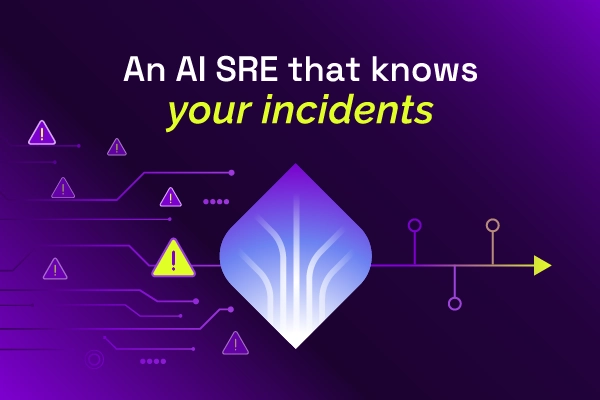
Most AI SREs are pattern matchers trained on public data. They know what a memory leak looks like in the abstract. They don't know that your payments-api has a flaky liveness probe everyone ignores, that the checkout team owns the retry policy, or that the last three "database incidents" were actually cache misconfigurations. That knowledge lives in your postmortems, your Slack channels, and the heads of two senior engineers.
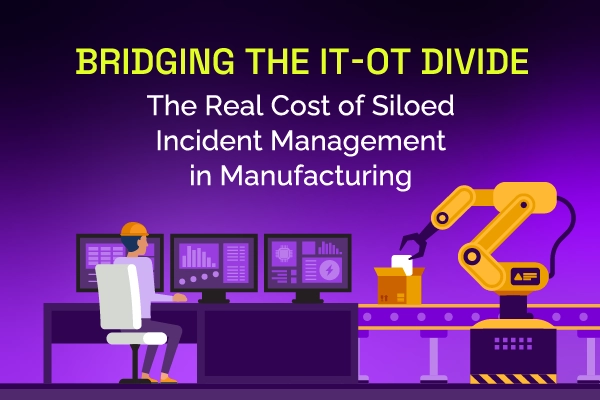
Same incident, different shift, same lost time. See why legacy ITSM keeps costing manufacturing IT teams in rework and overtime, and how modern incident and knowledge management breaks the cycle.
Most AI SREs are pattern matchers trained on public data. They know what a memory leak looks like in the abstract. They don't know that your payments-api has a flaky liveness probe everyone ignores, that the checkout team owns the retry policy, or that the last three "database incidents" were actually cache misconfigurations. That knowledge lives in your postmortems, your Slack channels, and the heads of two senior engineers.

Most vendors will tell you ITSM implementation takes six months to a year — but modern, configuration-first platforms have rewritten the math entirely. See what real implementations look like in 2026, and why a long rollout is now a choice, not a given.

.webp)
.webp)