Blog
Insights & updates from our experts


Resolve plant floor and IT issues before they disrupt production.

Stay audit-ready while resolving issues and reducing operational risk.
Resolve issues quickly with an AI-powered system that automates ticketing.

Unifiy IT, HR, Facilities, Finance, and more on a single, AI-powered service platform.

Simplify on-call scheduling, automate escalations, and reduce burnout.

Automate postmortems, AI summaries, and post-incident workflows

Create, organize, and continuously improve your knowledge base to find the right answers with Sera AI.

We're here to help

The integration with Atlassian Jira using the Xurrent Integration Service is

The integration with Atlassian Jira using the Xurrent Integration Service is

The integration with Atlassian Jira using the Xurrent Integration Service is

The integration with Atlassian Jira using the Xurrent Integration Service is

The integration with Atlassian Jira using the Xurrent Integration Service is

The integration with Atlassian Jira using the Xurrent Integration Service is

The integration with Atlassian Jira using the Xurrent Integration Service is

The integration with Atlassian Jira using the Xurrent Integration Service is
Resolve issues quickly with an AI-powered system that automates ticketing.
Unifiy IT, HR, Facilities, Finance, and more on a single, AI-powered service platform.
Simplify on-call scheduling, automate escalations, and reduce burnout.
Automate postmortems, AI summaries, and post-incident workflows
Create, organize, and continuously improve your knowledge base to find the right answers with Sera AI.
Resolve plant floor and IT issues before they disrupt production.
Stay audit-ready while resolving issues and reducing operational risk.

Detect, respond, and resolve incidents fast to cut downtime and MTTR.

Keep your store online, even during your biggest sales moments.

Protect patient data and resolve issues fast, so care teams stay focused on care.

Standardize service delivery across every store and channel.

We are here to help 24/7

Connect with other Xurrent Users

Get insights and tips on how to get the most out of Xurrent

Apps, APIs, and updates

Xurrent service functionality

Eliminate manual tasks, optimize workflows, and deliver faster resolutions.
Learn how organizations have reduced downtime, improved 50% MTTA & MTTR, and cut costs with Xurrent IMR.
Discover Xurrent IMR's quick support, bidirectional integrations with Jira and Slack, and more cohesive incident response capabilities compared to Opsgenie.
Understand why users value Xurrent IMR for its intuitive interface, efficient incident alerting, customizable On-call schedules, and escalations.
HaloITSM handles the fundamentals well—ticketing, asset management, change workflows—but fundamentals only get you so far. When reporting requires SQL skills, AI feels bolted on, and configuration stretches into months, teams start wondering whether a different platform would fit better.
This guide breaks down the top HaloITSM alternatives with honest assessments of features, pricing, and trade-offs, plus a framework for choosing the right platform based on your team's priorities.
HaloITSM is an ITIL-aligned IT service management platform built for mid-market IT teams. The platform handles ticketing, asset management, change management, and service catalog functions—the core workflows most service desks rely on daily. While HaloITSM covers the fundamentals well, teams often start looking elsewhere when they hit friction with reporting, AI capabilities, or integration with incident response tools.
If you're reading this, something about your current setup probably isn't working the way you expected. Maybe reports take too long to build. Maybe your team spent months on configuration and you're still not where you want to be. Or maybe you're just curious whether a different platform would fit better as your organization grows.
Getting custom reports out of HaloITSM often means writing SQL queries. For service desk managers who want quick visibility into SLAs or ticket trends, that creates a dependency on technical resources. When insights require specialized skills, decision-making slows down.
Setup and ongoing configuration can stretch into months. Teams frequently mention needing dedicated admin time just to maintain workflows, which delays the payoff from your ITSM investment and ties up resources that could be working on other priorities.
AI in HaloITSM feels more like an add-on than a core capability. Intelligent routing, auto-classification, and proactive automation—features that newer platforms build into their foundation—are harder to achieve when AI sits on top rather than throughout the system.
Users often report that documentation is sparse or outdated. When your team can't find answers quickly, resolution times increase and frustration builds, especially for newer team members trying to get up to speed.
HaloITSM Pricing transparency becomes a concern as teams grow. Adding modules or scaling users can introduce costs that weren't obvious during initial evaluation, making budget planning more difficult.
We evaluated each platform against the criteria that matter most when switching ITSM tools:
| Platform | Best For | ITIL Certified | Native AI | Deployment Time | Starting Price |
|---|---|---|---|---|---|
| Xurrent | Unified ITSM and incident response | Yes | Yes | 4 weeks | Contact for pricing |
| ServiceNow | Enterprise-scale IT operations | Yes | Yes | 6-12 months | Enterprise pricing |
| Jira Service Management | DevOps-aligned teams | No | Limited | 2-4 weeks | Free tier available |
| Freshservice | Mid-market IT teams | Yes | Yes | 2-4 weeks | $19/agent/month |
| ManageEngine ServiceDesk Plus | Budget-conscious teams | Yes | Limited | 4-8 weeks | $13/tech/month |
| BMC Helix ITSM | Legacy enterprise modernization | Yes | Yes | 6-12 months | Enterprise pricing |
| SolarWinds Service Desk | SolarWinds ecosystem users | Yes | Limited | 2-4 weeks | $39/tech/month |
| Ivanti Neurons for ITSM | Endpoint-heavy environments | Yes | Yes | 4-8 weeks | Contact for pricing |
| SysAid | Teams needing remote support | Yes | Limited | 4-6 weeks | Contact for pricing |
| SmartSuite | Flexible work management | No | Limited | 1-2 weeks | Free tier available |
The sections below break down each alternative with features, pricing, and trade-offs. You'll find what each platform does well, where it falls short, and which teams it fits best.
Xurrent is an AI-native, ITIL-accredited platform that brings ITSM and incident management into one connected system. Rather than requiring months of customization, Xurrent emphasizes configuration—meaning teams typically go live in about four weeks with core workflows already working.
Xurrent offers transparent pricing that scales predictably. There's no module lock-in or hidden fees that appear after you've committed. Contact the team for specific pricing based on your environment.
Pros: Deployment in weeks rather than months. AI embedded throughout, not bolted on. Unified service and incident workflows. ISO 27001, SOC 2 Type II, and BYOK support built in.
Cons: Teams looking for heavy customization may find the configuration-first approach different from legacy tools. Smaller brand recognition compared to ServiceNow.
Get the free analyst report: Unlock EMA's findings on faster, smarter incident response →
ServiceNow is the enterprise incumbent. The platform spans ITSM, ITOM, and IT business management with capabilities for nearly any use case. That breadth, however, comes with complexity and cost that smaller teams may find difficult to justify.
Pricing is quote-based and typically involves long-term contracts. Total cost often includes implementation partners and ongoing customization resources, which can add significantly to the initial quote.
Pros: Mature platform with a broad ecosystem. Strong enterprise presence. Extensive third-party integrations.
Cons: Deployments often exceed six months. High total cost of ownership. Requires dedicated admin teams to maintain.
Jira Service Management works well for teams already using Atlassian tools, particularly those bridging IT and engineering workflows. If your developers live in Jira Software, the integration is seamless.
Tiered pricing includes a free tier for up to three agents. Costs increase at scale, particularly for premium features and larger teams.
Pros: Familiar interface for Atlassian users. Strong DevOps and engineering fit. Competitive entry pricing.
Cons: ITIL depth is limited without add-ons. The UI can feel fragmented when moving between Atlassian products.
Freshservice offers a clean interface that appeals to mid-market IT teams who prioritize usability. Setup is straightforward, and most teams can get productive quickly without extensive training.
Per-agent pricing starts at $19/month with multiple tiers. Advanced features like workflow automator require higher-tier plans.
Pros: Fast setup. Clean user experience. Solid mid-market fit.
Cons: AI capabilities are less mature than dedicated AI-native platforms. Limited ITIL depth at lower tiers.
ManageEngine ServiceDesk Plus offers budget-friendly ITSM with flexible deployment options. The platform is feature-rich for the price, though the interface shows its age in places.
Competitive pricing with perpetual license options starting around $13/technician/month. Cloud pricing differs from on-premises licensing.
Pros: Affordable entry point. Feature-rich for the price. Deployment flexibility.
Cons: Interface feels dated. Mobile experience is limited.
BMC Helix represents a legacy enterprise platform transitioning to cloud-native architecture. The cognitive automation capabilities are maturing, though migrations from older BMC products can be complex.
Enterprise-focused pricing requires direct engagement. Implementation complexity adds to total cost.
Pros: Enterprise-grade with strong ITIL heritage. Cognitive features maturing. Multi-cloud architecture.
Cons: Complex migrations from legacy BMC products. High implementation investment.
SolarWinds Service Desk provides straightforward, cloud-based ITSM. Teams already using SolarWinds monitoring tools will find the integration valuable.
Per-technician pricing starts at $39/month with a clear tier structure.
Pros: Easy onboarding. Transparent pricing. Good fit for SolarWinds shops.
Cons: Limited scalability for large enterprises. Fewer advanced automations.
Ivanti Neurons combines ITSM with strong endpoint management heritage. Organizations with significant device management requirements will find the integration between ITSM and endpoint tools valuable.
Pricing varies by deployment model and module selection. Enterprise focus requires direct quotes.
Pros: Strong automation vision. Endpoint management synergy. Experience-focused analytics.
Cons: Platform consolidation ongoing after acquisitions. Complexity for pure ITSM needs.
SysAid serves mid-market teams that value built-in remote control and asset management. The ability to troubleshoot directly from tickets without third-party tools is a differentiator.
Quote-based pricing with options for cloud and on-premises deployment.
Pros: Integrated remote support. Flexible deployment options. Responsive support team.
Cons: UI modernization ongoing. Reporting depth is limited.
SmartSuite is a work management platform that can be configured for ITSM use cases. It's not purpose-built for IT service management, but teams looking for flexibility may find it useful.
Per-user pricing with multiple tiers. Free tier available for small teams.
Pros: Highly flexible. Modern interface. Affordable entry point.
Cons: Not ITIL-certified. Lacks native ITSM depth. Requires significant configuration for service desk use cases.
Selecting the right platform depends on your team's priorities and where you're headed. Here are the key questions to work through during evaluation.
If your organization operates under formal ITIL processes or compliance requirements, verify how many practices the platform supports out of the box. Certified ITIL practices reduce configuration work and ensure process alignment from day one.
There's a meaningful difference between AI chatbots bolted onto a platform and AI embedded throughout workflows. Ask whether AI powers routing, classification, and knowledge generation—or whether it just answers basic questions in a chat window.
Hidden fees, implementation costs, and module lock-in can dramatically change your total cost. Ask vendors for the true cost at your projected scale, including any professional services or ongoing customization.
For regulated environments, verify certifications like ISO 27001, SOC 2 Type II, and BYOK encryption support. Look for platforms where security controls are built in rather than added on.
Modern IT operations span monitoring, ticketing, and collaboration tools. Ask whether the platform can connect alerts, incidents, and service requests in one system—or whether you'll maintain separate workflows across different tools.
The best ITSM platforms today don't just manage tickets. They unify service management, incident response, and operations in a single workflow. When IT and engineering operate in different systems, work slows down and teams end up reacting instead of anticipating.
Platforms built on configuration rather than customization get teams live faster while maintaining flexibility. And when AI is embedded throughout—not bolted on—you get intelligent routing, automated knowledge, and continuous learning that actually reduces workload rather than adding to it.
Get the free analyst report: Unlock EMA's findings on faster, smarter incident response →


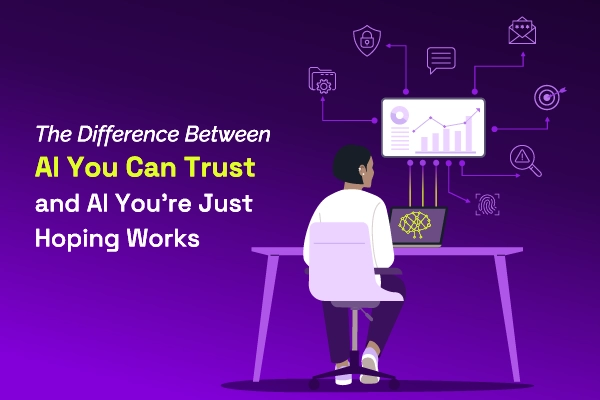
Most AI SREs are pattern matchers trained on public data. They know what a memory leak looks like in the abstract. They don't know that your payments-api has a flaky liveness probe everyone ignores, that the checkout team owns the retry policy, or that the last three "database incidents" were actually cache misconfigurations. That knowledge lives in your postmortems, your Slack channels, and the heads of two senior engineers.
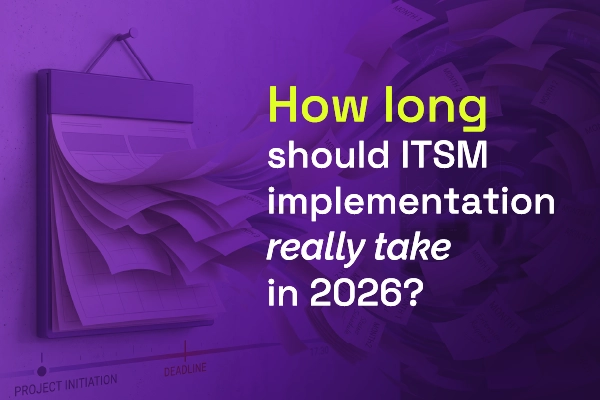
Most vendors will tell you ITSM implementation takes six months to a year — but modern, configuration-first platforms have rewritten the math entirely. See what real implementations look like in 2026, and why a long rollout is now a choice, not a given.


.webp)
.webp)