Blog
Insights & updates from our experts


Resolve plant floor and IT issues before they disrupt production.

Stay audit-ready while resolving issues and reducing operational risk.
Resolve issues quickly with an AI-powered system that automates ticketing.

Unifiy IT, HR, Facilities, Finance, and more on a single, AI-powered service platform.

Simplify on-call scheduling, automate escalations, and reduce burnout.

Automate postmortems, AI summaries, and post-incident workflows

Create, organize, and continuously improve your knowledge base to find the right answers with Sera AI.

We're here to help

The integration with Atlassian Jira using the Xurrent Integration Service is

The integration with Atlassian Jira using the Xurrent Integration Service is

The integration with Atlassian Jira using the Xurrent Integration Service is

The integration with Atlassian Jira using the Xurrent Integration Service is

The integration with Atlassian Jira using the Xurrent Integration Service is

The integration with Atlassian Jira using the Xurrent Integration Service is

The integration with Atlassian Jira using the Xurrent Integration Service is

The integration with Atlassian Jira using the Xurrent Integration Service is
Resolve issues quickly with an AI-powered system that automates ticketing.
Unifiy IT, HR, Facilities, Finance, and more on a single, AI-powered service platform.
Simplify on-call scheduling, automate escalations, and reduce burnout.
Automate postmortems, AI summaries, and post-incident workflows
Create, organize, and continuously improve your knowledge base to find the right answers with Sera AI.
Resolve plant floor and IT issues before they disrupt production.
Stay audit-ready while resolving issues and reducing operational risk.

Detect, respond, and resolve incidents fast to cut downtime and MTTR.

Keep your store online, even during your biggest sales moments.

Protect patient data and resolve issues fast, so care teams stay focused on care.

Standardize service delivery across every store and channel.

We are here to help 24/7

Connect with other Xurrent Users

Get insights and tips on how to get the most out of Xurrent

Apps, APIs, and updates

Xurrent service functionality

Eliminate manual tasks, optimize workflows, and deliver faster resolutions.
Learn how organizations have reduced downtime, improved 50% MTTA & MTTR, and cut costs with Xurrent IMR.
Discover Xurrent IMR's quick support, bidirectional integrations with Jira and Slack, and more cohesive incident response capabilities compared to Opsgenie.
Understand why users value Xurrent IMR for its intuitive interface, efficient incident alerting, customizable On-call schedules, and escalations.


Insights and Updates: Navigating the Future of Service Management
Insights and Updates: Navigating the Future of Service Management
See how Xurrent employees use automation rules and Sera AI to eliminate repetitive tasks in seconds — not hours.
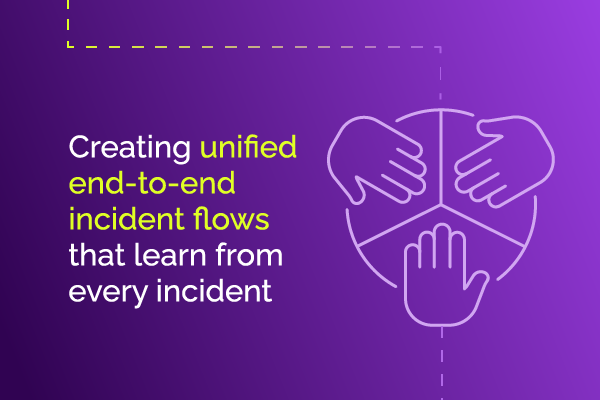
Discover how to design unified incident management flows that coordinate seamlessly across all phases, eliminating chaos and achieving faster resolution times.
Break down organizational silos and transform your enterprise with ESM. Learn how unified service management creates synergy, efficiency, and better employee experiences.
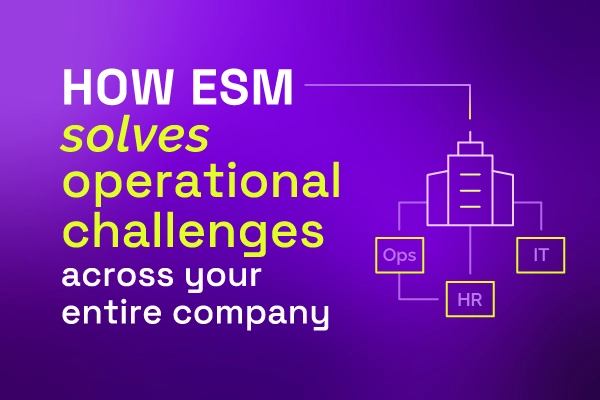
Learn how ESM applies ITSM's automated workflows and unified ticketing beyond IT to transform HR, Finance, and Facilities for consistent enterprise-wide service delivery.
Learn how ESM shifts from IT-centric bottlenecks to collaborative service management, creating shared accountability and breaking down departmental silos.

Learn why organizations are moving from siloed IT service management to integrated enterprise-wide platforms that boost productivity and employee satisfaction.
Discover how connecting ITSM, incident response, and proactive communication transforms chaotic major incidents into coordinated responses that reduce resolution time by 30%.

Learn how intelligent automation transforms IT service management beyond basic rule-based workflows to adaptive, learning systems.
Discover what Enterprise Service Management is and how it can enhance efficiency and collaboration in your organization. Read more to learn its benefits.
Explore how AI-enhanced workflow automation magnifies business efficiency, from basic triggers to autonomous systems. Learn implementation best practices and real-world benefits.

Transform incident management from reactive firefighting to a continuous improvement cycle with Xurrent IMR and Xurrent ITSM's Virtuous Cycle approach—reducing disruptions and building IT resilience.

Exploring Generative AI's role in Xurrent's ITSM platform, including AI-powered virtual agents, request summaries, and automation builders that boost productivity across 90% of customers.

Discover the 10 critical areas where service management is evolving from 'good to great,' including AI automation, security, and user experience. Learn how Xurrent's modern platform transforms ITSM with concrete examples of innovation.

Incorporating AI and automation have reshaped how MSPs address repetitive tasks, reduce MTTR, and enhance customer satisfaction. Read more.

Xurrent has acquired Zenduty to lead the future of IT Operations Management. Read the blog post to find out more.

Discover how ITxM unifies ITSM, ITOM, and ITIM to break the incident management doom loop. Learn how modern IT teams are evolving to serve digital enterprises and prevent costly downtime through unified service management.

Discover how Xurrent's secure AI-powered platform drives productivity across ITSM, ESM, and ITOM. Learn about key features including auto-classification, translations, and knowledge article creation.

A new Maintenance window field has been added to the Service Instance form, in which a calendar can be selected.
Shop articles can now appear in the global search of both Xurrent Self Service and the Specialist Interface.
The Request note field has been added to the ‘Request Generation’ section of a task, allowing notes to be created at request generation,
The approval feature involving delegates has been improved, so that essential approvers can never be bypassed.
Recurring workflows can now also be set up for CIs related to the other rule sets, such as logical assets.
A ‘Phase’ filter option has been added to all reports that are related to workflows that are not yet completed.
Create one recurring workflow that covers every asset — use item references to schedule CI maintenance across fleets in Xurrent.
Attach a calendar to a recurring workflow in Xurrent to skip weekends, holidays, or off-hours automatically.
A new workflow status ‘In Progress’ is introduced, replacing the old statuses ‘Risk & Impact’, ‘Approval’ and ‘Implementation’.
From task and task-related reports it is now possible to see those approval tasks for which a skill pool was selected for approval.
A new category for workflow tasks has been added to tasks and task templates: Automation tasks.
After assigning a task to a team or person from another account, that task and its workflow are permanently visible within that trusted account.
It is now possible to include links in notification emails that enable people to approve or reject a task by replying to that email.
It is now possible to make a note required when the status of such a task is set to ‘Completed’.
When a a workflow task generates a request, the request template icon is shown next to that task in the Gantt chart of that workflow.
It is now possible for organizations to specify more precisely to which teams of trusted accounts tasks and project tasks can be assigned.
It is now possible to create custom views on workflows, enabling organizations to expose their workflows to users through a UI extension.
From a workflow it is possible to start a project. It is now also possible for an automation rule to access the workflow that started the project.
It is now possible to create automation rules on workflows and on workflow templates at the workflow level.



.webp)
.webp)