







Blog
Insights & updates from our experts


Resolve plant floor and IT issues before they disrupt production.

Stay audit-ready while resolving issues and reducing operational risk.
Resolve issues quickly with an AI-powered system that automates ticketing.

Unifiy IT, HR, Facilities, Finance, and more on a single, AI-powered service platform.

Simplify on-call scheduling, automate escalations, and reduce burnout.

Automate postmortems, AI summaries, and post-incident workflows

Create, organize, and continuously improve your knowledge base to find the right answers with Sera AI.

We're here to help

The integration with Atlassian Jira using the Xurrent Integration Service is

The integration with Atlassian Jira using the Xurrent Integration Service is

The integration with Atlassian Jira using the Xurrent Integration Service is

The integration with Atlassian Jira using the Xurrent Integration Service is

The integration with Atlassian Jira using the Xurrent Integration Service is

The integration with Atlassian Jira using the Xurrent Integration Service is

The integration with Atlassian Jira using the Xurrent Integration Service is

The integration with Atlassian Jira using the Xurrent Integration Service is
Resolve issues quickly with an AI-powered system that automates ticketing.
Unifiy IT, HR, Facilities, Finance, and more on a single, AI-powered service platform.
Simplify on-call scheduling, automate escalations, and reduce burnout.
Automate postmortems, AI summaries, and post-incident workflows
Create, organize, and continuously improve your knowledge base to find the right answers with Sera AI.
Resolve plant floor and IT issues before they disrupt production.
Stay audit-ready while resolving issues and reducing operational risk.

Detect, respond, and resolve incidents fast to cut downtime and MTTR.

Keep your store online, even during your biggest sales moments.

Protect patient data and resolve issues fast, so care teams stay focused on care.

Standardize service delivery across every store and channel.

We are here to help 24/7

Connect with other Xurrent Users

Get insights and tips on how to get the most out of Xurrent

Apps, APIs, and updates

Xurrent service functionality

Eliminate manual tasks, optimize workflows, and deliver faster resolutions.
Learn how organizations have reduced downtime, improved 50% MTTA & MTTR, and cut costs with Xurrent IMR.
Discover Xurrent IMR's quick support, bidirectional integrations with Jira and Slack, and more cohesive incident response capabilities compared to Opsgenie.
Understand why users value Xurrent IMR for its intuitive interface, efficient incident alerting, customizable On-call schedules, and escalations.
Note: We’re just getting started with 2026. This post is a living document, and we’ll keep adding new updates right here until the quarter ends on March 31st.
Workflows support six incident-based triggers. You pick the event, set the conditions, and the automation runs the moment it happens — no manual step, no delay.
- Incident Created
- Incident Status Updated
- Incident Urgency Updated
- Incident Assigned To Updated
- Incident Team Priority Updated
- Incident SLA Updated
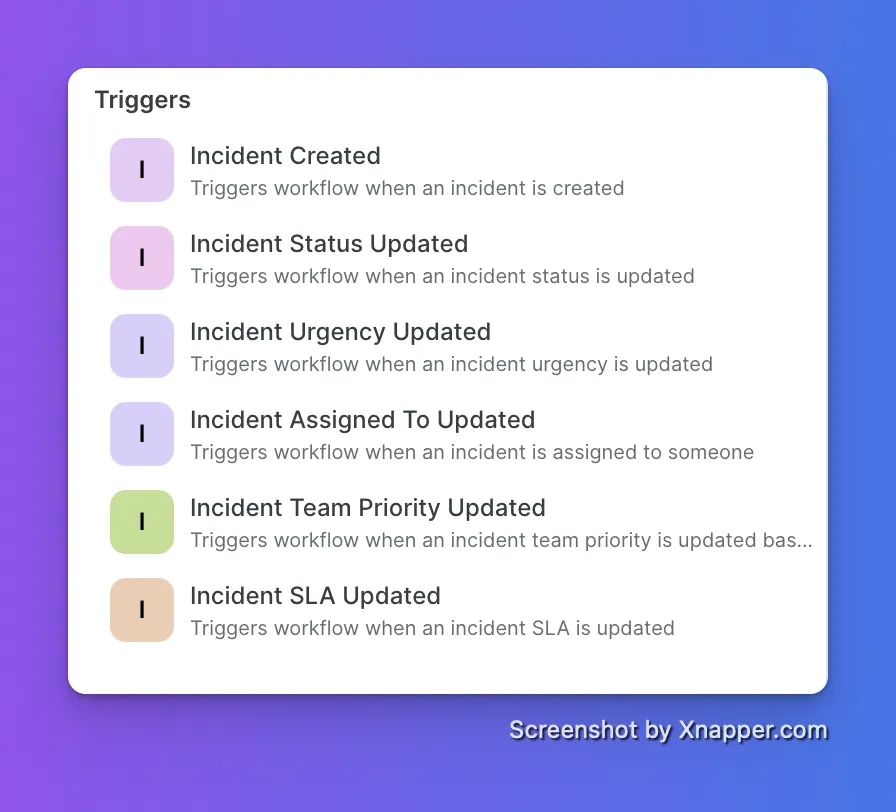
Priority changes to P0. Workflow fires instantly. Slack message and email go out to all stakeholders: "This incident has been escalated to P0. Immediate attention required." Nobody had to make a call or send a message manually.
Each trigger is fully configurable. Set conditions like "from anything to P0" or "urgency changes to critical during business hours." The workflow only fires when your conditions are met.
If your infrastructure monitoring runs on Checkmk, your alerts now flow directly into IMR without a workaround.
Checkmk alerts route to the right on-call team based on your escalation policies. Notifications go out via email, SMS, voice, Slack, Teams, and more. No alert gets missed.
You can go further with Alert Rules. Route specific Checkmk alerts to specific teams, suppress the noise that does not need a human, or auto-add responders and incident tasks when certain conditions hit.
Get started with the Checkmk Integration Guide →
Sentry deprecated webhook support for third-party tools. We built a proper native integration to replace it.
The old webhook-based setup is gone. The new native integration is faster to configure, more reliable, and officially supported going forward. If you were using Sentry with Xurrent IMR before, you need to reconnect.
Reconnecting takes under 2 minutes.
Set up the Sentry integration →
Non-admin team members can now create and edit workflows without needing full admin access.
Previously, only Admins and Owners could manage workflows. That created a bottleneck on teams where the person who knows the process best is not the admin. This change fixes that.
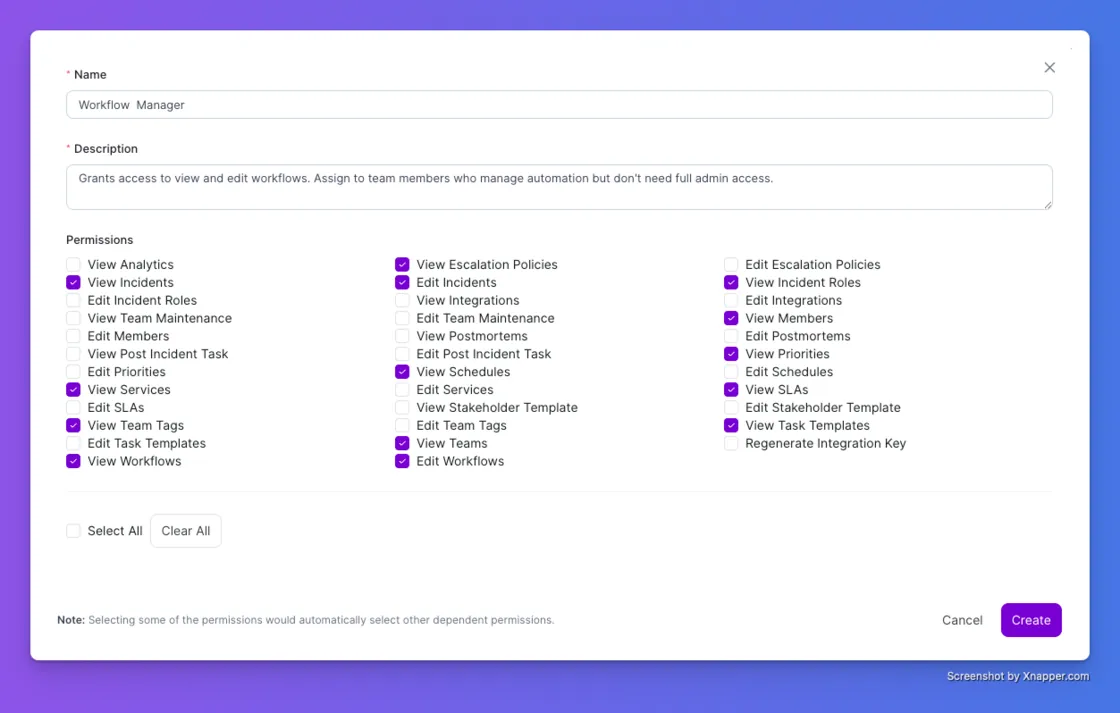
1. Go to Account, then Custom Roles
2. Create a role with View or Edit Workflows permissions
3. Assign the role to any team member
That person can now manage workflows independently. Admins stay in control of what access is granted. Everyone else gets to work without waiting for someone to do it for them.
We’ve all been there: It’s 3 AM, your phone rings, and you miss it while fumbling for your glasses. You open the incident summary to see who escalated the issue, and the caller ID is... your own number.
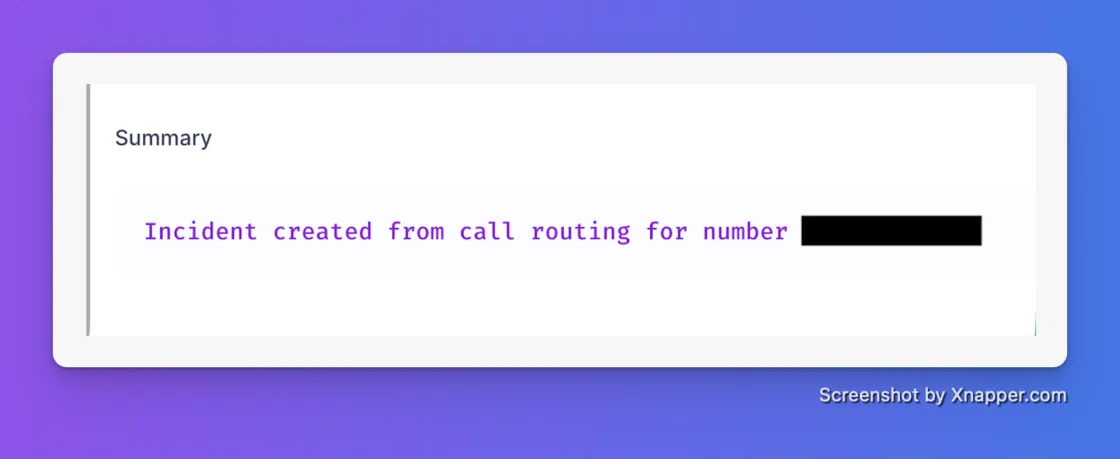
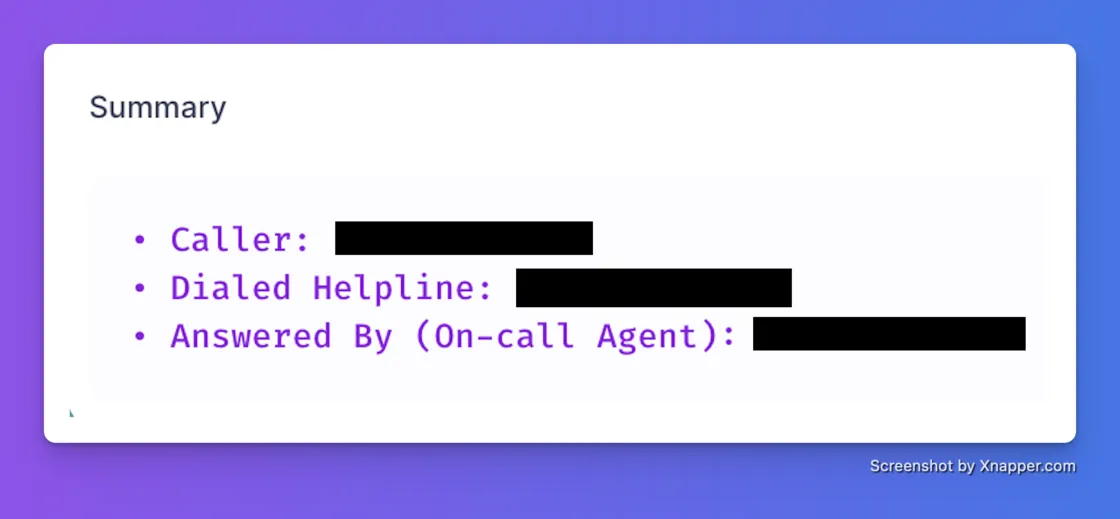
Playing detective during a SEV1 is the definition of toil. Previously, our Live Call Routing only displayed the assigned on-call agent's contact number, making it nearly impossible to quickly identify the actual stakeholder if a call was missed. We’ve overhauled the incident summary to give you instant context so you can skip the chat archaeology and get straight to debugging.
Now, your Live Call Routing summaries will automatically log:
Having beautiful monitoring dashboards is great, but staring at glass doesn't fix a degraded cluster. If your monitoring signals aren't natively wired directly to your escalation paths, you are just generating noise and hurting your MTTR.
We are thrilled to release our native integration with LogicMonitor, bridging the gap between "something is broken" and "the right engineer is fixing it." You can now ingest LogicMonitor alerts directly into Xurrent IMR to drive a highly structured, automated incident response lifecycle.
Here is how it upgrades your workflow:
📖 Ready to wire it up? Read the LogicMonitor Integration Docs Here
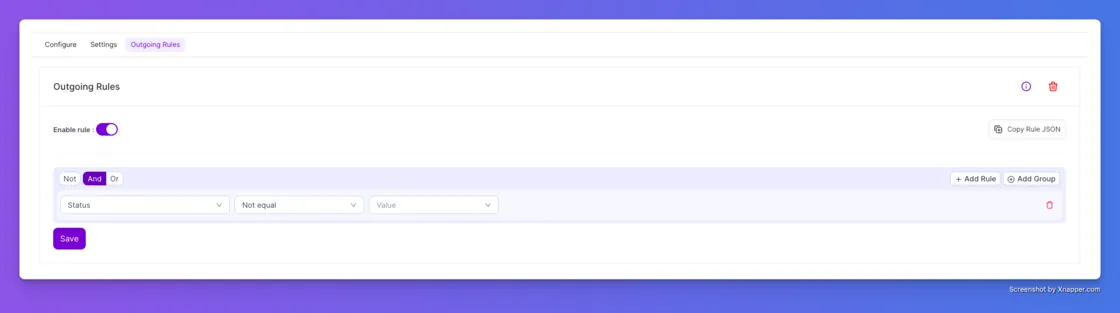
We are kicking off 2026 by giving you more control over your integrations. We know the pain: you set up an integration to send incident data to Jira or Slack, but it keeps firing off updates you don't care about. You end up with "Resolved" notifications clogging up your channels when you really only wanted to know when things were on fire.
We’ve updated Outgoing Rules to support Incident Status as a condition. Previously, you could filter by title or urgency, but now you can be precise about the state of the incident. You can set a rule that says, "Only send this data to Zendesk if the Status is NOT Resolved." It’s a small tweak that saves your team from notification fatigue and keeps your downstream tools clean.
If you spend time in our Analytics tab, you know that data is only useful if it has context. You told us that downloading reports felt like getting half the story—you had the numbers, but you missed the notes, the tags, and you had to do mental math to figure out the time. We fixed all three of those annoyances in one go.
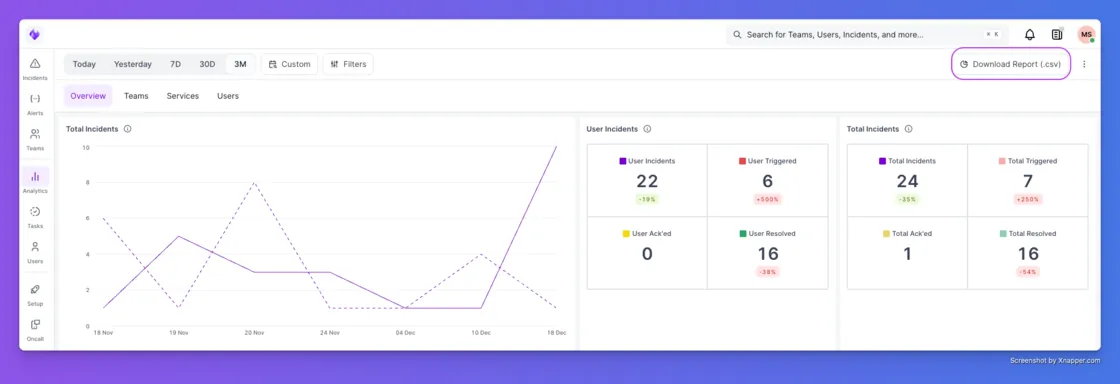
1. Context is King (Incident Notes)Previously, your downloaded reports were missing the actual human conversation. Now, Incident Notes are included as a column in your export. This means you can review the responder’s commentary and the "why" behind the incident directly in the report, making post-mortems and retrospectives much faster.
2. Slice and Dice (Incident Tags)We’ve also added Incident Tags as a dedicated column. If you tag incidents by environment (like "prod" vs "staging") or by customer name, those tags now show up in your CSV. This makes it incredibly easy to spot trends—like realizing that 80% of your alerts last week came from a single buggy beta feature.
3. Stop Doing Math (Timezone Awareness)Finally, we fixed the most annoying part of reporting: UTC timestamps. In the past, every report used Universal Time, forcing you to manually convert hours in your head or in Excel. Now, downloaded reports automatically respect the Timezone in your User Profile. If you are in New York, your report is in EST. No more mental math required.



.webp)
.webp)

.webp)



