
Blog
Insights & updates from our experts


Resolve plant floor and IT issues before they disrupt production.

Stay audit-ready while resolving issues and reducing operational risk.
Resolve issues quickly with an AI-powered system that automates ticketing.

Unifiy IT, HR, Facilities, Finance, and more on a single, AI-powered service platform.

Simplify on-call scheduling, automate escalations, and reduce burnout.

Automate postmortems, AI summaries, and post-incident workflows

Create, organize, and continuously improve your knowledge base to find the right answers with Sera AI.

We're here to help

The integration with Atlassian Jira using the Xurrent Integration Service is

The integration with Atlassian Jira using the Xurrent Integration Service is

The integration with Atlassian Jira using the Xurrent Integration Service is

The integration with Atlassian Jira using the Xurrent Integration Service is

The integration with Atlassian Jira using the Xurrent Integration Service is

The integration with Atlassian Jira using the Xurrent Integration Service is

The integration with Atlassian Jira using the Xurrent Integration Service is

The integration with Atlassian Jira using the Xurrent Integration Service is
Resolve issues quickly with an AI-powered system that automates ticketing.
Unifiy IT, HR, Facilities, Finance, and more on a single, AI-powered service platform.
Simplify on-call scheduling, automate escalations, and reduce burnout.
Automate postmortems, AI summaries, and post-incident workflows
Create, organize, and continuously improve your knowledge base to find the right answers with Sera AI.
Resolve plant floor and IT issues before they disrupt production.
Stay audit-ready while resolving issues and reducing operational risk.

Detect, respond, and resolve incidents fast to cut downtime and MTTR.

Keep your store online, even during your biggest sales moments.

Protect patient data and resolve issues fast, so care teams stay focused on care.

Standardize service delivery across every store and channel.

We are here to help 24/7

Connect with other Xurrent Users

Get insights and tips on how to get the most out of Xurrent

Apps, APIs, and updates

Xurrent service functionality

Eliminate manual tasks, optimize workflows, and deliver faster resolutions.
Learn how organizations have reduced downtime, improved 50% MTTA & MTTR, and cut costs with Xurrent IMR.
Discover Xurrent IMR's quick support, bidirectional integrations with Jira and Slack, and more cohesive incident response capabilities compared to Opsgenie.
Understand why users value Xurrent IMR for its intuitive interface, efficient incident alerting, customizable On-call schedules, and escalations.








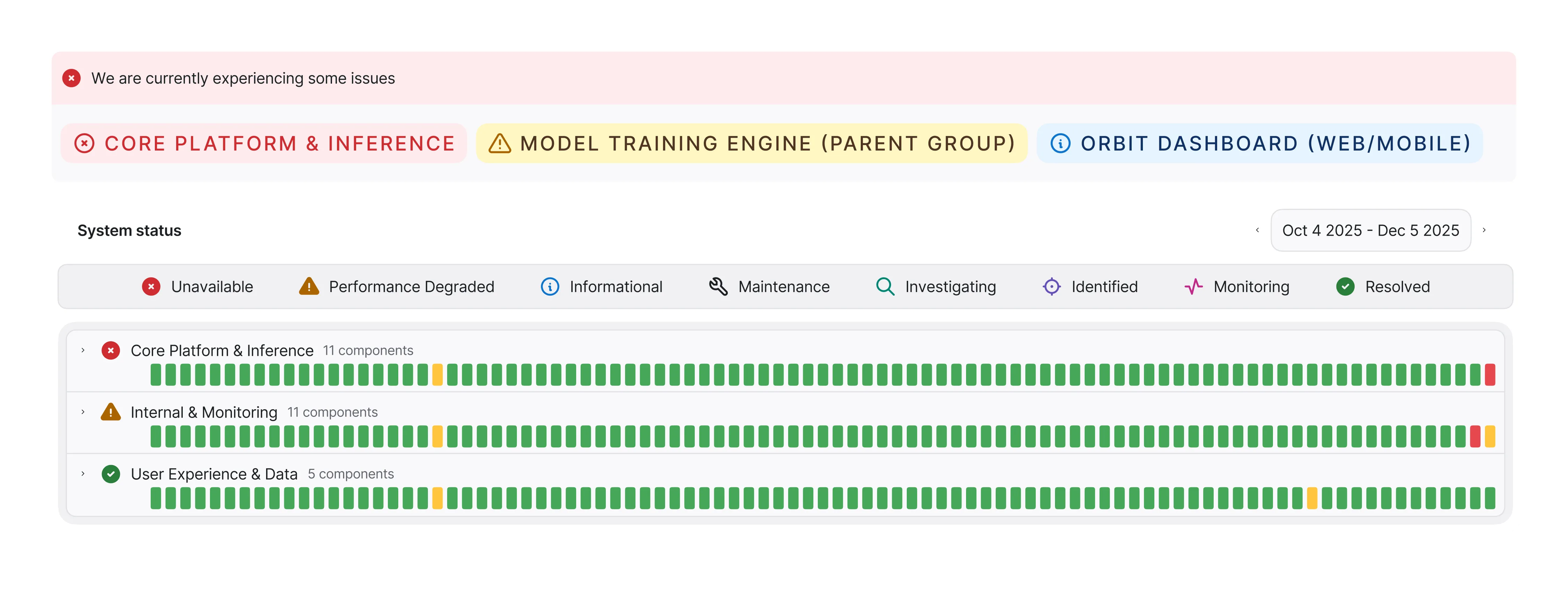
A private status page is the go-to for large enterprises looking for an internal source of truth on critical services. Dedicated internal status pages minimize productivity loss and reduce employee frustration when services go down — which eliminates a flood of support tickets. That saves your IT and support teams from running around putting out fires, so they can focus on resolving incidents.
A private status page is the go-to for large enterprises looking for an internal source of truth on critical services. It minimizes productivity loss and reduces frustration when the services employees rely on go down, eliminating a flood of support tickets — so IT and support can focus on resolving incidents instead of fielding “is it down?” questions.

Access to your private status page is managed via authentication — using built-in login accounts, single sign-on (SSO), or integration with Google Login — so only the right people inside your organization can see it.
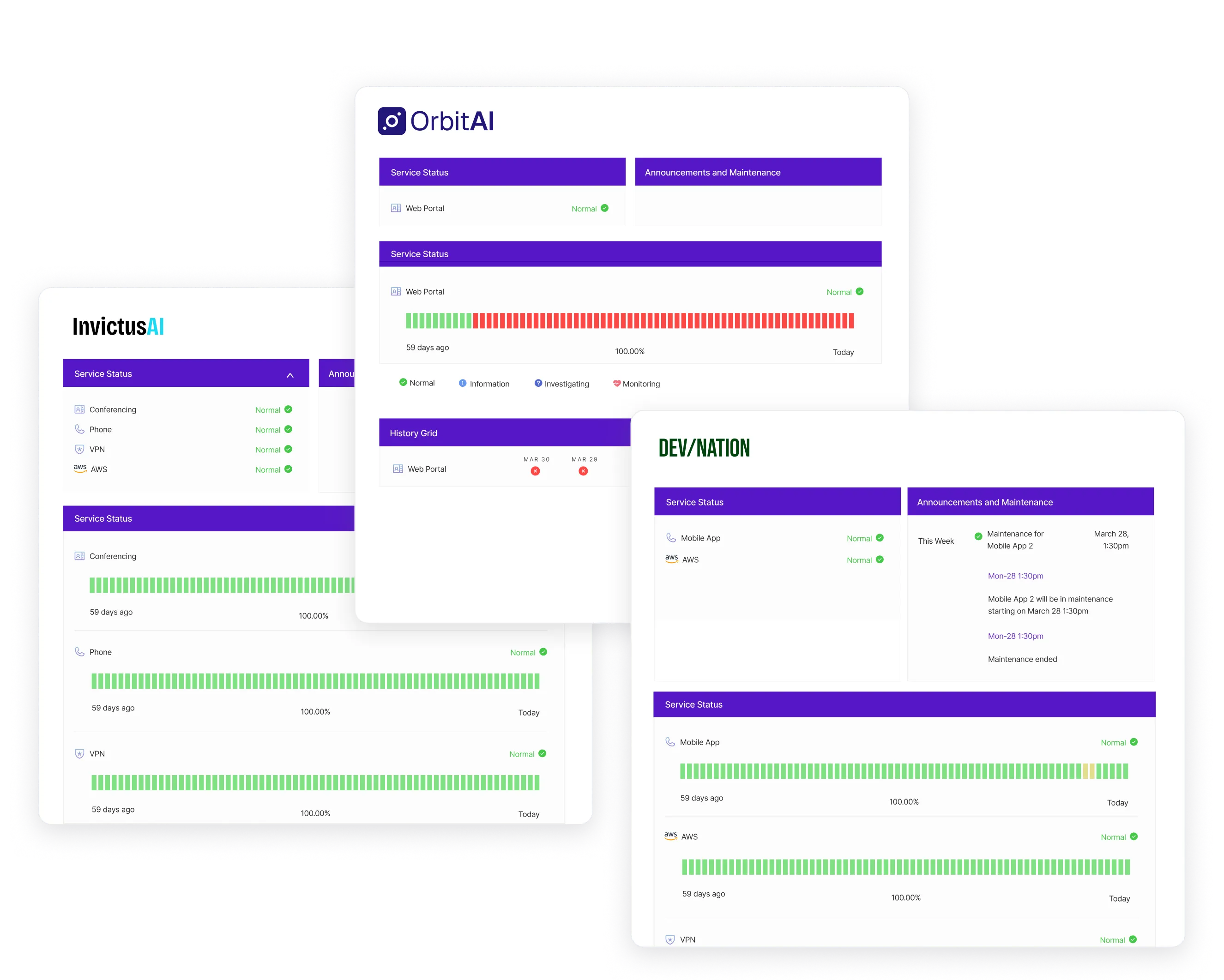
End User Incident Reporting bridges the gap between your employees and your IT team. This one-click reporting mechanism, built directly into your private status page, creates a two-way street that accelerates incident response. Reports make employees’ lives easier — no more chasing IT — and save technicians time by automatically drafting incidents that are ready to publish.

Collate third-party private status services into one centralized location, giving employees a comprehensive master view of every relevant service status. A single source of truth removes the wasted time and uncertainty of monitoring scattered pages during an outage. Integrate specific components and services from numerous third-party providers.
An internal status page has to be secure, easy to act on, and connected to the tools your teams already use. Status Pages by IMR pairs a trusted internal source of truth with flexible authentication, two-way reporting, and third-party aggregation.


Status Pages by IMR plugs into the monitoring, communication, and ticketing tools you already run, so your internal status page stays in sync with real system state automatically. Set up in minutes with pre-built integrations and webhooks.


.webp)
.webp)