







Blog
Insights & updates from our experts


Resolve plant floor and IT issues before they disrupt production.

Stay audit-ready while resolving issues and reducing operational risk.
Resolve issues quickly with an AI-powered system that automates ticketing.

Unifiy IT, HR, Facilities, Finance, and more on a single, AI-powered service platform.

Simplify on-call scheduling, automate escalations, and reduce burnout.

Automate postmortems, AI summaries, and post-incident workflows

Create, organize, and continuously improve your knowledge base to find the right answers with Sera AI.

We're here to help

The integration with Atlassian Jira using the Xurrent Integration Service is

The integration with Atlassian Jira using the Xurrent Integration Service is

The integration with Atlassian Jira using the Xurrent Integration Service is

The integration with Atlassian Jira using the Xurrent Integration Service is

The integration with Atlassian Jira using the Xurrent Integration Service is

The integration with Atlassian Jira using the Xurrent Integration Service is

The integration with Atlassian Jira using the Xurrent Integration Service is

The integration with Atlassian Jira using the Xurrent Integration Service is
Resolve issues quickly with an AI-powered system that automates ticketing.
Unifiy IT, HR, Facilities, Finance, and more on a single, AI-powered service platform.
Simplify on-call scheduling, automate escalations, and reduce burnout.
Automate postmortems, AI summaries, and post-incident workflows
Create, organize, and continuously improve your knowledge base to find the right answers with Sera AI.
Resolve plant floor and IT issues before they disrupt production.
Stay audit-ready while resolving issues and reducing operational risk.

Detect, respond, and resolve incidents fast to cut downtime and MTTR.

Keep your store online, even during your biggest sales moments.

Protect patient data and resolve issues fast, so care teams stay focused on care.

Standardize service delivery across every store and channel.

We are here to help 24/7

Connect with other Xurrent Users

Get insights and tips on how to get the most out of Xurrent

Apps, APIs, and updates

Xurrent service functionality

Eliminate manual tasks, optimize workflows, and deliver faster resolutions.
Learn how organizations have reduced downtime, improved 50% MTTA & MTTR, and cut costs with Xurrent IMR.
Discover Xurrent IMR's quick support, bidirectional integrations with Jira and Slack, and more cohesive incident response capabilities compared to Opsgenie.
Understand why users value Xurrent IMR for its intuitive interface, efficient incident alerting, customizable On-call schedules, and escalations.








Catering to different roles across your organization is hard — it usually means juggling multiple status pages and notification channels. Status Pages by IMR collapses that into one. With audience-specific pages, each end user sees only the components and services relevant to them, and hears from you only when something they depend on is affected. One solution, tailored views, less noise for everyone.
.webp)
Catering to different roles in your company can be challenging, often requiring multiple status pages and separate notification channels. With audience status pages, who you are determines what you see. Each user gets their own view of components and services, and their own notification methods — all within a single status page solution.
.webp)
Construct audience groups to assign components, incidents, and services to specific users. By combining subscription filtering with role-based access, you can generate personalized status page views and notifications for every audience — effortlessly, and at scale.
.webp)
Custom views cut straight to what matters for each end user. Display only the information that’s relevant to them, and mitigate alert fatigue by notifying people only when the services and components they actually depend on are affected.
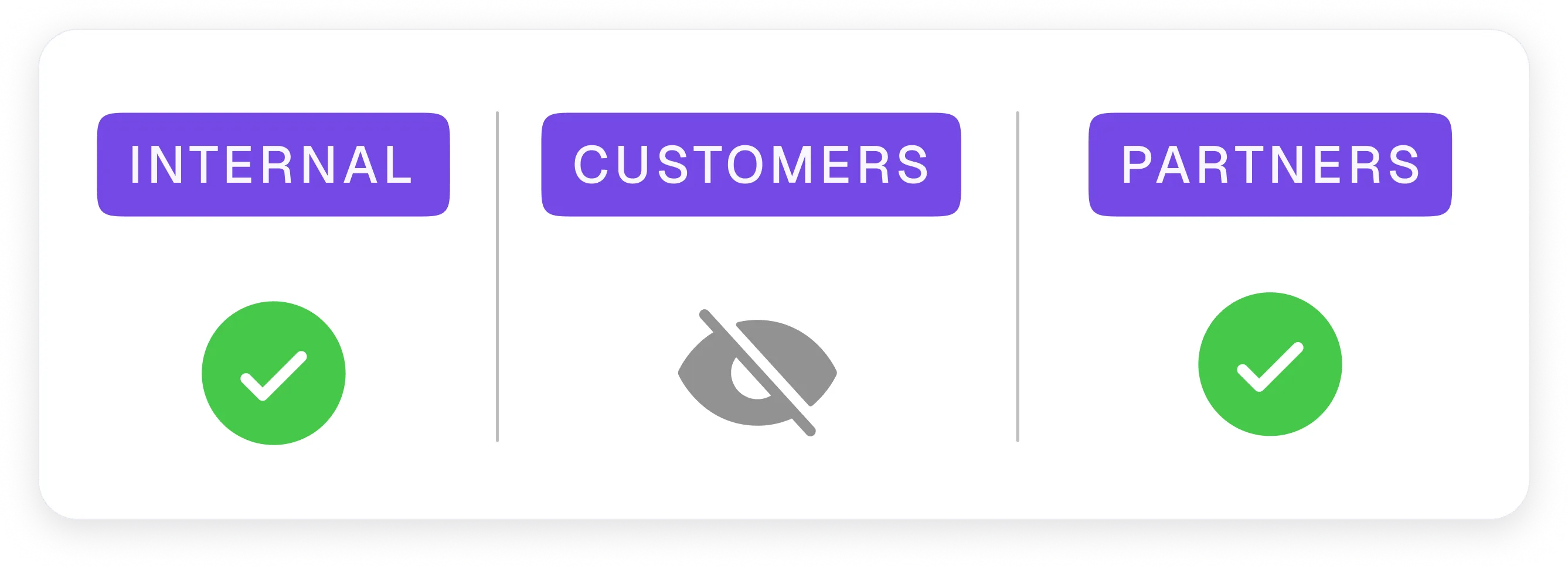
Control who sees what with granular, role-based permissions. Internal teams, customers, and partners each get the visibility appropriate to them — sensitive components stay hidden from audiences that shouldn’t see them, without maintaining separate pages.
Audience-specific pages should feel effortless to run. Status Pages by IMR pairs tailored views with the notification depth, filtering, and integrations that keep each audience informed without overwhelming them.


Status Pages by IMR plugs into the monitoring, communication, and ticketing tools you already run — so audience pages stay in sync with real system state automatically. Set up in minutes with pre-built integrations and webhooks.



.webp)
.webp)



.webp)