
























AI Querier
Ask questions about an incident in plain language
Alert payloads can be long and difficult to scan. A single monitoring alert may contain hundreds of lines, with important details such as the affected region, cluster, or component buried within the payload.
Sera AI Querier lets you ask questions about the incident in plain language and quickly find the information you need. It can retrieve relevant details from the incident timeline, alert payloads, notes, and conversations from Slack.
You can ask questions directly in the incident’s Slack channel, allowing responders to get answers without leaving the channel or switching to a monitoring tool.
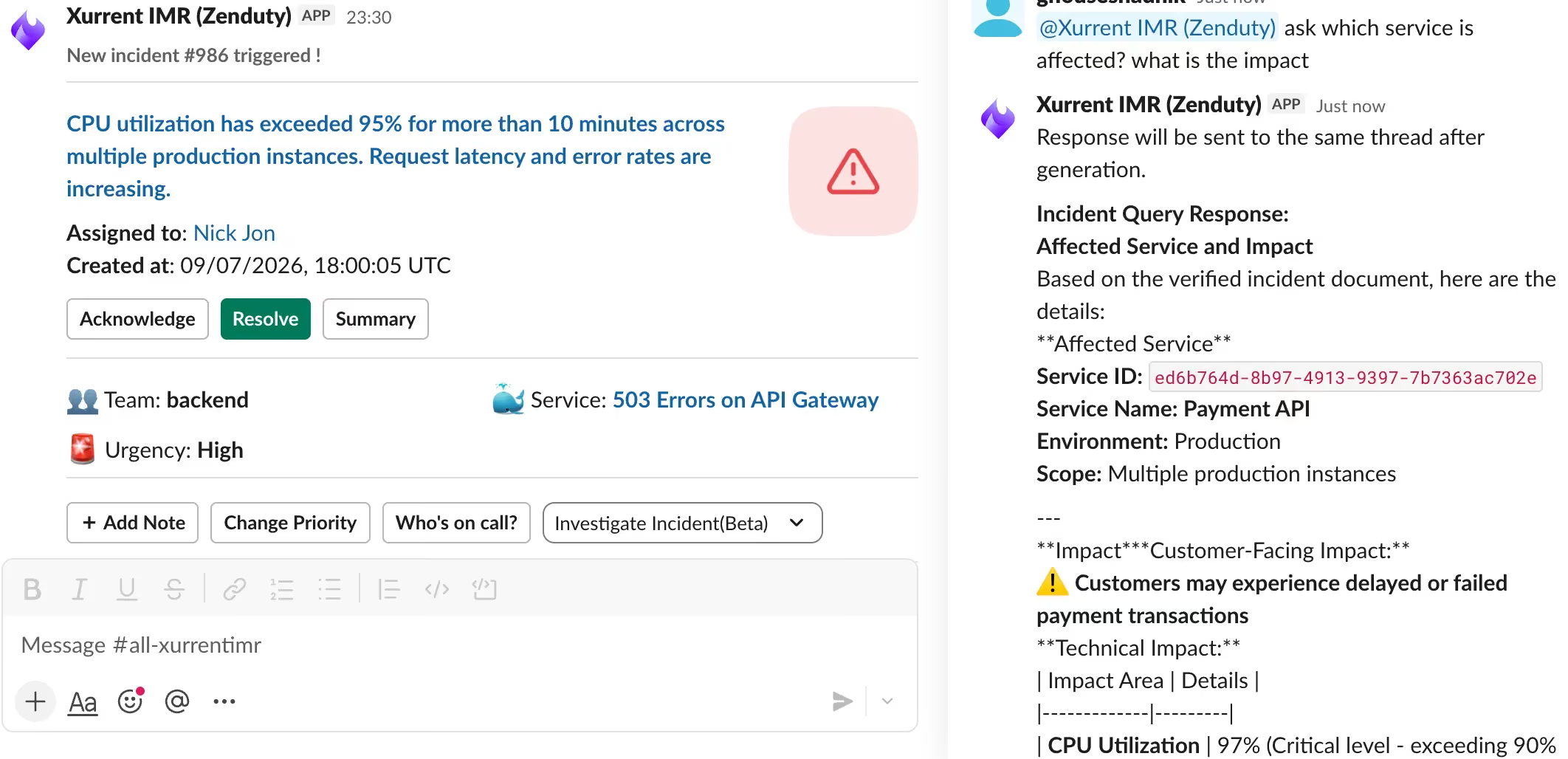
Ask a question
In Slack
- Open the incident's channel.
- Ask your question in plain language, for example Which region was impacted?
- The answer is returned in the channel.
Tip: Ask one thing at a time. A single specific question — which cluster is affected — returns a cleaner answer than a compound one asking for the cluster, the region, and the trigger together.
What the Querier can answer