

























AI Incident Summarizer
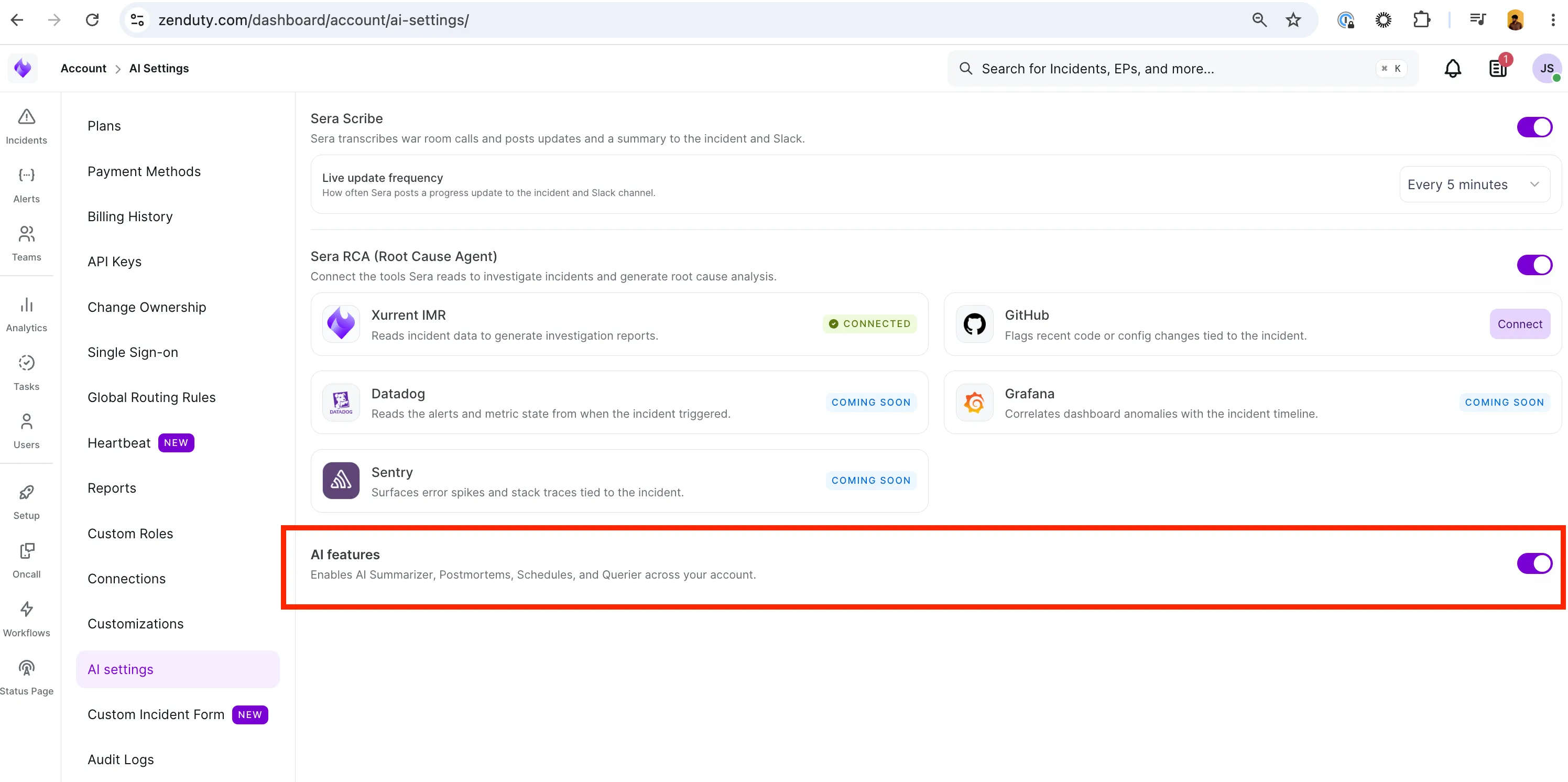
Enable AI Features:
- Navigate to https://www.zenduty.com/dashboard/account/ai-settings/ and enable AI features.
The AI Incident Summarizer generates a quick, plain-language summary of an incident using the alert payloads attached to it.
Use it to quickly understand what an incident is about without having to go through the raw alert payloads or logs. It helps new responders get up to speed quickly and gives stakeholders or non-technical users a clear understanding of the issue.
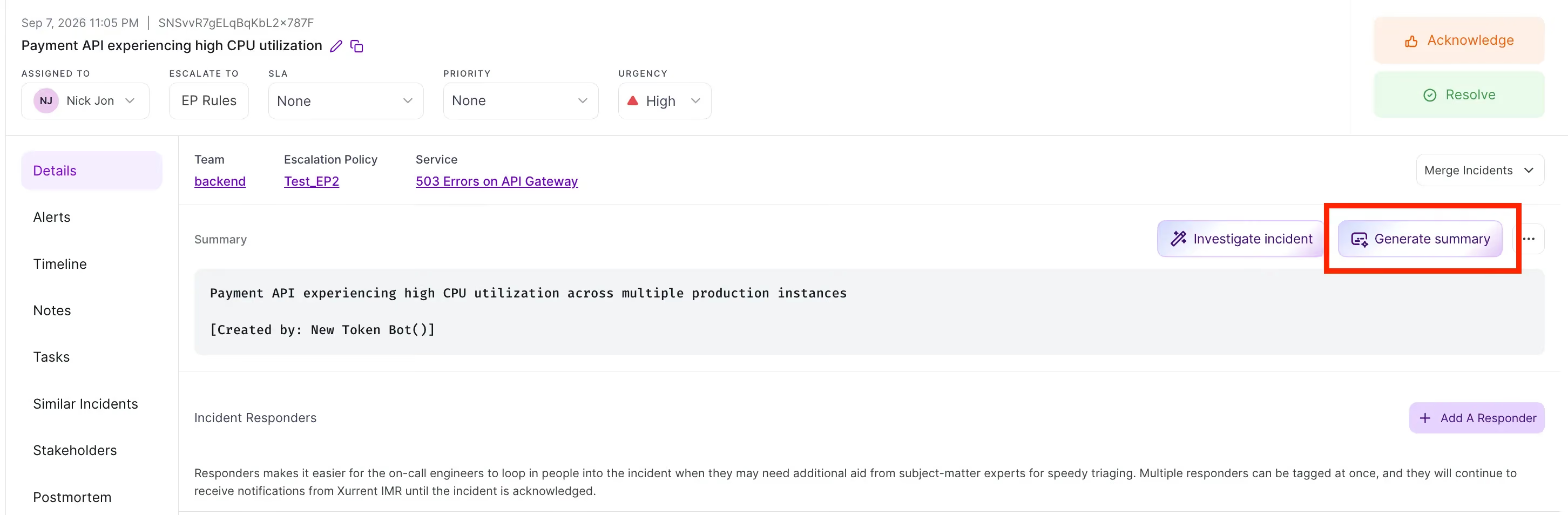
Generate a summary
In Xurrent IMR
- Open the incident and go to the Details tab.
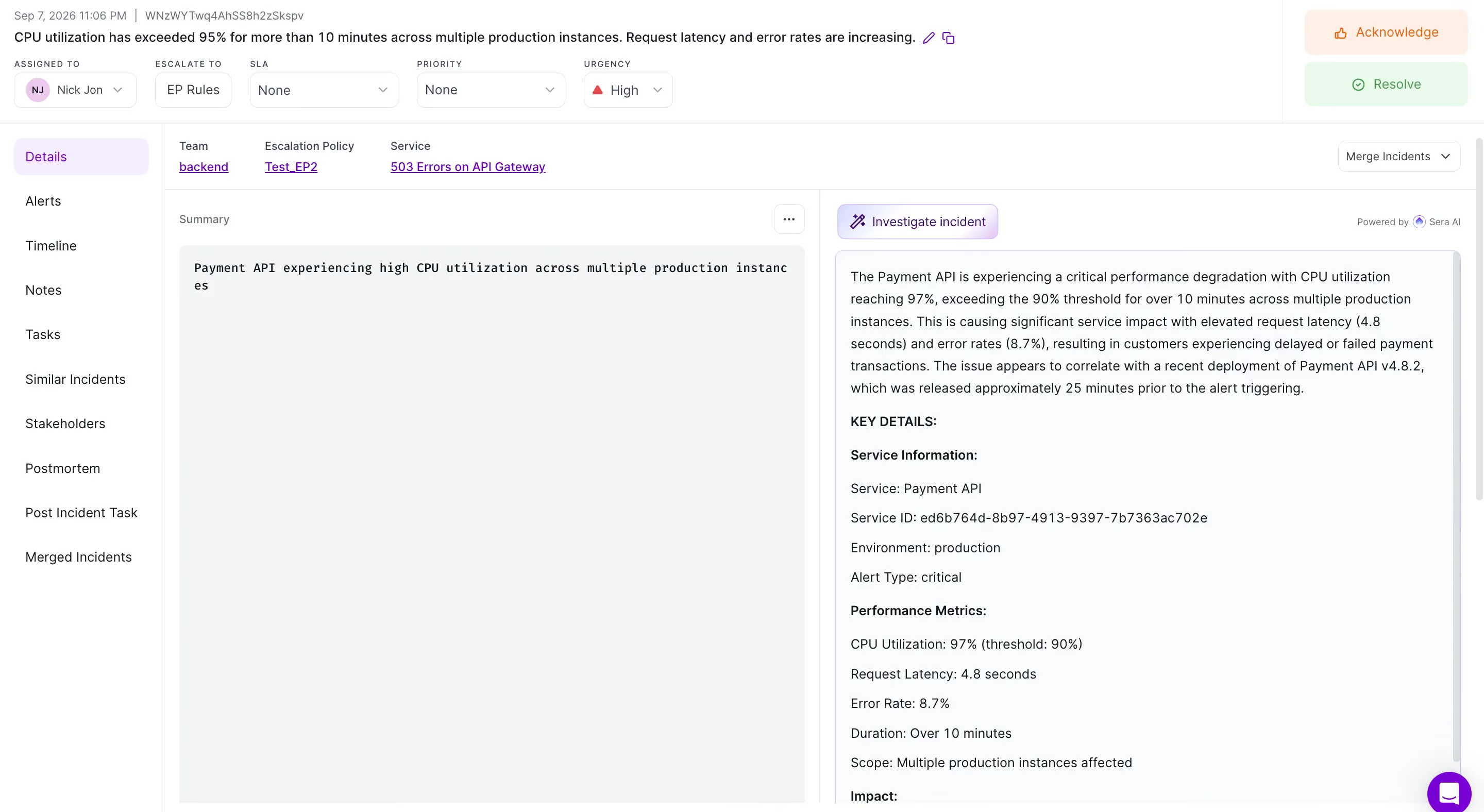
- In the Summary section, click Generate summary.
- Review the output.
- Copy the summary into your stakeholder update, incident channel, or status page post.
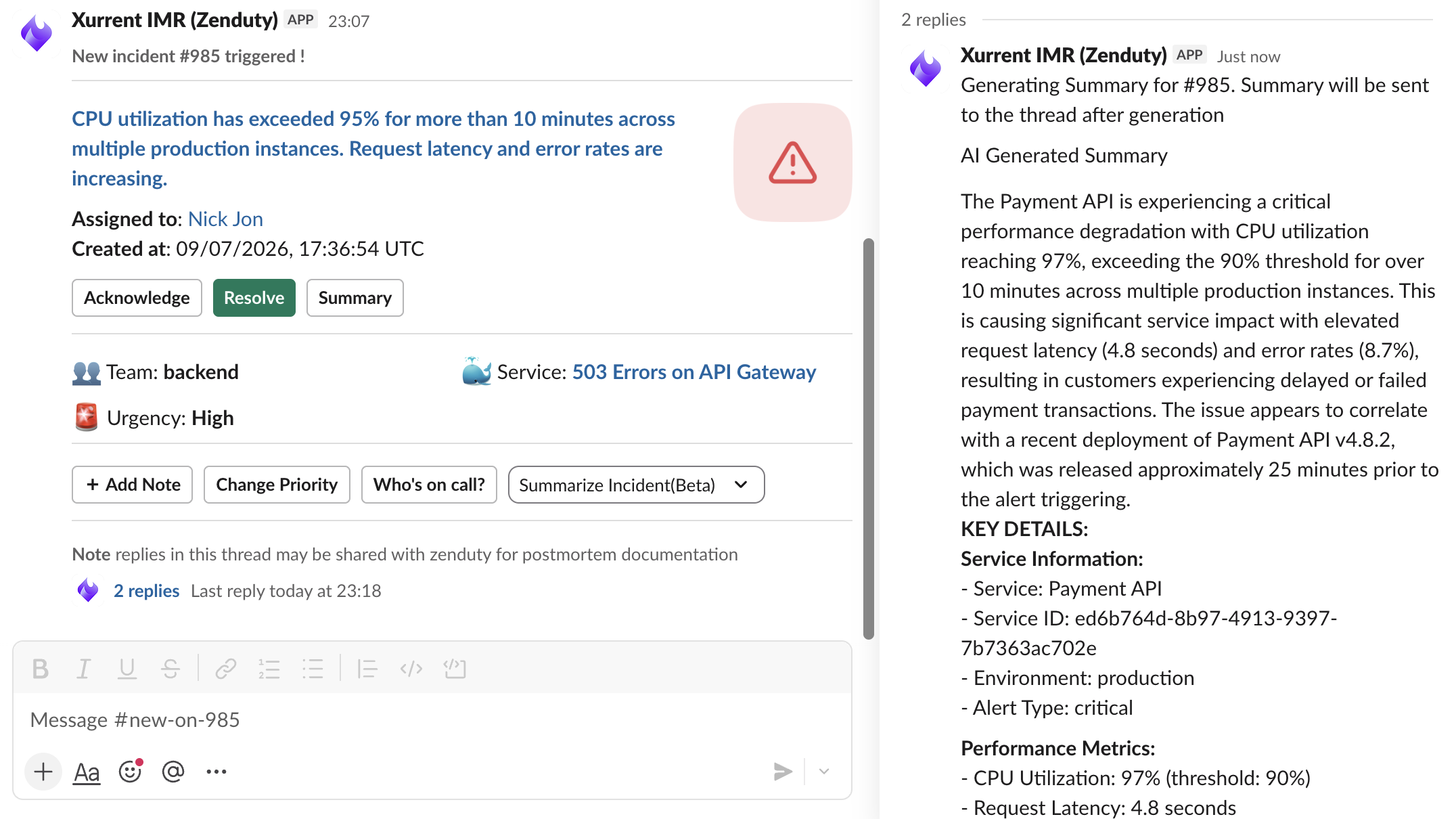
In Slack
Summaries can be generated in the incident's chat channel, without opening the Xurrent IMR web app.
What the summary contains
When to use the Summarizer
Open Modal