


.webp)


Blog
Insights & updates from our experts


Resolve issues quickly with an AI-powered system that automates ticketing.

Resolve issues quickly with an AI-powered system that automates ticketing.

Resolve issues quickly with an AI-powered system that automates ticketing.

Resolve issues quickly with an AI-powered system that automates ticketing.
Resolve issues quickly with an AI-powered system that automates ticketing.
Resolve issues quickly with an AI-powered system that automates ticketing.
Simplify on-call scheduling, automate escalations, and reduce burnout.

Automate postmortems, AI summaries, and post-incident workflows

We're here to help

The integration with Atlassian Jira using the Xurrent Integration Service is

The integration with Atlassian Jira using the Xurrent Integration Service is

The integration with Atlassian Jira using the Xurrent Integration Service is

The integration with Atlassian Jira using the Xurrent Integration Service is

The integration with Atlassian Jira using the Xurrent Integration Service is

The integration with Atlassian Jira using the Xurrent Integration Service is

The integration with Atlassian Jira using the Xurrent Integration Service is

The integration with Atlassian Jira using the Xurrent Integration Service is
Resolve issues quickly with an AI-powered system that automates ticketing.
Resolve issues quickly with an AI-powered system that automates ticketing.
Simplify on-call scheduling, automate escalations, and reduce burnout.
Automate postmortems, AI summaries, and post-incident workflows
Resolve issues quickly with an AI-powered system that automates ticketing.
Resolve issues quickly with an AI-powered system that automates ticketing.
Resolve issues quickly with an AI-powered system that automates ticketing.
Resolve issues quickly with an AI-powered system that automates ticketing.

We are here to help 24/7

Connect with other Xurrent Users

Get insights and tips on how to get the most out of Xurrent

Apps, APIs, and updates

Xurrent service functionality

Eliminate manual tasks, optimize workflows, and deliver faster resolutions.
Learn how organizations have reduced downtime, improved 50% MTTA & MTTR, and cut costs with Xurrent IMR.
Discover Xurrent IMR's quick support, bidirectional integrations with Jira and Slack, and more cohesive incident response capabilities compared to Opsgenie.
Understand why users value Xurrent IMR for its intuitive interface, efficient incident alerting, customizable On-call schedules, and escalations.

Slack is a popular workplace messaging platform, designed to get tools, people and context together so teams can troubleshoot faster. The Xurrent IMR Incident Management platform fetches alerts from your monitoring apps, creates and assigns incidents based on schedules and escalation policies and intimates engineers on call. When these two applications come together, the result is a fast, stress-free incident-resolution process.
IMPORTANT - This setup is for sending incident updates to the user's direct message from the Xurrent IMR bot for Slack. To send incident updates to a channel, check out the Incident Command System Integration for Slack outgoing integration.
There are two ways to receive Slack notifications from Xurrent IMR
1. As a personal notification
Through this method, you can instruct Xurrent IMR to notify you on Slack whenever an incident is assigned to you. This can be in place of, or in addition to notifications via phone call or SMS.
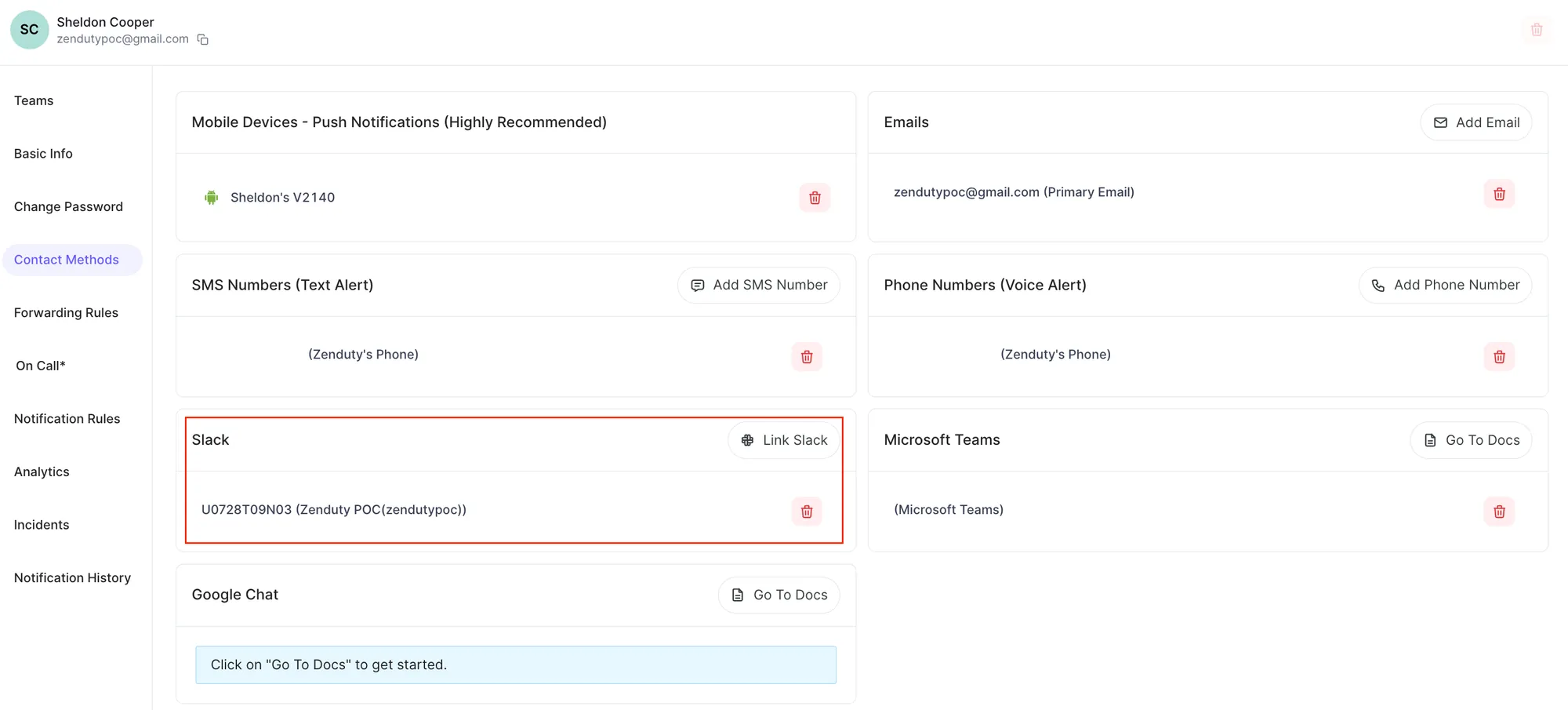
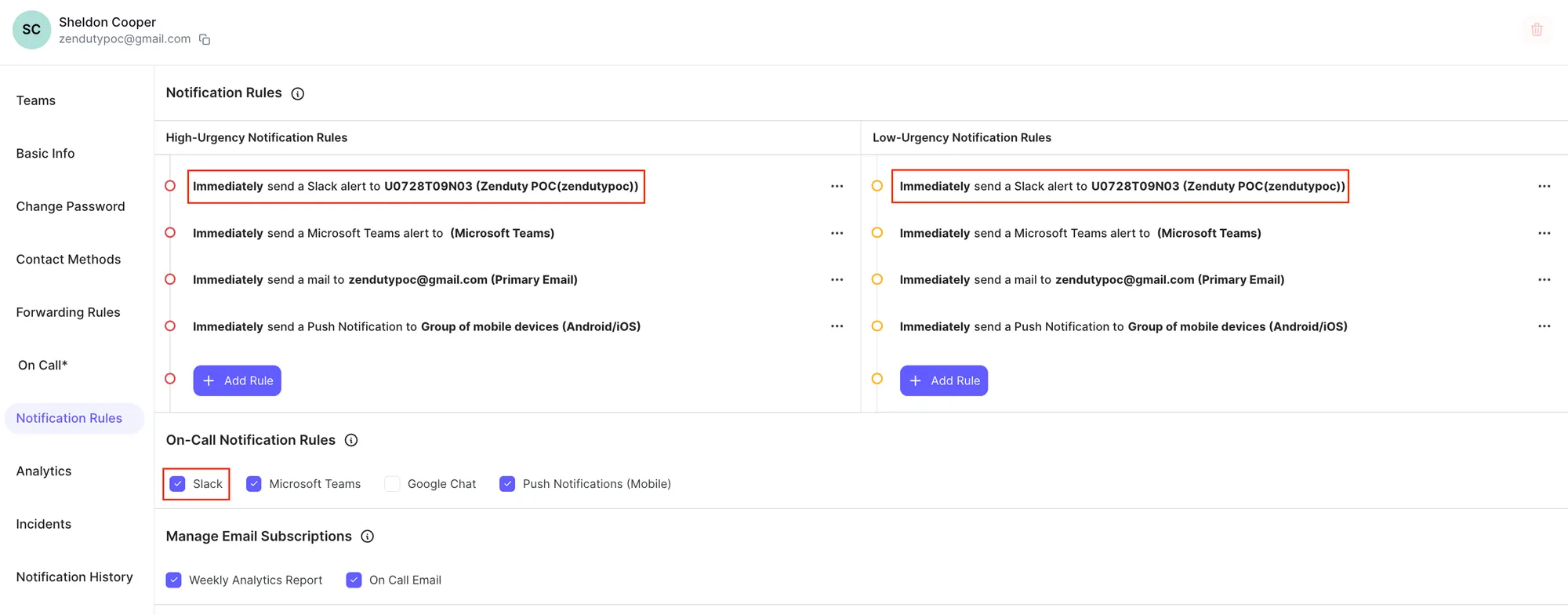
You can add your slack handle to your notification rules and set up when you want to be alerted on Slack.
Simply click Link Slack:
Add Slack to your notification rules:
Once set up, all Xurrent IMR alerts will reflect on Slack.
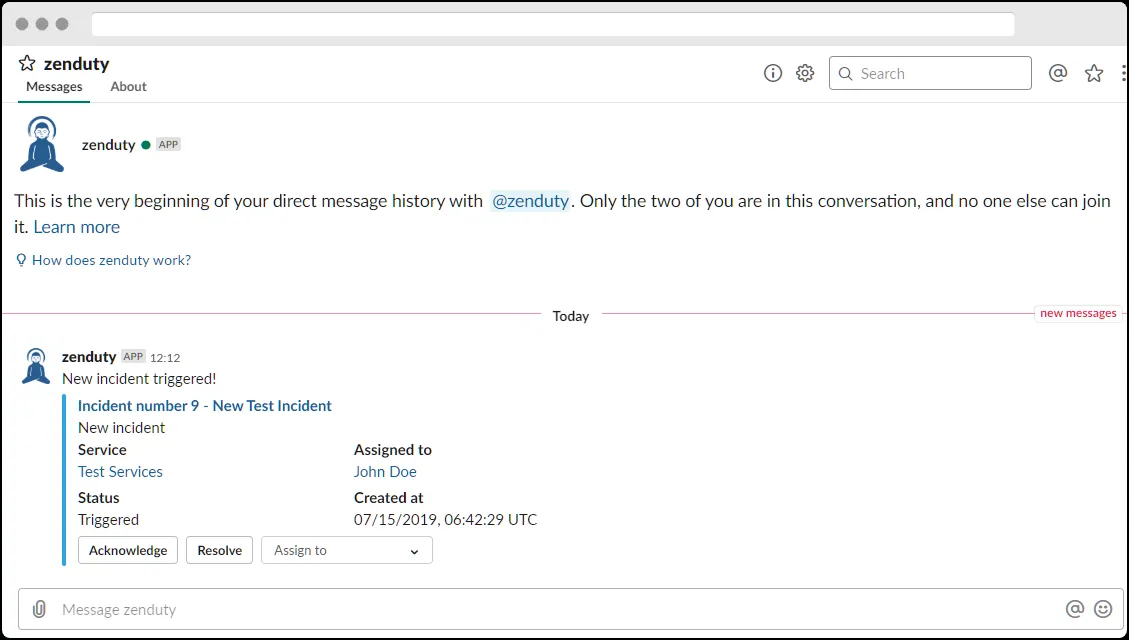
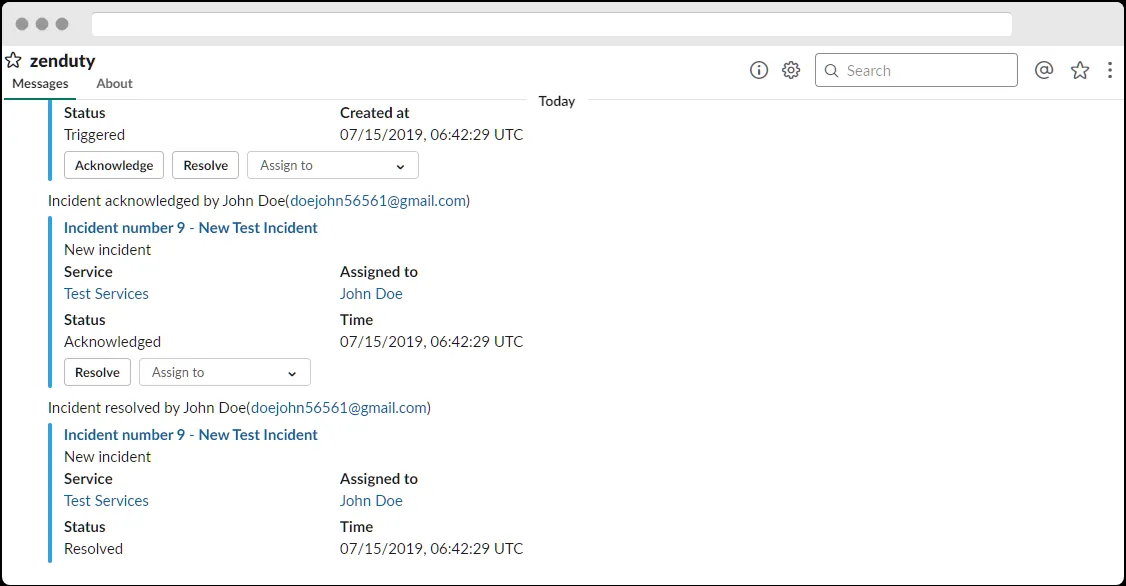
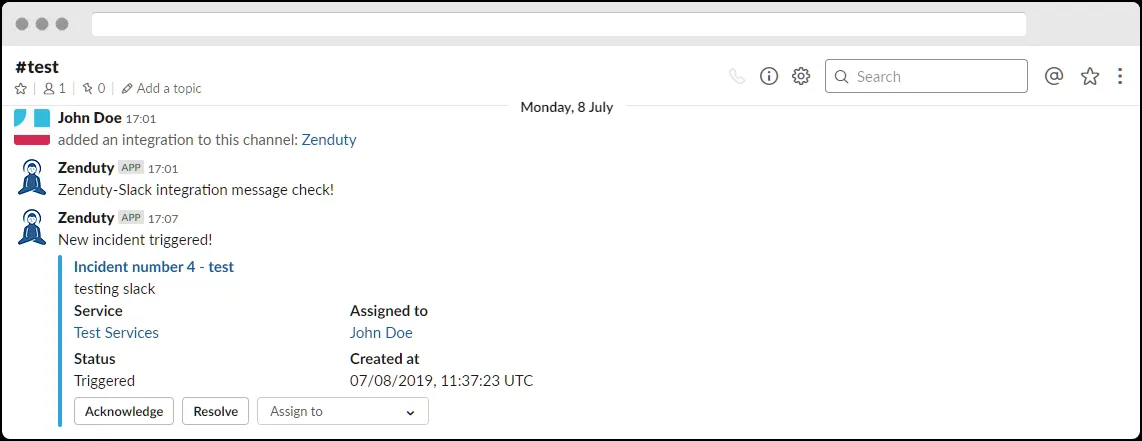
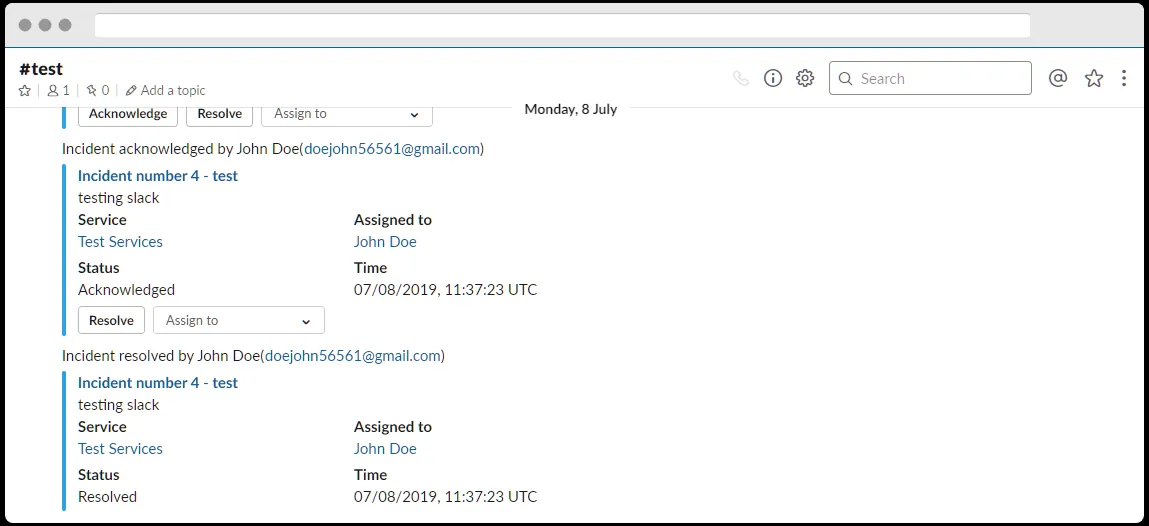
Slack notifications are a great way to triage and resolve an incident with the team. Xurrent IMR offers free and unlimited alerts to Slack for incidents of your team.
Xurrent IMR exposed the following Slash commands on Slack:
/zenduty create - this command lets you create an incident. While executing this command you will be asked for the incidents details in a dialog./zenduty get <incident_number> - this command fetches the incident details for a given incident number./zenduty ack <incident_number> this command acknowledges an incident for a given incident number./zenduty resolve <incident_number> this command resolves an incident for a given incident number.this command lets you see who is on call for any escalation policy within your teams.To learn more about how Xurrent IMR uses your Slack data, alongnwith retention policies and mechanism to request to delete, please refer to our privacy policy here.


.webp)
.webp)