Blog
Insights & updates from our experts


Resolve plant floor and IT issues before they disrupt production.

Stay audit-ready while resolving issues and reducing operational risk.
Resolve issues quickly with an AI-powered system that automates ticketing.

Unifiy IT, HR, Facilities, Finance, and more on a single, AI-powered service platform.

Simplify on-call scheduling, automate escalations, and reduce burnout.

Automate postmortems, AI summaries, and post-incident workflows

Create, organize, and continuously improve your knowledge base to find the right answers with Sera AI.

We're here to help

The integration with Atlassian Jira using the Xurrent Integration Service is

The integration with Atlassian Jira using the Xurrent Integration Service is

The integration with Atlassian Jira using the Xurrent Integration Service is

The integration with Atlassian Jira using the Xurrent Integration Service is

The integration with Atlassian Jira using the Xurrent Integration Service is

The integration with Atlassian Jira using the Xurrent Integration Service is

The integration with Atlassian Jira using the Xurrent Integration Service is

The integration with Atlassian Jira using the Xurrent Integration Service is
Resolve issues quickly with an AI-powered system that automates ticketing.
Unifiy IT, HR, Facilities, Finance, and more on a single, AI-powered service platform.
Simplify on-call scheduling, automate escalations, and reduce burnout.
Automate postmortems, AI summaries, and post-incident workflows
Create, organize, and continuously improve your knowledge base to find the right answers with Sera AI.
Resolve plant floor and IT issues before they disrupt production.
Stay audit-ready while resolving issues and reducing operational risk.

Detect, respond, and resolve incidents fast to cut downtime and MTTR.

Keep your store online, even during your biggest sales moments.

Protect patient data and resolve issues fast, so care teams stay focused on care.

Standardize service delivery across every store and channel.

We are here to help 24/7

Connect with other Xurrent Users

Get insights and tips on how to get the most out of Xurrent

Apps, APIs, and updates

Xurrent service functionality

Eliminate manual tasks, optimize workflows, and deliver faster resolutions.
Learn how organizations have reduced downtime, improved 50% MTTA & MTTR, and cut costs with Xurrent IMR.
Discover Xurrent IMR's quick support, bidirectional integrations with Jira and Slack, and more cohesive incident response capabilities compared to Opsgenie.
Understand why users value Xurrent IMR for its intuitive interface, efficient incident alerting, customizable On-call schedules, and escalations.
Every engineering leader knows downtime is expensive. Even moderate outages cost thousands of dollars per minute, and structured postmortems can cut repeat incidents significantly. With cloud-native complexity, microservices sprawl, and remote-first teams, incident management software makes the difference between chaos and reliability.
The challenge most teams today face is too many alerts. Teams get thousands of alerts per week, but only a small percentage require urgent action. The rest is just noise. Noise creates fatigue, slows MTTR, and burns out your engineers which in turn add unfair on-call rotations or missing automation, and in the end, response breaks down.
That's why modern SRE and DevOps teams don't just want a tool that just alerts. They want an end to end incident management software that can filter signals, assign roles, automate response, and ensure learnings stick. Tools that combine on-call, AI, and retrospectives are now table stakes.
In this blog, we'll be exploring top incident management tools in 2026 that help enterprises stay ahead of incidents with proactive prevention than firefighting incidents without any track. Here's the shortlist of platforms that reliability teams actually trust in production. Xurrent IMR leads the pack as the AI-first incident management solution built to reduce noise, improve MTTR, and keep on-call humane.
| # | Tool | Best For | Starting Price |
|---|---|---|---|
| 1 | Xurrent IMR | AI-driven incident management for SRE/DevOps | Free, then $5/user/mo |
| 2 | PagerDuty | Legacy enterprise IT operations | $29/user/mo |
| 3 | OpsGenie | Jira/Atlassian shops (EOL soon) | $9/user/mo |
| 4 | Rootly | Slack-native incident automation | Contact sales |
| 5 | incident.io | Chat-first, L1 support & incident comms | From ~$12/user/mo |
| 6 | FireHydrant | Runbooks & post-incident reviews | $10/user/mo |
| 7 | Squadcast | Affordable SRE/DevOps platform | $9/user/mo |
| 8 | Grafana OnCall | On-call inside Grafana Cloud | Free, paid tiers |
| 9 | Splunk On-Call (VictorOps) | Ops-heavy Splunk observability users | Contact sales |
| 10 | BigPanda | Large-scale alert correlation (AIOps) | Enterprise pricing |
| 11 | xMatters | Workflow automation across ITSM/DevOps | Contact sales |
| 12 | Better Stack | Monitoring + incidents + status pages | Free, then $24/mo |
| 13 | Moogsoft | AIOps noise reduction & incident grouping | Contact sales |
| 14 | OnPage | Healthcare & secure incident paging | $12/user/mo |
| 15 | PagerTree | Simple alert routing for small teams | From $10/mo |
| 16 | Spike.sh | Budget-friendly incident response | From $5/mo |
| 17 | iLert | EU-friendly on-call & status pages | From €8/user/mo |
| 18 | ManageEngine ServiceDesk Plus | ITSM suite with incident/change/CMDB | Contact sales |
| 19 | Freshservice | Cloud ITSM for IT helpdesks | From $19/user/mo |
| 20 | Jira Service Management | Atlassian-native ITSM & incidents | From $20/user/mo |
| Platform | Best For | Starting Price | AI Features | Implementation Time | Enterprise Grade |
|---|---|---|---|---|---|
| Xurrent IMR | AI-native SRE/DevOps teams | Free, then $5/user/mo | Sera AI for RCA & postmortems | 2–4 weeks | SOC 2, ISO 27001 |
| PagerDuty | Traditional IT operations | $29/user/mo + add-ons | AIOps (premium add-on) | 6–12 weeks | Yes |
| ServiceNow | Full ITSM suites | Custom pricing | Virtual Agent | 3–6 months | Yes |
| Jira Service Management | Atlassian ecosystem | From $20/user/mo | Limited automation | 4–8 weeks | Yes |
| incident.io | Slack-native L1 support | From $19/user/mo | Basic summaries | 1–2 weeks | Limited |
If you land on this blog, we're sure you're facing something like this:
Last time something broke at 2 AM and alerts were flying from five different tools, Slack was blowing up, nobody knew who was actually owning the incident, and the customer success team was already pinging for updates. By the time you found the right logs, half the team was awake and productivity the next day was gone.
That's the gap incident management software fills. It gives you:
At scale, you can't duct tape this together with Slack and AlertManager alone. Modern teams want faster MTTR, fewer false alarms, and a process that doesn't burn people out. Incident management software is how you get there or as we like to say, an end-to-end incident management software will help you foster a culture of reliability within your organization.
Here's the rundown of the top 20 incident management software tools that we're seeing SREs, DevOps, and IT ops teams actually rely on in 2026.
Whether you're looking to reduce downtime, streamline on-call rotations, improve SLA/SLO compliance, or just filter out alert noise; this list will help you quickly scan, compare, and decide which incident management solution deserves a spot in your toolbox.

Xurrent IMR was built for engineering teams who are tired of juggling noisy alerts, messy handoffs, and endless firefights.
Where legacy tools focus on just alerting your engineers, Xurrent IMR integrates directly into the detect → orchestrate → resolve → improve lifecycle of incidents.
It fits into the cycle and helps your teams even learn after an incident is resolved by generating AI-postmortems that help reduce repeated incidents.
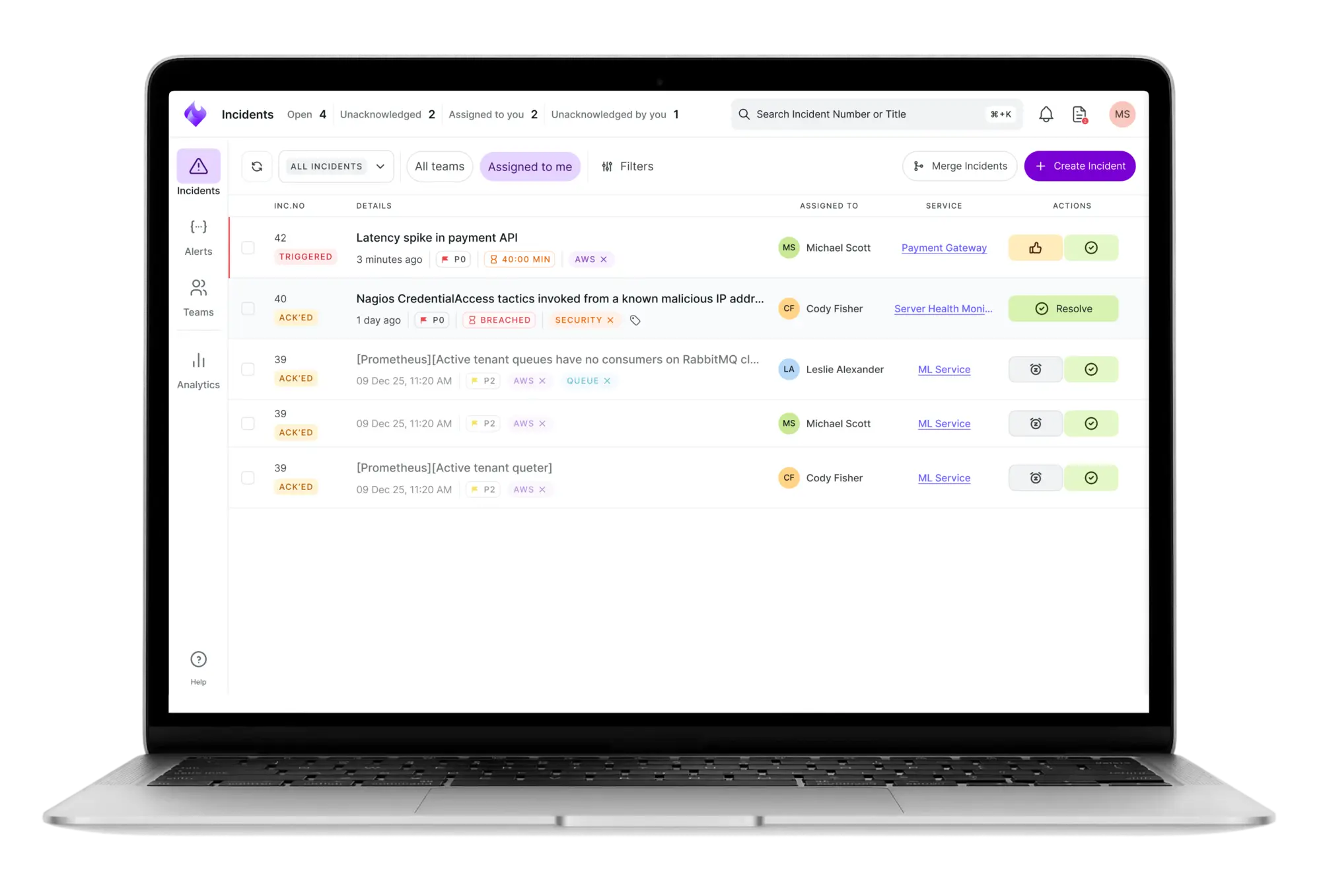
Here’s what sets Xurrent IMR apart:
Xurrent IMR stands out for its ChatOps integration. In Slack, **Sera AI** instantly summarizes payloads and flags root causes. Compared to heavier legacy interfaces, Xurrent IMR feels lightweight and purpose-built for SRE workflows.
Xurrent IMR is the best incident management software for SRE and DevOps teams that want AI-driven context and faster MTTR without legacy complexity or bloated pricing.
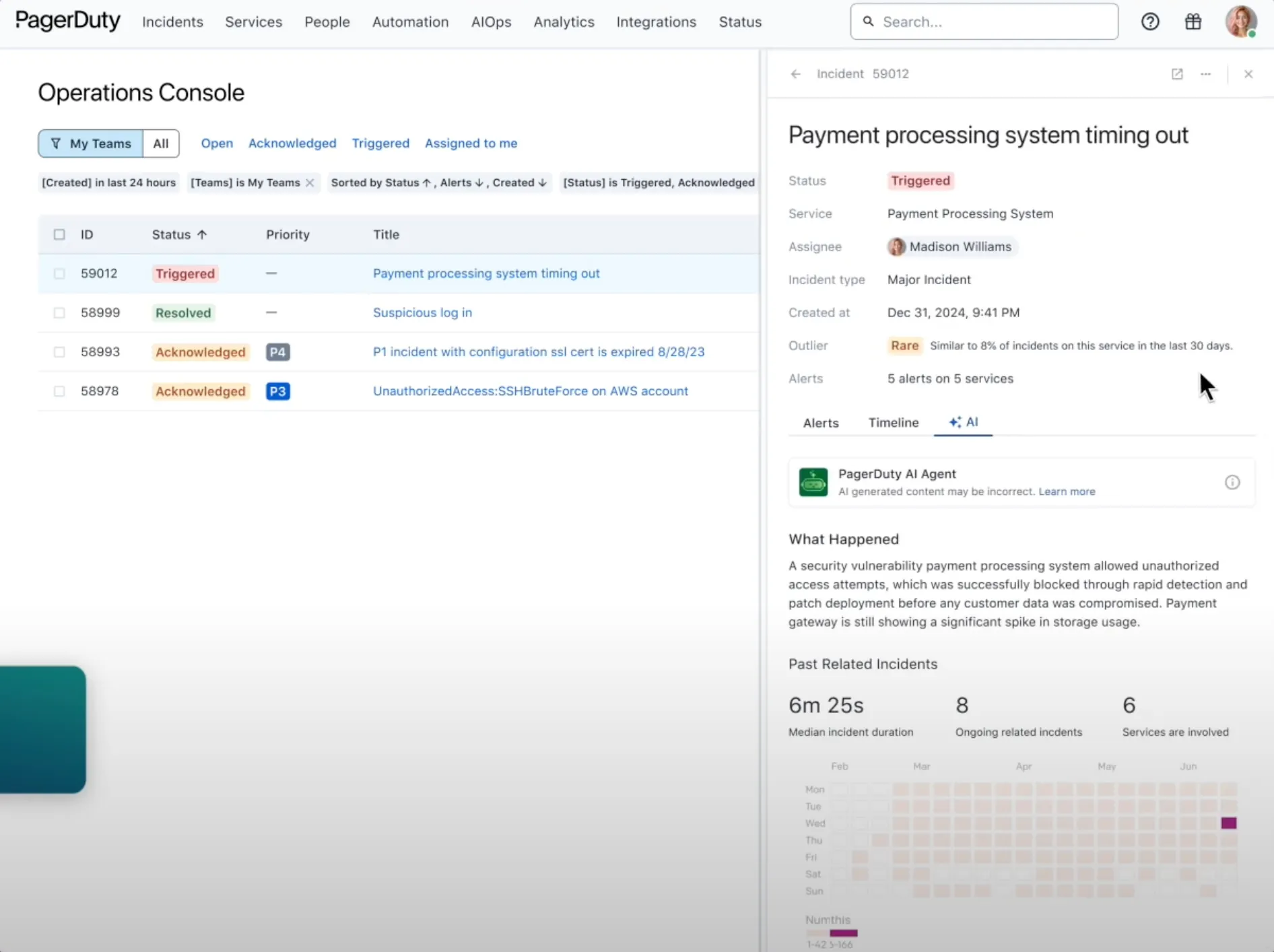
PagerDuty has long been the most recognized name in incident management software, but in 2026 it feels more like a legacy enterprise platform than a modern incident management solution. It delivers a deep feature set including on-call scheduling, escalations, AIOps, and ITIL-style workflows, but the trade-off is complexity, steep pricing, and a slower user experience compared to newer incident management tools.
Key Features
In testing, PagerDuty felt powerful but dated. The scheduler and escalation policies are undeniably robust, but configuring them took time and expertise. The interface is cluttered, and navigating through menus slowed down workflows. Pricing also stands out — for a 50-person team, PagerDuty quickly becomes a significant line item. It’s reliable but feels like a tool designed for 2015 IT operations, not 2025 SRE workflows.
PagerDuty remains one of the most recognized incident management tools, but it comes with the baggage of being a complex, price-heavy, and legacy-oriented platform. It still works well for large IT departments entrenched in ITIL processes, but for modern engineering teams, its cost and complexity can outweigh the benefits.
OpsGenie has been Atlassian's incident management solution for years, offering alert routing, escalation policies, and integrations with Jira. But in 2026, OpsGenie is approaching end of life (EOL), with Atlassian directing customers toward Jira Service Management instead. This makes OpsGenie a risky bet for teams looking for long-term reliability. While it still functions, investing in a tool that is being phased out is rarely the right move for modern SRE or DevOps teams.

Key Features
Mostly maintenance updates. Atlassian guidance emphasizes migration paths to Jira Service Management for incident management system software requirements.
Set up was straightforward for alert routing and schedules, but the product feels frozen. For teams planning multi-year reliability investments, moving to a supported incident management platform aligned with cloud-native SRE workflows is the safer path.
Given its end-of-life trajectory and limited AI features, OpsGenie is not a long-term choice for incident management software in 2025. Teams on Atlassian should consider consolidating into Jira Service Management or migrating to a modern incident response platform.
Rootly is an incident management tool built directly into Slack. It helps engineering and SRE teams trigger incidents, assign responders, and generate timelines without ever leaving chat. As a Slack-native solution, Rootly works well for teams that want their incident response software embedded where conversations already happen. But outside Slack, its usefulness is limited compared to broader incident management systems software.

Key Features
In testing, Rootly was intuitive inside Slack. Declaring incidents was as simple as a slash command, and AI summaries sped up postmortems. But the platform feels confined — teams not fully Slack-centric may struggle. Pricing also scales quickly as user counts grow.
Rootly works best for Slack-native engineering teams that want incident management software embedded in chat. For broader ITSM or observability needs, other tools may be more suitable in 2025.
incident.io is a Slack-native incident management tool that focuses on lightweight workflows, on-call, and status pages. It shines for L1 support teams and customer-facing incidents where speed of communication matters more than deep integrations or ITSM rigor. While it's polished and fast in Slack, it lacks the depth expected by SRE and IT operations teams who need advanced automation, reliability analytics, or enterprise-grade ITSM alignment.
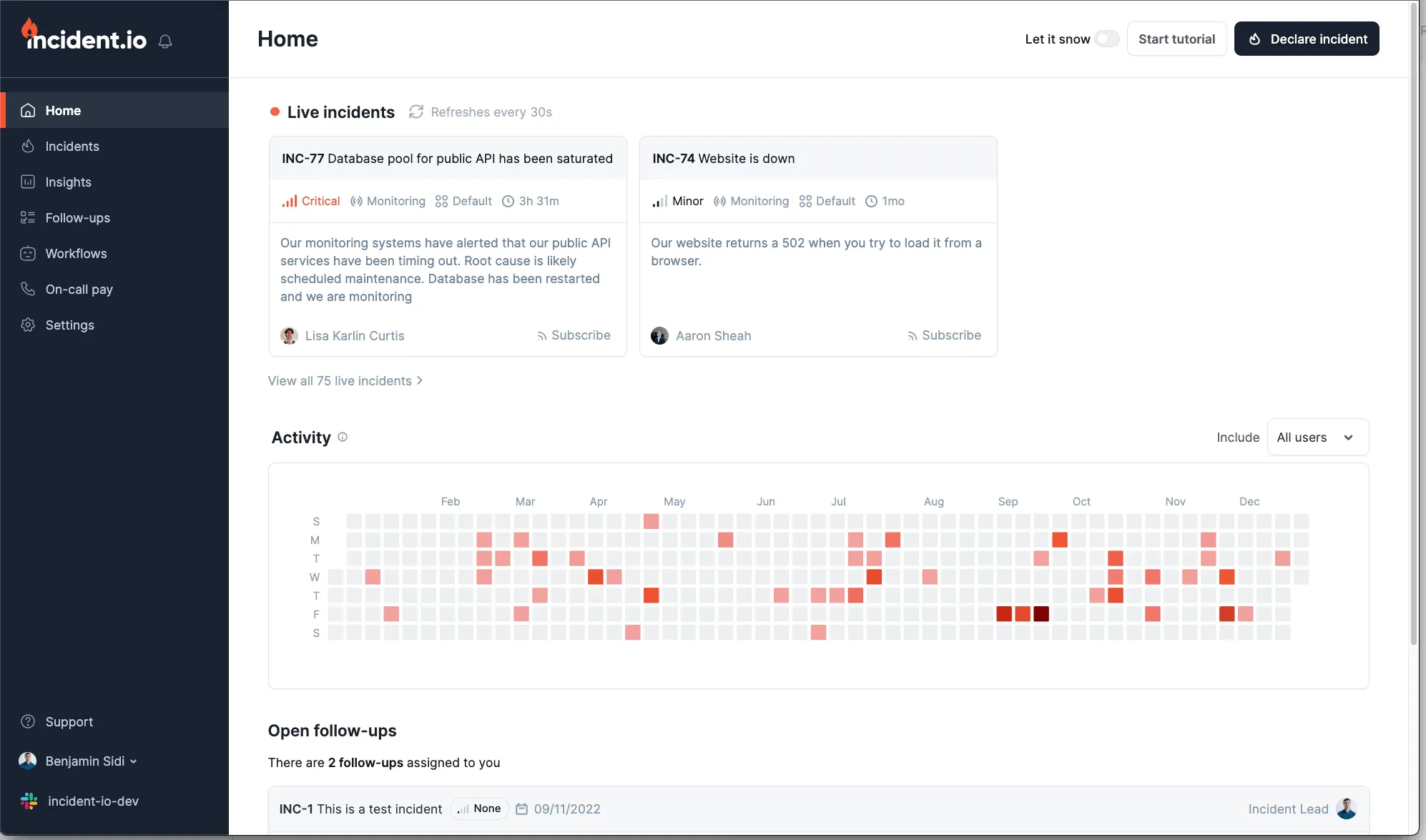
incident.io was intuitive in Slack declaring incidents and assigning responders took seconds. The downside is that it felt more tailored to customer-facing or L1 tickets than complex SRE scenarios. Pricing was simple to understand, but on-call costs ramp up fast for larger teams. For ITSM or reliability-heavy orgs, it lacks the breadth of integrations and governance features.
incident.io fits best for Slack-native organizations handling L1 support incidents. It offers solid basics response, on-call, status pages — but lacks the depth SREs and IT teams expect from enterprise incident management software. For frontline comms it works, but as a long-term reliability platform, it leaves gaps.
Quick picks with one-line guidance. These complement the Top 5 above and are used by SRE, DevOps, and IT ops teams.
Runbooks, incident timelines, and structured post-incident reviews for teams that want consistent process without friction.
Unified on-call and incident response with SLOs, postmortems, and approachable pricing for growing engineering orgs.
On-call inside Grafana Cloud with tight ties to dashboards, logs, and metrics to speed up triage.
On-call alerting and incident routing integrated with Splunk Observability Cloud for ops-heavy environments.
Event correlation and noise reduction at scale; strong choice for enterprises consolidating alerts across many tools.
Automated workflows and orchestrations across ITSM and DevOps stacks; widely used in large operations teams.
Uptime monitoring, incident management, and status pages in one tool; fast UI and great value for smaller teams.
Correlation and deduplication to cut alert noise, with ML-assisted incident grouping for NOC and SRE teams.
HIPAA-ready secure messaging and critical alerting; used by healthcare and IT teams that need compliance auditability.
Simple on-call schedules and alert routing with Slack/Teams webhooks; easy setup for small engineering squads.
Straightforward incident response with unlimited alerts on higher tiers; budget-friendly for startups.
Incident alerting, on-call, and status pages with EU hosting options and modern integrations.
Full ITSM suite with incident, change, and CMDB; fits organizations standardizing on ITIL processes.
Cloud ITSM with incident management, automation, and approachable UI for IT helpdesks and service teams.
Incident management and ITSM connected to Jira Software; good choice when Atlassian is already your backbone.
Not all incident management tools are created equal. Some act as little more than alert routers, while others function as complete incident management solutions that help teams cut downtime, reduce alert fatigue, and scale incident response. If you're evaluating incident response software in 2026, here are the features that matter most:
The best incident management software filters the signal from the noise. SREs report thousands of alerts every week, but only a small percentage require action. Look for AI incident management software that uses correlation, deduplication, and prioritization to keep engineers focused on the real issues.
Fair on-call rotations, clear escalation paths, and "follow the sun" coverage are critical. Good incident management tools make scheduling simple, swaps painless, and escalation rules transparent.
Incidents don't happen in dashboards, they happen in Slack or Microsoft Teams. Modern incident management solutions plug directly into chat, creating war rooms, assigning roles, and logging timelines automatically.
The right incident management software doesn't just alert engineers. It also updates customers and executives with automated status pages and templated comms. That way, SREs fix incidents instead of writing "we're working on it" emails.
In 2026, incident response software should do more than page people. AI-driven incident management software surfaces related logs, metrics, and dependencies, and even suggests possible root causes. The faster you get context, the lower your MTTR.
Every incident should end with learning. The best incident management tools include structured postmortem templates, action item tracking, and integrations into Jira or GitHub. That way, fixes actually happen, and repeat incidents go down over time.
Your incident management solution should fit seamlessly into your stack including observability platforms (Datadog, Grafana, Prometheus), ticketing systems (Jira, ServiceNow), and deployment tools. Without that, you're stuck copying data between silos.
Modern incident management requires more than basic alerting. Use this framework to evaluate platforms:
Integration Depth: Verify bi-directional sync with your monitoring stack (Datadog, Grafana, Prometheus), ITSM tools (Jira, ServiceNow), and collaboration platforms (Slack, Teams). Look for pre-built connectors, not just APIs.
Compliance & Security: Ensure SOC 2 Type II, ISO 27001, and industry-specific certifications (HIPAA, FedRAMP) align with your requirements. Verify data residency options and audit trail capabilities.
Implementation Timeline: Budget 2-4 weeks for modern platforms like Xurrent IMR, 3-6 months for legacy enterprise suites. Factor in data migration, integration setup, and team training.
Scalability: Confirm the platform handles your user count, incident volume, and multi-tenant requirements without performance degradation or pricing surprises.
Xurrent IMR's migration scripts automate data transfer from legacy platforms:
Teams typically complete migration in 1-2 weeks with automated data transfer and preserved alert routing.
Incident management software helps SRE, DevOps, and IT teams detect, respond to, and resolve outages faster. It centralizes alerting, on-call scheduling, escalation policies, communications, and postmortems to reduce downtime and improve SLO/SLA performance.
The "best" depends on team size, stack, and compliance needs. Modern SRE/DevOps teams favor lightweight, AI-assisted incident management tools with deep integrations; ITSM-heavy orgs often choose platforms aligned to ITIL processes. This guide compares pricing, features, and who each tool fits.
Look for on-call scheduling, alert routing and deduplication, escalation policies, ChatOps, service catalogs, runbooks, post-incident reviews, status pages, SLO tracking, and AI features for correlation, summaries, and root-cause suggestions.
Incident management covers the entire lifecycle—detection, response, communication, and learning—while incident response software often focuses on triage and remediation. Many modern platforms combine both.
Yes. Several vendors provide free tiers for small teams or hobby projects. Expect limits on users, integrations, or advanced features like AI, reporting, or compliance exports. Evaluate upgrade paths and long-term pricing before committing.
AI reduces alert fatigue via correlation, highlights probable root causes, generates incident timelines, and drafts postmortems. The outcome is faster MTTR, fewer repeat incidents, and less manual toil during high-pressure incidents.
Core metrics include MTTA, MTTR, incident count and recurrence, SLO burn rate, SLA adherence, and false-positive rates. Tie these to severity levels and services to prioritize reliability work where it matters most.
ITSM suites (e.g., change/problem/asset management) include incident modules but often feel heavy. Dedicated incident management software is faster for on-call, alert routing, ChatOps, and postmortems; many teams integrate both through Jira/ServiceNow connectors.
Most modern platforms integrate with Slack or Microsoft Teams for ChatOps, plus Jira, GitHub, and CI/CD. Check for two-way sync, issue auto-creation, and the ability to run workflows from chat.
Map needs first: team size, budget, stack, compliance, and where you sit on the ITIL ↔ cloud-native spectrum. Shortlist tools that match your integrations, AI needs, and pricing model. Run a 2–3 week trial with real on-call traffic before deciding.
Yes. Look for audit logs, templated postmortems, SOC2/ISO-friendly exports, PI-redaction, and status page history. Regulated industries often need role-based access and evidence trails for change and incident reviews.
By cutting detection time, filtering noise, and standardizing response, teams acknowledge faster and resolve sooner—reducing user impact and SLA penalties. Clear postmortems then prevent repeats, compounding savings over time.

Most AI SREs are pattern matchers trained on public data. They know what a memory leak looks like in the abstract. They don't know that your payments-api has a flaky liveness probe everyone ignores, that the checkout team owns the retry policy, or that the last three "database incidents" were actually cache misconfigurations. That knowledge lives in your postmortems, your Slack channels, and the heads of two senior engineers.
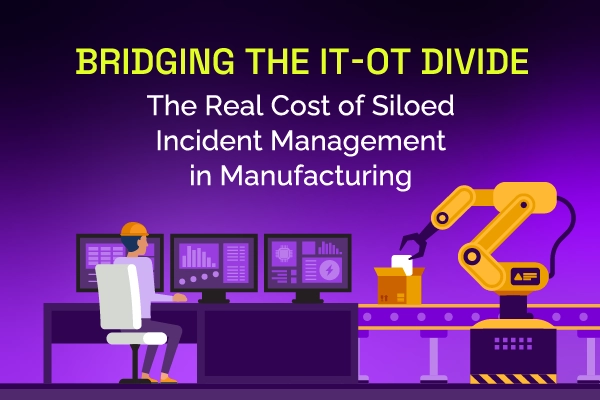
Same incident, different shift, same lost time. See why legacy ITSM keeps costing manufacturing IT teams in rework and overtime, and how modern incident and knowledge management breaks the cycle.
Most AI SREs are pattern matchers trained on public data. They know what a memory leak looks like in the abstract. They don't know that your payments-api has a flaky liveness probe everyone ignores, that the checkout team owns the retry policy, or that the last three "database incidents" were actually cache misconfigurations. That knowledge lives in your postmortems, your Slack channels, and the heads of two senior engineers.
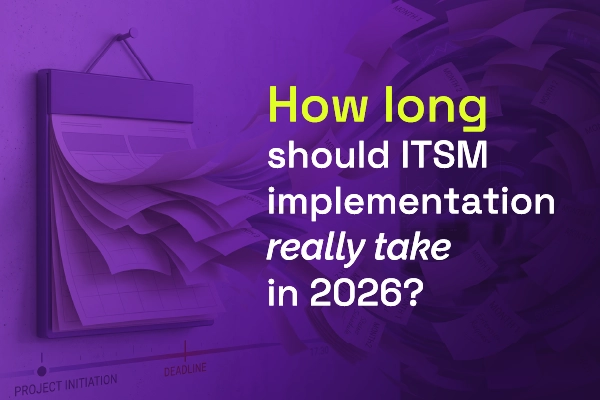
Most vendors will tell you ITSM implementation takes six months to a year — but modern, configuration-first platforms have rewritten the math entirely. See what real implementations look like in 2026, and why a long rollout is now a choice, not a given.


.webp)
.webp)






 Insightful Blog About Incident Management and Reliability | Xurrent IMR BlogRohan Taneja