Blog
Insights & updates from our experts


Resolve plant floor and IT issues before they disrupt production.

Stay audit-ready while resolving issues and reducing operational risk.
Resolve issues quickly with an AI-powered system that automates ticketing.

Unifiy IT, HR, Facilities, Finance, and more on a single, AI-powered service platform.

Simplify on-call scheduling, automate escalations, and reduce burnout.

Automate postmortems, AI summaries, and post-incident workflows

Create, organize, and continuously improve your knowledge base to find the right answers with Sera AI.

We're here to help

The integration with Atlassian Jira using the Xurrent Integration Service is

The integration with Atlassian Jira using the Xurrent Integration Service is

The integration with Atlassian Jira using the Xurrent Integration Service is

The integration with Atlassian Jira using the Xurrent Integration Service is

The integration with Atlassian Jira using the Xurrent Integration Service is

The integration with Atlassian Jira using the Xurrent Integration Service is

The integration with Atlassian Jira using the Xurrent Integration Service is

The integration with Atlassian Jira using the Xurrent Integration Service is
Resolve issues quickly with an AI-powered system that automates ticketing.
Unifiy IT, HR, Facilities, Finance, and more on a single, AI-powered service platform.
Simplify on-call scheduling, automate escalations, and reduce burnout.
Automate postmortems, AI summaries, and post-incident workflows
Create, organize, and continuously improve your knowledge base to find the right answers with Sera AI.
Resolve plant floor and IT issues before they disrupt production.
Stay audit-ready while resolving issues and reducing operational risk.

Detect, respond, and resolve incidents fast to cut downtime and MTTR.

Keep your store online, even during your biggest sales moments.

Protect patient data and resolve issues fast, so care teams stay focused on care.

Standardize service delivery across every store and channel.

We are here to help 24/7

Connect with other Xurrent Users

Get insights and tips on how to get the most out of Xurrent

Apps, APIs, and updates

Xurrent service functionality

Eliminate manual tasks, optimize workflows, and deliver faster resolutions.
Learn how organizations have reduced downtime, improved 50% MTTA & MTTR, and cut costs with Xurrent IMR.
Discover Xurrent IMR's quick support, bidirectional integrations with Jira and Slack, and more cohesive incident response capabilities compared to Opsgenie.
Understand why users value Xurrent IMR for its intuitive interface, efficient incident alerting, customizable On-call schedules, and escalations.

Background noise.
That's what alerts start sounding like for those who've worked in the DevOps space for long enough.
No longer helpful. No longer cause for concern. Just noise.
But it's not the system failing. Instead, it's the volume, inconsistency, and lack of relevance that make it harder to tell what actually matters. And that's when response times slow down, engineers get worn out, and incidents last longer than they should.
Alert fatigue — when noise drowns out critical signals — has become one of the most common problems in modern operations, and it's easy to see why. Distributed systems generate endless signals, thanks to observability tools that send tons of alerts. Teams are expected to stay on top of it all.
The end result: too much noise and not enough clarity.
This isn't just a nuisance. It affects uptime, customer experience, and workday quality. But it's also something that's fixable once the true cause is identified.
When the alerts keep coming, it's human nature to stop reacting with the same level of urgency. We skim more, dismiss faster. We assume something (or someone) else will catch it. Unfortunately, this alert fatigue has real consequences:
None of this helps running a reliable system. It just wears the team down.
But there is good news: Teams that control alert noise see the difference immediately.
Fewer distractions.
Cleaner handoffs.
Less confusion.
Better uptime.
It's noticeable, so why don't more teams experience this? The culprit: Older workflows.
Most traditional incident management setups weren't designed for the pace or complexity of today's environments. Rules-based filters help a little, but they don't keep up with how quickly things change.
The result is predictable: Lost time digging through dashboards (instead of fixing the issue) + increased costs (thanks to manual coordination) + frustrated teams (due to a system that demands more than it gives back.
A far from ideal tradeoff.
Teams that switch to smarter, more automated workflows often see major improvements: faster triage, lower overhead, and incidents that don't spiral simply because someone missed the right signal at the wrong moment.
Intelligent automation to the rescue.
A better alerting setup doesn't start with more tools — it starts with automation that actually understands the signals coming in.
When organizations make that shift, three things happen:
1. Only attention-worthy alerts are seen. Duplicate or irrelevant alerts get filtered out before they ever hit the screen. That shift alone lifts a huge amount of mental load.
2. Incidents reach the right person immediately. Let's be honest, not everyone needs every notification. When routing adjusts based on skills, ownership, and context, incidents stop bouncing around waiting for someone to pick them up.
3. The full picture becomes clear, without the hunting. Logs, metrics, tickets, and updates show up in one place. No need to rebuild the timeline by scanning multiple different (often disparate) tools.
Teams that adopt this approach often report more time for actual problem-solving, fewer unnecessary escalations, and a general sense of "this finally feels manageable."
Unification is the key.
When tools are disconnected, incidents get messy fast.
Slack has one part of the conversation.
The monitoring tool has another.
The ticketing system has a third.
And the team is stuck stitching the story together.
A unified workflow removes that friction by providing one place to see (and work) the entire incident. It has a single version of what happened and when. A shared timeline that eliminates confusion. And automatic updates to prevent "information" chasing.
Xurrent IMR was built with this in mind, tying together detection, routing, communication, and resolution — eliminating the need to coordinate everything manually. It provides the essential breathing room to focus on the issue rather than the logistics.
When the noise is removed and the process is tightened, everything gets easier.
Response times drop. On-call stress decreases. More time is spent fixing root causes; less time is spent triaging noise.
Practitioners still tell us the biggest change isn't the metrics — it's the feeling of regaining control. The work stops feeling chaotic. Gone is the "one eye on the alert" feeling. Teams regain focus.
Ready to cut the noise and work in a more predictable, focused way? Modernizing the incident process is the place to start.
Xurrent IMR gives DevOps practitioners a clean, unified incident workflow that reduces noise, speeds up response, and brings real clarity back to the job.
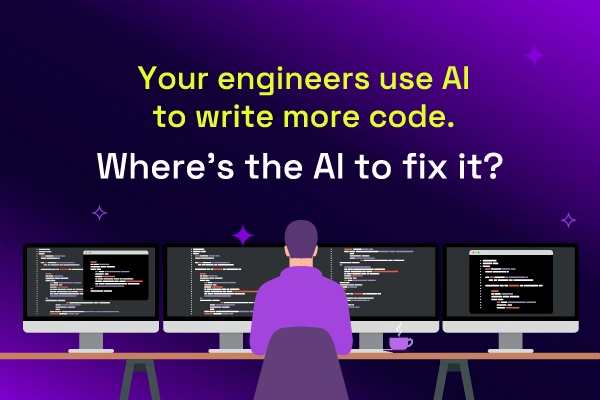
Google's 2025 DORA report found that 90% of technology professionals now use AI at work, and more than 80% say it has made them more productive. With code assistants and agents, the speed at which code gets written has changed more in eighteen months than in the decade before.
Most AI SREs are pattern matchers trained on public data. They know what a memory leak looks like in the abstract. They don't know that your payments-api has a flaky liveness probe everyone ignores, that the checkout team owns the retry policy, or that the last three "database incidents" were actually cache misconfigurations. That knowledge lives in your postmortems, your Slack channels, and the heads of two senior engineers.