

Blog
Insights & updates from our experts


Resolve plant floor and IT issues before they disrupt production.

Stay audit-ready while resolving issues and reducing operational risk.
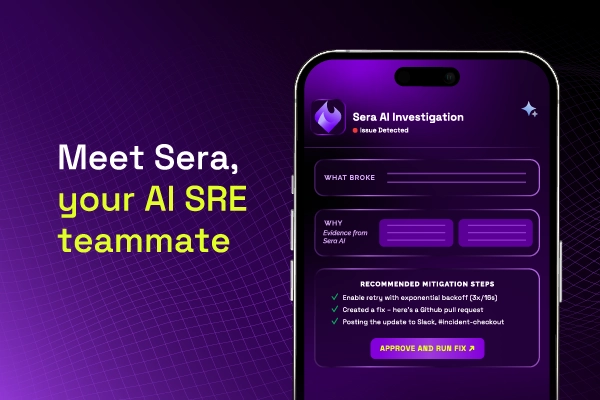
Resolve issues quickly with an AI-powered system that automates ticketing.

Unifiy IT, HR, Facilities, Finance, and more on a single, AI-powered service platform.

Simplify on-call scheduling, automate escalations, and reduce burnout.

Automate postmortems, AI summaries, and post-incident workflows

Create, organize, and continuously improve your knowledge base to find the right answers with Sera AI.

We're here to help

The integration with Atlassian Jira using the Xurrent Integration Service is

The integration with Atlassian Jira using the Xurrent Integration Service is

The integration with Atlassian Jira using the Xurrent Integration Service is

The integration with Atlassian Jira using the Xurrent Integration Service is

The integration with Atlassian Jira using the Xurrent Integration Service is

The integration with Atlassian Jira using the Xurrent Integration Service is

The integration with Atlassian Jira using the Xurrent Integration Service is

The integration with Atlassian Jira using the Xurrent Integration Service is
Resolve issues quickly with an AI-powered system that automates ticketing.
Unifiy IT, HR, Facilities, Finance, and more on a single, AI-powered service platform.
Simplify on-call scheduling, automate escalations, and reduce burnout.
Automate postmortems, AI summaries, and post-incident workflows
Create, organize, and continuously improve your knowledge base to find the right answers with Sera AI.
Resolve plant floor and IT issues before they disrupt production.
Stay audit-ready while resolving issues and reducing operational risk.

Detect, respond, and resolve incidents fast to cut downtime and MTTR.

Keep your store online, even during your biggest sales moments.

Protect patient data and resolve issues fast, so care teams stay focused on care.

Standardize service delivery across every store and channel.

We are here to help 24/7

Connect with other Xurrent Users

Get insights and tips on how to get the most out of Xurrent

Apps, APIs, and updates

Xurrent service functionality

Eliminate manual tasks, optimize workflows, and deliver faster resolutions.
Learn how organizations have reduced downtime, improved 50% MTTA & MTTR, and cut costs with Xurrent IMR.
Discover Xurrent IMR's quick support, bidirectional integrations with Jira and Slack, and more cohesive incident response capabilities compared to Opsgenie.
Understand why users value Xurrent IMR for its intuitive interface, efficient incident alerting, customizable On-call schedules, and escalations.

Integrates with Xurrent's GraphQL API to query records, execute mutations, and upload attachments using dynamic introspection.
Connector for integrating with Xurrent using the GraphQL API with dynamic schema introspection.
An outbound connection is required for the query, mutation, and upload attachment actions.
It supports two authentication methods: OAuth2 Client Credentials and Personal Access Token.
The Xurrent Webhook trigger receives and processes webhook events from Xurrent.
JWT verification can be configured either on the inbound connection (shared across all
runbooks) or per trigger. Additional payload fields can be defined to automatically parse
webhook data into the correct types.
Dynamically queries Xurrent records. Select a query object (e.g. people, requests,
configurationItems) and the input arguments and output fields are automatically generated
from the Xurrent GraphQL schema via introspection.
people, requests, configurationItems).team fields when querying people).This action is nested: it iterates over all matching records and executes the successor action
once per record. Connect subsequent actions to the output schema to process each record individually.
The GraphQL schema is cached in the connection store after the first introspection.
Check the Clear cache option to force a refresh (e.g. after Xurrent schema changes).
Executes a Xurrent GraphQL mutation. Select a mutation (e.g. requestCreate, personUpdate,
noteCreate) and the input and output schemas are automatically generated.
requestCreate, personUpdate, noteCreate).To attach files to a record (e.g. a note), first use the Upload Attachment action to upload
the file. Then use the returned storage_key as the key value in the mutation's attachment input.
The GraphQL schema is cached in the connection store after the first introspection.
Check the Clear cache option to force a refresh (e.g. after Xurrent schema changes).
Uploads a file to Xurrent via the attachmentStorage GraphQL query.
Returns a storage key that can be used as AttachmentInput in subsequent mutations
(e.g. adding a note with an attachment via noteCreate).
attachmentStorage endpoint to obtain upload credentialsUse the storage_key output as the key value in any mutation that accepts AttachmentInput.
For example, when creating a note with an attachment via noteCreate, map the storage_key
to the attachment's key field.
If no content type is specified, it is automatically detected from the file name extension.