Blog
Insights & updates from our experts


Resolve plant floor and IT issues before they disrupt production.

Stay audit-ready while resolving issues and reducing operational risk.
Resolve issues quickly with an AI-powered system that automates ticketing.

Unifiy IT, HR, Facilities, Finance, and more on a single, AI-powered service platform.

Simplify on-call scheduling, automate escalations, and reduce burnout.

Automate postmortems, AI summaries, and post-incident workflows

Create, organize, and continuously improve your knowledge base to find the right answers with Sera AI.

We're here to help

The integration with Atlassian Jira using the Xurrent Integration Service is

The integration with Atlassian Jira using the Xurrent Integration Service is

The integration with Atlassian Jira using the Xurrent Integration Service is

The integration with Atlassian Jira using the Xurrent Integration Service is

The integration with Atlassian Jira using the Xurrent Integration Service is

The integration with Atlassian Jira using the Xurrent Integration Service is

The integration with Atlassian Jira using the Xurrent Integration Service is

The integration with Atlassian Jira using the Xurrent Integration Service is
Resolve issues quickly with an AI-powered system that automates ticketing.
Unifiy IT, HR, Facilities, Finance, and more on a single, AI-powered service platform.
Simplify on-call scheduling, automate escalations, and reduce burnout.
Automate postmortems, AI summaries, and post-incident workflows
Create, organize, and continuously improve your knowledge base to find the right answers with Sera AI.
Resolve plant floor and IT issues before they disrupt production.
Stay audit-ready while resolving issues and reducing operational risk.

Detect, respond, and resolve incidents fast to cut downtime and MTTR.

Keep your store online, even during your biggest sales moments.

Protect patient data and resolve issues fast, so care teams stay focused on care.

Standardize service delivery across every store and channel.

We are here to help 24/7

Connect with other Xurrent Users

Get insights and tips on how to get the most out of Xurrent

Apps, APIs, and updates

Xurrent service functionality

Eliminate manual tasks, optimize workflows, and deliver faster resolutions.
Learn how organizations have reduced downtime, improved 50% MTTA & MTTR, and cut costs with Xurrent IMR.
Discover Xurrent IMR's quick support, bidirectional integrations with Jira and Slack, and more cohesive incident response capabilities compared to Opsgenie.
Understand why users value Xurrent IMR for its intuitive interface, efficient incident alerting, customizable On-call schedules, and escalations.
Pricing pages rarely tell the full story. ManageEngine ServiceDesk Plus lists three editions and two deployment options, but the actual cost depends on how many technicians you have, whether you choose cloud or on-premises, and which add-ons you'll inevitably want six months in.
This guide breaks down each pricing tier, compares cloud versus self-hosted costs, and covers the hidden expenses that don't appear on the quote—so you can evaluate ServiceDesk Plus against your budget and your alternatives.
ManageEngine ServiceDesk Plus pricing is based on three variables: the number of technicians on your team, your deployment method (cloud or on-premises), and which edition you select (Standard, Professional, or Enterprise). Cloud pricing typically ranges from $16 to $78+ per technician per month, while on-premises starts around $13 per technician per month. The key distinction here is that you pay for technicians—the agents resolving tickets—not the end-users submitting requests.
Annual billing usually costs less than monthly billing. For a team of 10 technicians, that difference adds up quickly over a year.
ManageEngine structures ServiceDesk Plus into three tiers, with each one building on the previous. Picking the right tier means understanding what capabilities unlock at each level—and what you're paying extra for.
Standard is the entry point. It covers incident management, a knowledge base, a self-service portal, and basic reporting. Cloud pricing starts at $16 per technician per month; on-premises begins around $13.
This tier fits teams focused on ticket management without asset tracking or formal ITIL processes. If your primary goal is getting a help desk running, Standard handles the basics. You can always upgrade later if your requirements grow.
Professional adds IT asset management, purchase management, and contract management on top of everything in Standard. Cloud pricing starts at $33 per technician per month, with on-premises around $27.
If your service desk tracks laptops, software licenses, or warranty expirations alongside tickets, Professional bridges help desk and asset management in one place. With the ITSM asset management segment forecast to double between 2025 and 2030, many mid-sized IT teams land here because they want visibility into both tickets and the hardware behind them.
Enterprise unlocks full ITIL process coverage: change management, release management, project management, and service catalog. Cloud pricing starts at $78 per technician per month, with on-premises around $67.
Organizations with formal change advisory boards or audit requirements typically land here. If you're following ITIL frameworks and governance matters as much as ticket resolution, Enterprise is where ManageEngine expects you to be.
Your deployment choice affects more than the monthly bill. Cloud (SaaS) carries higher subscription rates but eliminates infrastructure work—ManageEngine handles hosting, updates, and maintenance. On-premises has lower per-technician costs but requires servers, database administration, security patching, and backup management.
Here's where total cost of ownership diverges from license cost. An on-premises deployment at $13 per technician might look cheaper than cloud at $16. But once you factor in server hardware, IT staff time for updates, and annual maintenance fees averaging 22% of licensing costs, the math often flips.
The broader shift from traditional IT infrastructure to cloud-native platforms has gained traction precisely because it removes infrastructure burden. Teams evaluating ServiceDesk Plus often compare it against modern alternatives offering elastic scaling and automatic updates without the on-premises overhead.
Yes, a free Standard edition exists for small teams—typically limited to five technicians. This version includes basic incident management and knowledge base functionality, though feature restrictions apply compared to paid tiers.
ManageEngine also offers a free MSP starter kit for managed service providers getting started with client service delivery. One catch: free edition users who want support services pay an annual maintenance fee of $35 per technician.
The free tier works for very small IT teams or proof-of-concept evaluations. Once you outgrow the technician limit or want asset management, you'll move to paid licensing.
License fees tell only part of the story. Gartner research suggests 80% of IT buyers overspend on their ITSM tools by focusing on per-technician pricing and overlooking total cost of ownership—the expenses that accumulate after the initial contract is signed.
Professional services for setup, data migration, and configuration vary based on complexity. A straightforward deployment might cost a few thousand dollars, while enterprise implementations with custom integrations run significantly higher.
Platforms emphasizing configuration over customization typically deploy faster. Some modern ITSM tools go live in as little as four weeks using low-code workflows, while heavily customized implementations stretch to months.
Even seasoned IT admins warn that self-hosting ManageEngine can feel less like a unified platform and more like a collection of disjointed scripts.
ManageEngine's ecosystem includes additional products—Endpoint Central, Analytics Plus, OpManager—that many organizations want for full functionality. Each carries its own licensing cost.
Third-party integrations may require middleware or custom development. Bundled platforms that unify ITSM, incident management, and operations in one system can reduce integration overhead and the associated costs.
On-premises deployments require annual maintenance fees beyond the initial license. Support tiers (standard vs premium) affect response times and availability, with premium support commanding higher fees.
Cloud deployments typically include maintenance in the subscription, though premium support tiers still apply if you want faster response times.
The most universal complaint across IT communities is that ManageEngine's rock-bottom pricing comes at the direct expense of customer support quality.
User adoption costs include training time, documentation development, and productivity dips during transition. Complex or dated interfaces extend the learning curve.
Intuitive platforms with consistent UX patterns reduce training burden. Teams often underestimate how much interface complexity affects time-to-value—weeks of training versus days.
Tip: When comparing ITSM platforms, request a total cost of ownership breakdown that includes implementation, integrations, maintenance, and training—not just license fees.
Evaluating service desk pricing across vendors requires looking beyond the headline number. Different licensing models, deployment options, and bundling strategies make apples-to-apples comparisons tricky. Here's how to think through the variables.
ManageEngine uses technician-based licensing, which benefits organizations with many end-users but relatively few support staff. You might have 5,000 employees submitting tickets but only 20 technicians resolving them—so you pay for 20 licenses, not 5,000.
Other vendors use per-user models (everyone with access pays) or per-ticket models (volume-based). Your team structure determines which model favors your budget.
SaaS platforms charge recurring subscriptions but handle infrastructure entirely. Self-hosted options may offer perpetual licenses with lower ongoing costs, yet require IT resources for maintenance, security, and updates.
Cloud-native platforms built for elastic scaling and high availability—with automatic updates and sub-350ms response times—eliminate infrastructure management entirely. The trade-off increasingly favors cloud for teams prioritizing operational focus over infrastructure control.
Some vendors bundle all features at one price; others charge per module. Modular pricing can seem cheaper initially, but costs escalate as requirements grow and you add capabilities.
Unified platforms that include ITSM, incident management, and status pages on one foundation reduce pricing complexity. You avoid the "nickel and dime" effect of adding modules over time.
IT managers frequently summarize ManageEngine as a platform you buy strictly for the price tag, accepting that you will sacrifice usability and security for cost savings.
Consider migration difficulty, data portability, and contract terms before committing. Heavily customized implementations increase switching costs dramatically—sometimes to the point where moving platforms becomes impractical.
Platforms emphasizing configuration over customization reduce lock-in risk. If your workflows live in low-code configuration rather than custom code, moving to a new platform becomes more feasible down the road.
Matching your requirements to the appropriate tier—or recognizing when to evaluate alternatives—saves both money and frustration down the line.
Organizations outgrowing ManageEngine's capabilities or seeking modern, AI-embedded platforms often explore unified solutions that connect service management, incident response, and operations in one system. Platforms like Xurrent offer faster time-to-value, embedded AI for routing and knowledge, and enterprise-grade compliance (ISO 27001, SOC 2 Type II, BYOK) without the integration overhead of bolting together separate tools.

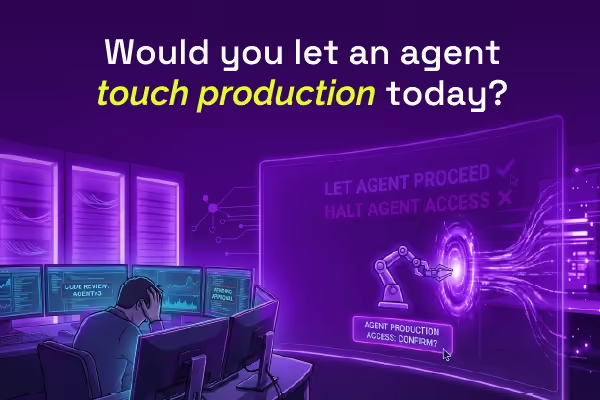
Most AI SREs are pattern matchers trained on public data. They know what a memory leak looks like in the abstract. They don't know that your payments-api has a flaky liveness probe everyone ignores, that the checkout team owns the retry policy, or that the last three "database incidents" were actually cache misconfigurations. That knowledge lives in your postmortems, your Slack channels, and the heads of two senior engineers.



.avif)