Blog
Insights & updates from our experts


Resolve plant floor and IT issues before they disrupt production.

Stay audit-ready while resolving issues and reducing operational risk.
Resolve issues quickly with an AI-powered system that automates ticketing.

Unifiy IT, HR, Facilities, Finance, and more on a single, AI-powered service platform.

Simplify on-call scheduling, automate escalations, and reduce burnout.

Automate postmortems, AI summaries, and post-incident workflows

Create, organize, and continuously improve your knowledge base to find the right answers with Sera AI.

We're here to help

The integration with Atlassian Jira using the Xurrent Integration Service is

The integration with Atlassian Jira using the Xurrent Integration Service is

The integration with Atlassian Jira using the Xurrent Integration Service is

The integration with Atlassian Jira using the Xurrent Integration Service is

The integration with Atlassian Jira using the Xurrent Integration Service is

The integration with Atlassian Jira using the Xurrent Integration Service is

The integration with Atlassian Jira using the Xurrent Integration Service is

The integration with Atlassian Jira using the Xurrent Integration Service is
Resolve issues quickly with an AI-powered system that automates ticketing.
Unifiy IT, HR, Facilities, Finance, and more on a single, AI-powered service platform.
Simplify on-call scheduling, automate escalations, and reduce burnout.
Automate postmortems, AI summaries, and post-incident workflows
Create, organize, and continuously improve your knowledge base to find the right answers with Sera AI.
Resolve plant floor and IT issues before they disrupt production.
Stay audit-ready while resolving issues and reducing operational risk.

Detect, respond, and resolve incidents fast to cut downtime and MTTR.

Keep your store online, even during your biggest sales moments.

Protect patient data and resolve issues fast, so care teams stay focused on care.

Standardize service delivery across every store and channel.

We are here to help 24/7

Connect with other Xurrent Users

Get insights and tips on how to get the most out of Xurrent

Apps, APIs, and updates

Xurrent service functionality

Eliminate manual tasks, optimize workflows, and deliver faster resolutions.
Learn how organizations have reduced downtime, improved 50% MTTA & MTTR, and cut costs with Xurrent IMR.
Discover Xurrent IMR's quick support, bidirectional integrations with Jira and Slack, and more cohesive incident response capabilities compared to Opsgenie.
Understand why users value Xurrent IMR for its intuitive interface, efficient incident alerting, customizable On-call schedules, and escalations.
This post is a living document, updated throughout the month as new product releases roll out. Each update listed here is released to our QA environment on the date shown and typically promoted to production the following week. Along the way, customers can review changes, share feedback, and help shape what ships next. Xurrent delivers product updates on a weekly cadence to keep enhancements moving continuously.
A new AI Usage report is available in the standard reports list at Analytics > Reports. The report shows AI feature metrics for the account over a selected period, broken down by usage type and refreshed daily.
The chart shows one line per usage type, such as Note Assist, Knowledge Article improvements, and UIX Designer assists, with date on the X-axis. The default period is the last 12 months and can be changed to last 7 days, last 30 days, last 90 days, or a custom range using the standard Reports date filter.
The report is scoped to the current account. Accounts with no AI usage open the report cleanly with an empty chart.
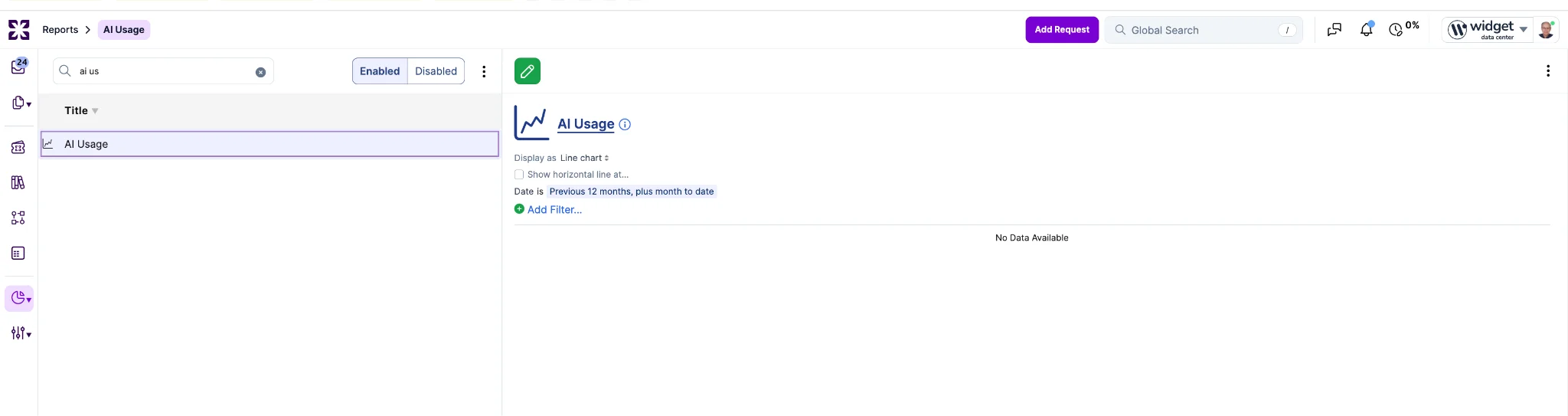
The report is forward-looking. AI usage is captured starting with this release; activity from before the release is not available, and the dataset will build up over time as new usage is recorded.
The CMDB Health section, introduced in r672 with the Orphan CIs view and placeholders for the remaining dimensions, takes another step toward general availability this week. Stale Records, Field Completeness, and Supporting Views are now wired to live data. Duplicate detection, the fourth dimension, remains in development and will land before the May 14 production release alongside the dashboard naming refresh.
Stale Records shows the count of CIs not seen in the last 60 days, with a week-over-week delta so administrators can see at a glance whether staleness is growing or shrinking. A supporting bar chart distributes CIs across four age buckets: under 30 days, 30 to 60 days, 60 to 90 days, and over 90 days. The 60-day stale threshold is shown in the UI.

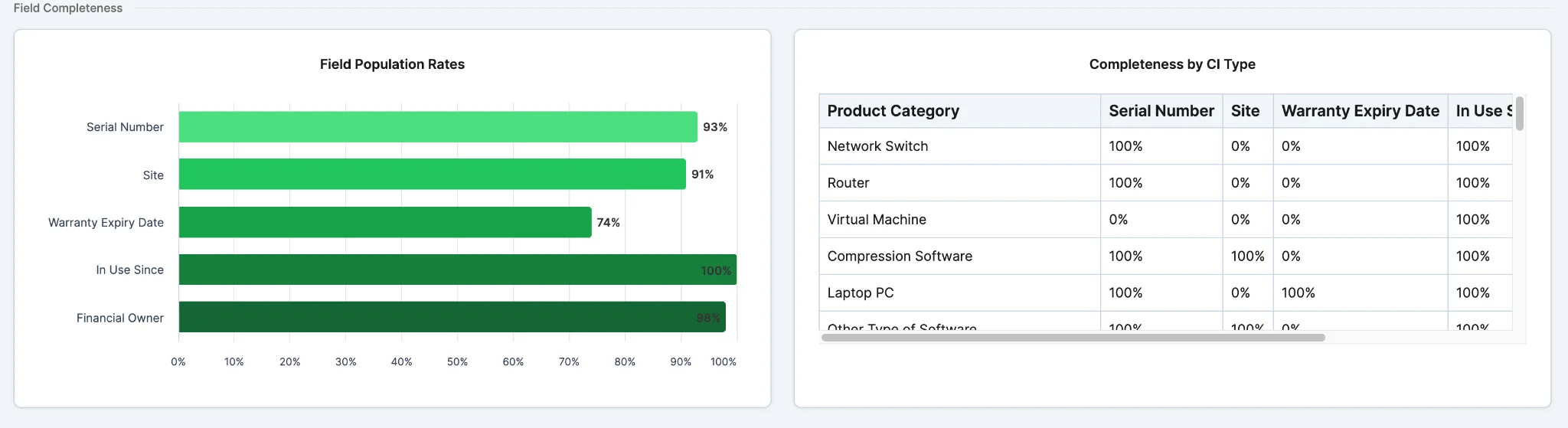
Field Completeness shows the average population rate across a tracked field set as a single percentage. The initial tracked fields are serial number, site, warranty expiry date, in-use-since date, financial owner, and operating system. Each field's rate is calculated only against the CIs where that field is applicable per the CI's rule set, so logical assets and software packages are not counted as missing data when they are not supposed to have those fields. A per-field bar chart highlights the weakest fields, clicking a bar opens a filtered list of applicable CIs missing that field, and a breakdown table groups completeness by product category, with cells showing "N/A" where a field is not applicable to any CI in that row.
Supporting Views now includes three functional widgets: Warranty Status, Asset Age Distribution, and Total Asset Value. Warranty Status is a donut with Valid, Expiring within 30 days, and Expired segments. Asset Age Distribution is a bar chart with five buckets from "0 to 1 years" through "4+ years". Total Asset Value displays the depreciated book value of CIs in scope in short notation, for example "$3.56M"; when CIs span multiple currencies, values are converted to the account's base currency before summation. Each widget supports click-through to a filtered CI list and shows a graceful empty state when no in-scope CIs have the inputs required.

The Stale Records count and Field Completeness percentage also appear as tiles on the Asset Management summary dashboard, with click-through to the full views in CMDB Health. The tracked field set and applicability rules are documented on the Xurrent help site for reference.
The Request Classifier now considers a request's intent before assigning a category. Previously, classification relied on similarity to recent requests, which works when wording is a reliable signal but miscategorizes "how do I do X" questions that read similarly to "X is broken" incidents.
Before the existing similarity search runs, an AI model classifies the request as an information request, an incident, a change, or something else. An information request locks the category to RFI; the similarity search still runs, but only to identify the right service instance. Incident and change act as soft priors: the nearest similar request must agree with the intent, or its similarity score must clear a higher threshold before its category can win.
In Case Management accounts, intent detection is skipped. When a service instance can be resolved, the category is set to Case as today.
Self Service list widgets can now display up to 10 items, doubled from the previous limit of 5. This applies to most viewed knowledge articles, popular request templates, latest knowledge articles, latest request templates, and recently used request templates.
The default portal themes have been updated to display 10 items per widget. Custom themes can set the count using a Liquid limit value between 1 and 10. For example, to display up to 10 most viewed knowledge articles:
The same syntax applies to list.popular.request_templates, list.latest.knowledge_articles, list.latest.request_templates, and list.recently_used.request_templates. Themes requesting more than 10 are silently capped at 10. Other Self Service widgets such as My Assets and Broadcasts are unaffected and continue to use their existing limits.

A new "CMDB Health" section has been added to the Asset Management Reports tab, starting with a dedicated view of orphan configuration items.
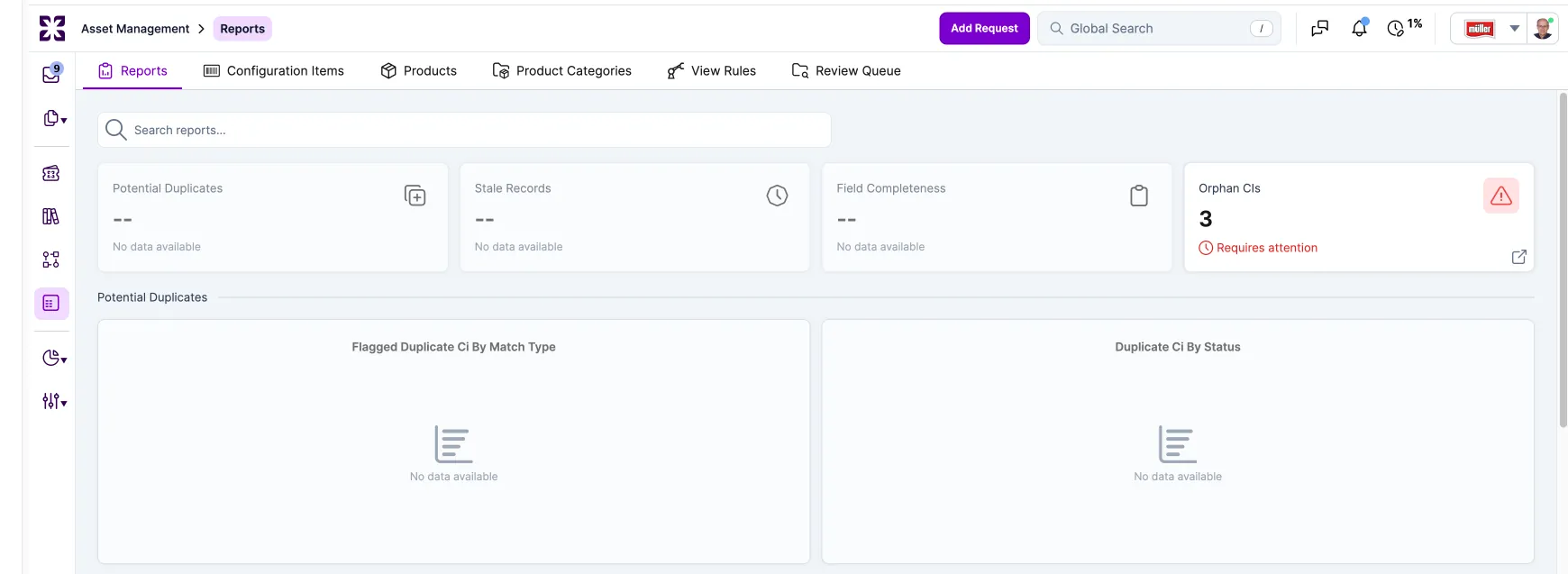
The "Orphan CIs" panel surfaces configuration items that are missing all three of the following relationships: service instance, assigned user, and site. The panel shows a donut chart on the left that breaks orphans down by which relationship is missing, with the total orphan count in the center of the donut. A table on the right lists the highest-priority orphan CIs, showing the CI name, CI type, which relationships are missing (as tags such as "Service + User" or "All three"), and the CI age in days. The list is sorted so the oldest and most incomplete orphans appear first, and each row links directly to the CI record for remediation. Results are sortable by product category, product, created date, and last updated date.

The section also reserves space for additional panels coming next week, including a KPI summary strip, "Duplicate Safeguards", "Attribute Completeness", "Stale Records", and a "Supporting Views" row that will consolidate the existing warranty status, asset age distribution, and total asset value reports. The existing operational reports remain in place and have not been moved.
The section is visible to all users in the Asset Management navigation.
Note: The new CMDB Health section will remain in the QA and demo environments until general availability on May 14, 2026. It will not move to production next week.
The Request Template form now has a single "Suggest Improvements" button that proposes AI-generated updates to six text fields at once and generates a fresh keyword set. The button replaces the previous "Generate Keywords" action and sits in the same spot as the equivalent button on Knowledge Articles.
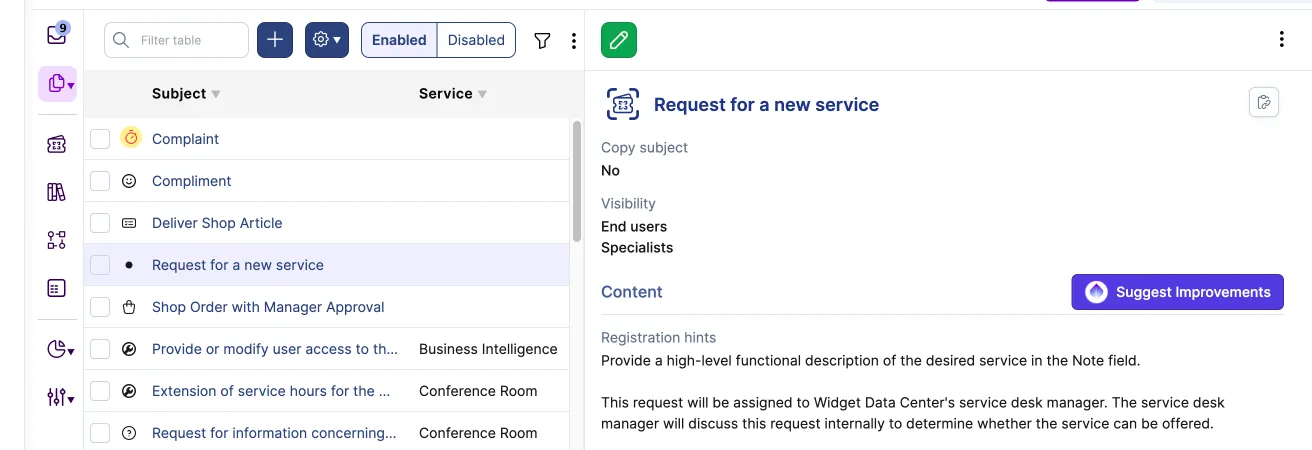
Clicking "Suggest Improvements" opens the edit form and shows loading indicators for each applicable field. As suggestions arrive, they appear inline for Subject, Action type, Description, Instructions, Registration hints, and Note. The registration hints panel is hidden when that field is empty, and empty responses clear their loading indicators cleanly.

Each suggestion is reviewed and applied individually. The Save action is never blocked by pending suggestions, so specialists can save the template at any point during the review.
The Request Template show and edit pages have been moved to a two-column layout that matches Knowledge Articles. The Keywords field and its row are visible in both views. Description and Action type, introduced in r671, are now included as well. This further improves match quality as these fields are populated.
Sera AI chat now supports file attachments. Users can upload, paste, or drag and drop files into the chat, and Sera uses the file content as context when responding and when creating a request.

Images are supported for PNG, JPEG, GIF, and WebP formats. Uploaded images are analyzed and used as context in Sera's replies, and are included on the resulting request note.
Other file types are supported for any extension allowed by the account's security settings. Sera reads the contents of common formats such as PDF, DOCX, XLSX, PPTX, CSV, and plain text so it can respond with context from the file. If the contents cannot be read, Sera still knows a file was attached and works from the file name.
File size and extension validation follows the account's security configuration throughout. Attachments appear on the resulting request note whether they are images or other file types.
The Virtual Agent no longer surfaces internal validation messages when it cannot create a request. Support domains that cannot fulfill a request are now hidden from the user before they see any options. This includes domains with an expired First Line Support Agreement, a missing service desk team, or no valid service instance for the person.
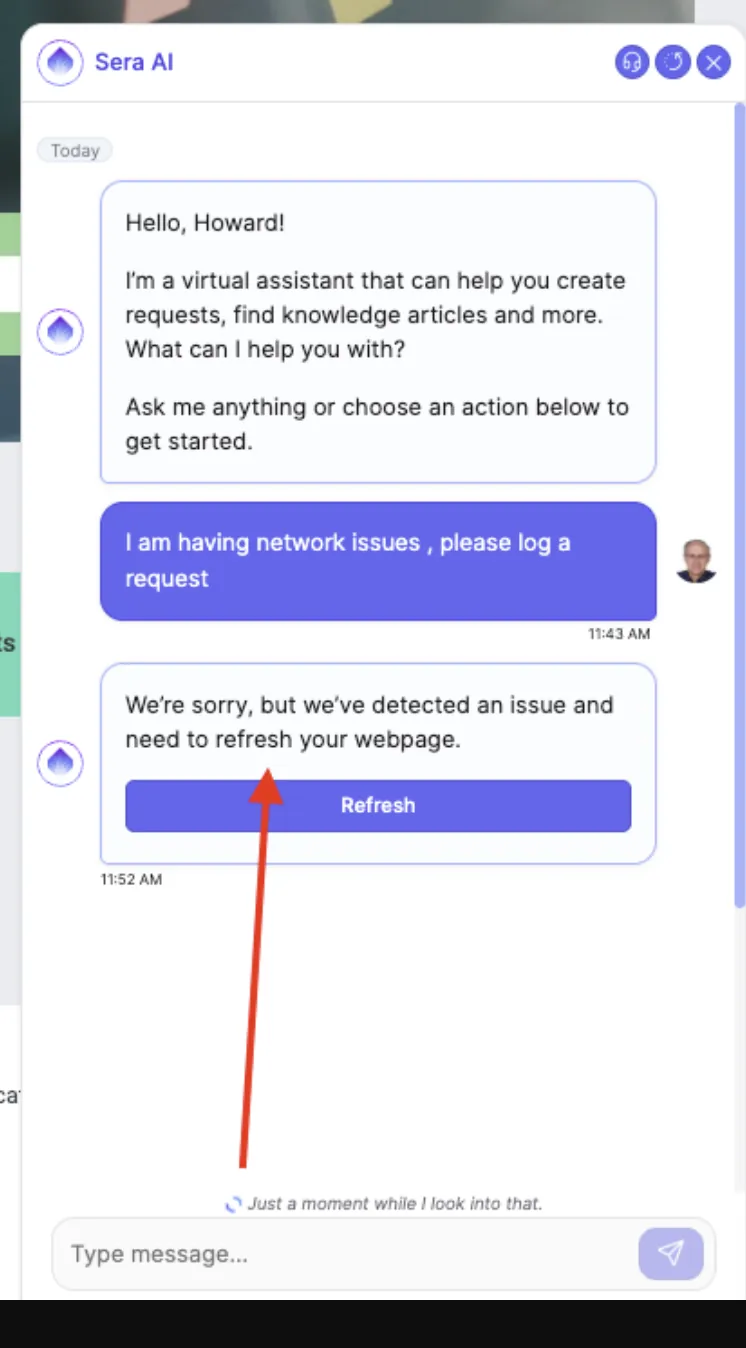
If no viable path remains for the user's intent, the Virtual Agent responds with a simple message asking the user to contact their IT team directly. Users no longer see messages such as "Provide a valid support_domain parameter", "Team can't be blank", or "the selected support organization is not currently able to receive requests."
The Virtual Agent now shows a consistent set of action buttons based on the user's current flow state, so the next step is always visible and matches the user's intent. The buttons shown in each state are:
Previously, action buttons appeared in hard-coded locations that did not always match the state the user was in. This update replaces that with a deterministic mapping, so the same state produces the same buttons every time.
When a message sent in the Virtual Agent chat fails to deliver because of a network or server error, a retry control now appears on the failed message. Clicking it resends the message. Previously, failed messages had no in-chat recovery path, and users had to type the message again from scratch.
When generating or improving a Knowledge Article from notes, Xurrent now always writes the article in the user's account personal preference language. This applies to both the article content and the generated keywords.
Previously, the behavior was inconsistent when the source note was in a different language than the user's preference, which sometimes produced mixed-language output. Now, if a note is written in a different language than the preference, the Knowledge Article is still created and improved in the user's preferred language, and keywords are generated in the same language as the article content. No mixed-language output is produced.
This is intentionally different from Note Assist, which now follows the note's language directly (see below). Knowledge Articles always follow the user's preference so the resulting article is consistent for its intended audience.
When a specialist writes a note in German, or any other language, and clicks Note Assist, the improved version is now returned in the same language as the note.

Previously, Note Assist always rewrote notes in the user's profile language, which produced incorrect results for specialists who regularly work across languages. Note Assist now detects the note's language from its content and rewrites in that language. User profile and account language settings no longer change what language Note Assist uses.
Console view search — the filter bar on views such as "All Requests", "All People", and "All CIs" — now matches what the specialist can actually see when the view has been customized.
On a default view, search continues to cover the full set of searchable fields defined for that record type, preserving today's behavior exactly.
On a customized view (a saved personal view or one-off column changes in the current session), search operates only on the visible columns that support search. Columns that were in the default searchable set but are no longer visible are excluded, and columns that are visible and searchable but were not in the default set are now included. If none of the visible columns support search, the view falls back to the default searchable fields so the search box remains useful.
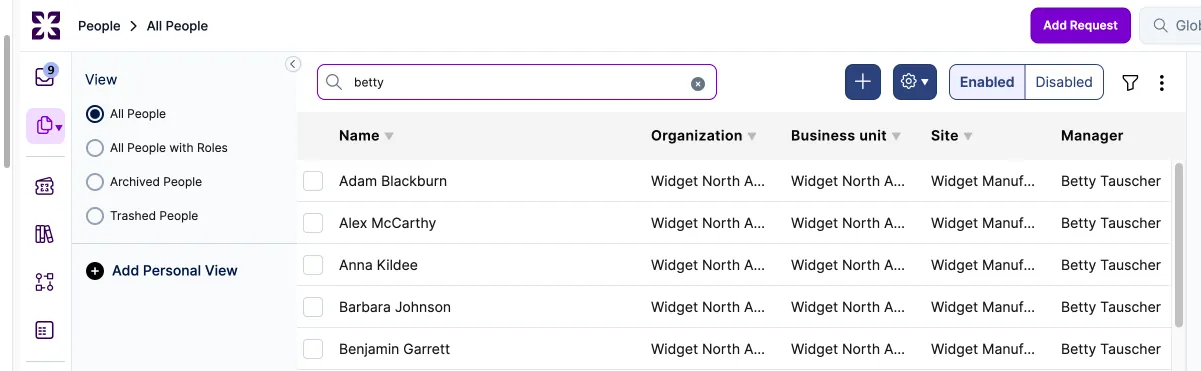
This closes a longstanding confusion where specialists would see a match in the results but could not identify which column it came from because the relevant column was hidden.
A new Contentsquare integration app is available in the Xurrent App Store. It injects the Contentsquare tracking script into Self Service pages using the Site ID configured on the app, enabling Contentsquare analytics on Self Service.
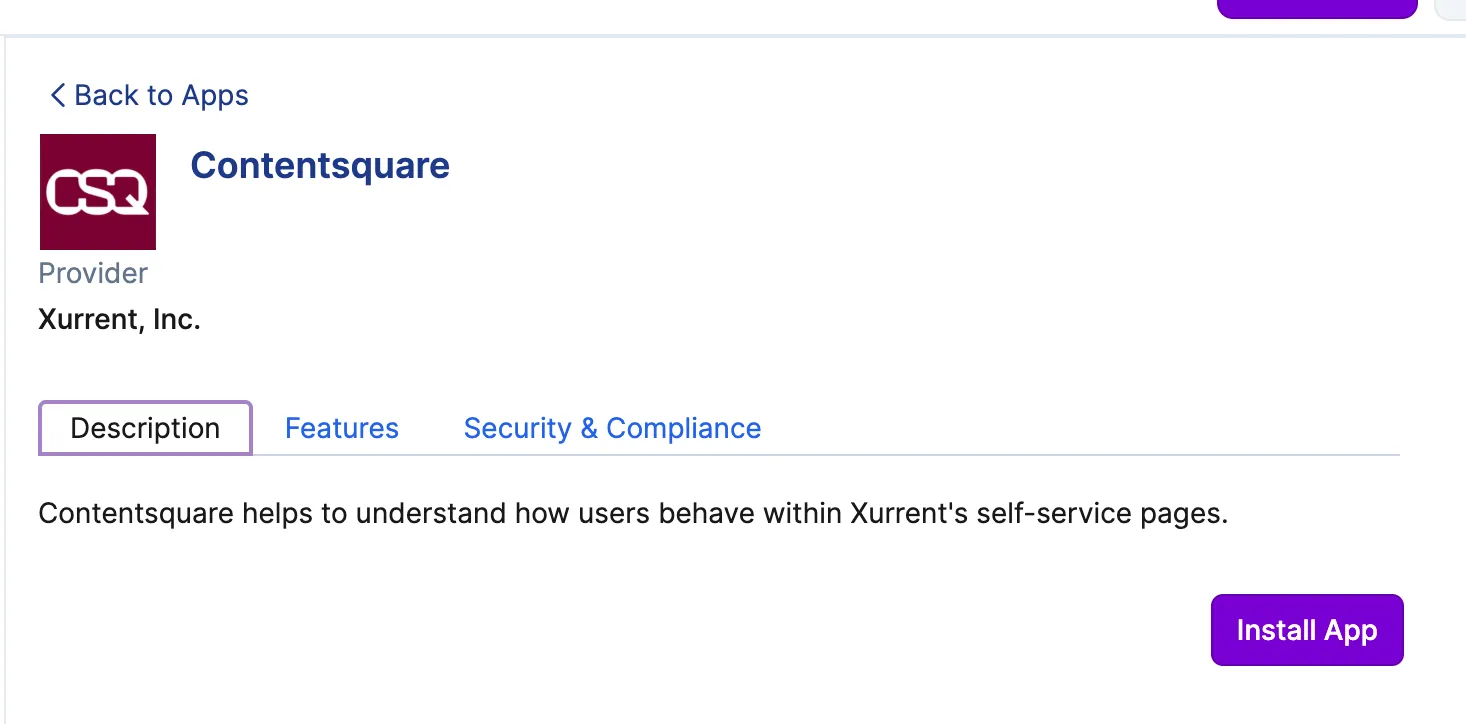
The Contentsquare app accepts alphanumeric Site IDs. The existing Hotjar integration remains available and unchanged, and Contentsquare and Hotjar can be installed in parallel on the same account without conflicts. To get started, install the integration from the Xurrent App Store and configure the Site ID from your Contentsquare account.
The organization field on a request can now be updated through the REST, GraphQL, and Import APIs.
Previously, a request's organization was automatically derived from the requested-for person and could not be changed independently of that person. The field now accepts updates, but only under two conditions: the caller must have the Account Administrator role, and the new value must match the organization currently assigned to the requested-for person. Updates from non-administrators and updates to any other value are rejected.
Automatic derivation still applies when a request is created and when the requested-for person changes, so existing callers are not affected.
This addresses a common correction workflow. When a user self-registers through Self Service, they are initially assigned to the account's default organization. If an administrator corrects that person's organization later, any requests created in the meantime previously remained tied to the default organization and appeared incorrectly in reports. Administrators can now update those requests directly through the API.
When an automation rule copies a note to another record, for example from a task to its workflow with "Copy note to workflow", the copied note now displays "Automation" as the author in the specialist UI and "System" in email notifications, matching the original note on the source record.

Previously, copied automation notes showed the account owner's name instead. Notes created directly by an automation rule were always labeled correctly. Only copied notes were affected.
RFC Types can now be created and managed at the Directory Account level and are automatically inherited by all child Support Domain Accounts. Inherited RFC Types are available in Directory Account self-service and are read-only at the Support Domain Account level, ensuring consistent change governance across the organization.
For customers using Directory Account self-service, we recommend defining RFC Types at the Directory Account level only. Support Domain Account RFC Types remain available for use cases that are specific to an individual Support Domain Account.
When a request is already linked to a knowledge article, hovering over a note now offers an "Improve Knowledge Article" action instead of "Create Knowledge Article."
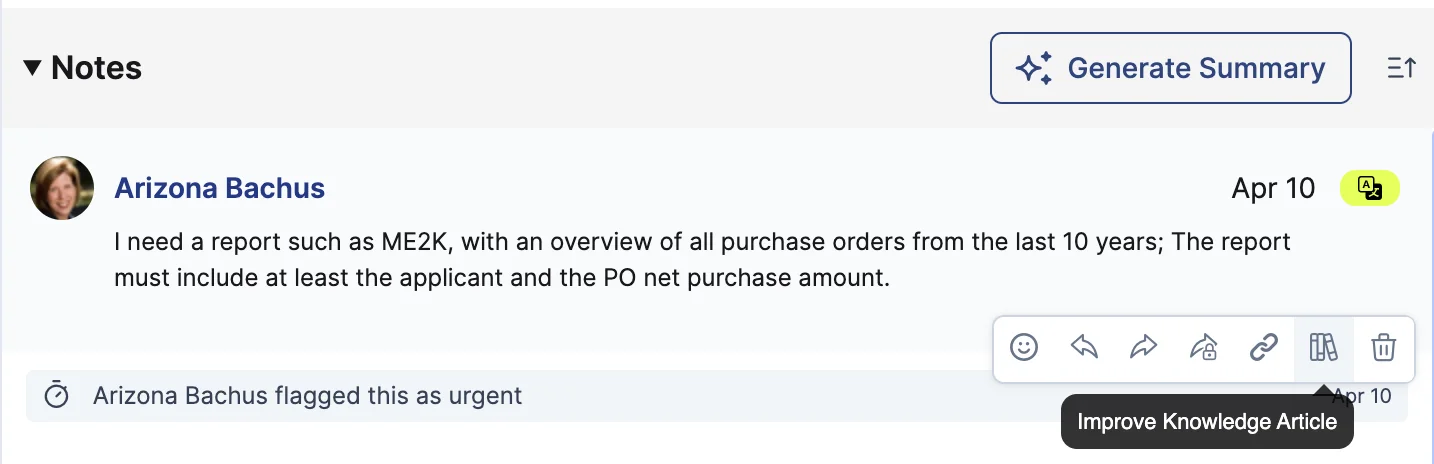
The selected note is passed to the AI improvement engine as context, so it can suggest updates to the existing article rather than creating a duplicate.
Approvers with a pending approval can now delegate to someone else even after other approvers on the same task have already acted. Previously, delegation was blocked once any approver's action moved the task out of the Assigned status, which left remaining approvers stuck. Delegation is still restricted to approval-type tasks and is only available for approvals that haven't yet been actioned.
When a user is provisioned via SAML just-in-time (JIT) provisioning and the SAML organization attribute is empty, the user is now assigned to the account's default organization instead of the account's internal organization. This aligns JIT provisioning behavior with how Xurrent assigns organizations elsewhere in the platform.
You can now include a backslash (\) as a string value in automation rule expressions by writing \\.


This makes it possible to work with file paths, regex patterns, and other values that contain backslashes.
The Note Assist AI feature is now available on the Description, Registration hints, Instructions, and Note fields when editing a request template.
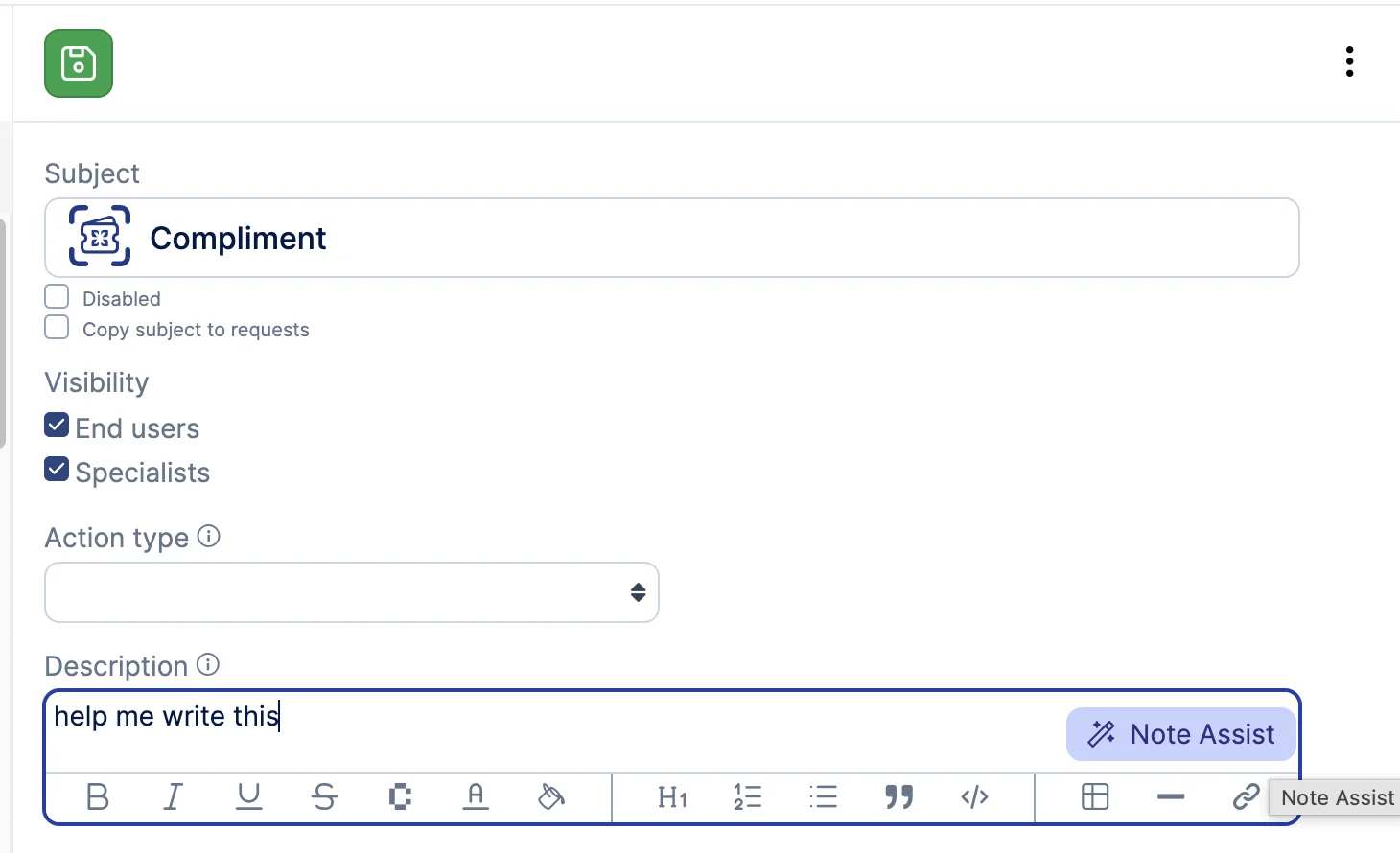
Click the wand button to have the AI suggest improvements to the field's content, just like on request notes. The button appears when the field contains content and is only available on accounts with AI enabled.
When importing a CSV, Xurrent now detects when the file's columns don't match the selected record type and displays a clear error message instead of proceeding with a mismatched import.
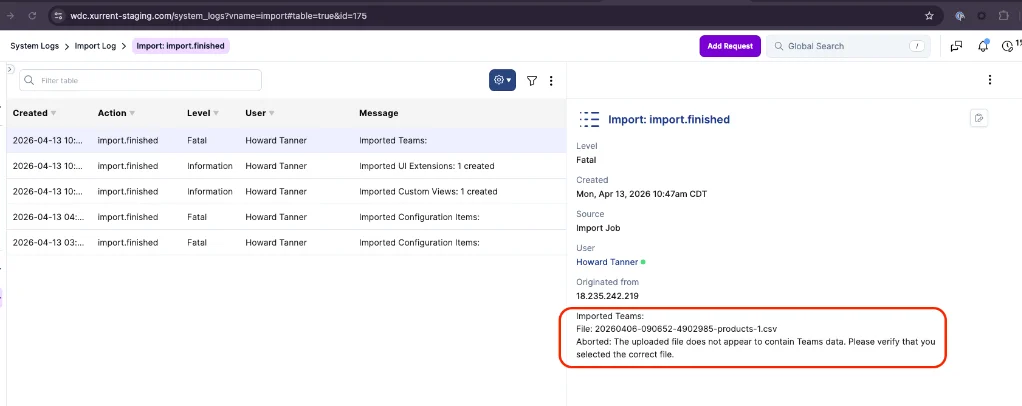
This helps catch cases where a file intended for a different record type is uploaded by mistake.
Request templates now support two new fields: Description and Action Type.

Description is a plain-text field for adding context about a template beyond its subject line. It's indexed in search, so templates are easier to find based on their description content.
Action Type is an optional classification for the kind of action a template supports. Values include troubleshoot, creation, modification, removal, access, onboarding, offboarding, procurement, and others (19 total). When set, this field can be used to organize and filter templates by purpose.
Both fields are editable in the Request Template form, visible in the detail view, and available through the REST and GraphQL APIs. They're also included in bulk import and export.
You can now export data from the Search Phrases report. An Export option has been added to the ellipsis menu on the report page, generating a CSV file you can open in Excel or any spreadsheet tool.

The export includes all columns displayed in the UI table and respects any filters or time range you've applied. Only users with permission to view the Search Phrases report can access the export.
This makes it easier for knowledge managers and service teams to analyze search trends, prioritize article creation, and share insights with stakeholders outside the platform.
Records opened from agile boards, product backlogs, Gantt charts, and other views now display in a modal with the same two-column layout used on the regular record page, with record fields and notes side by side. The modal also includes the full record-actions toolbar, so you can edit, forward, complete, decline, flag urgent, group, watch, or move items to an agile board, sprint, or product backlog without navigating away.

Save and cancel buttons in edit modals now stay pinned to the bottom of the modal rather than floating over the page, and pressing Escape closes the modal.
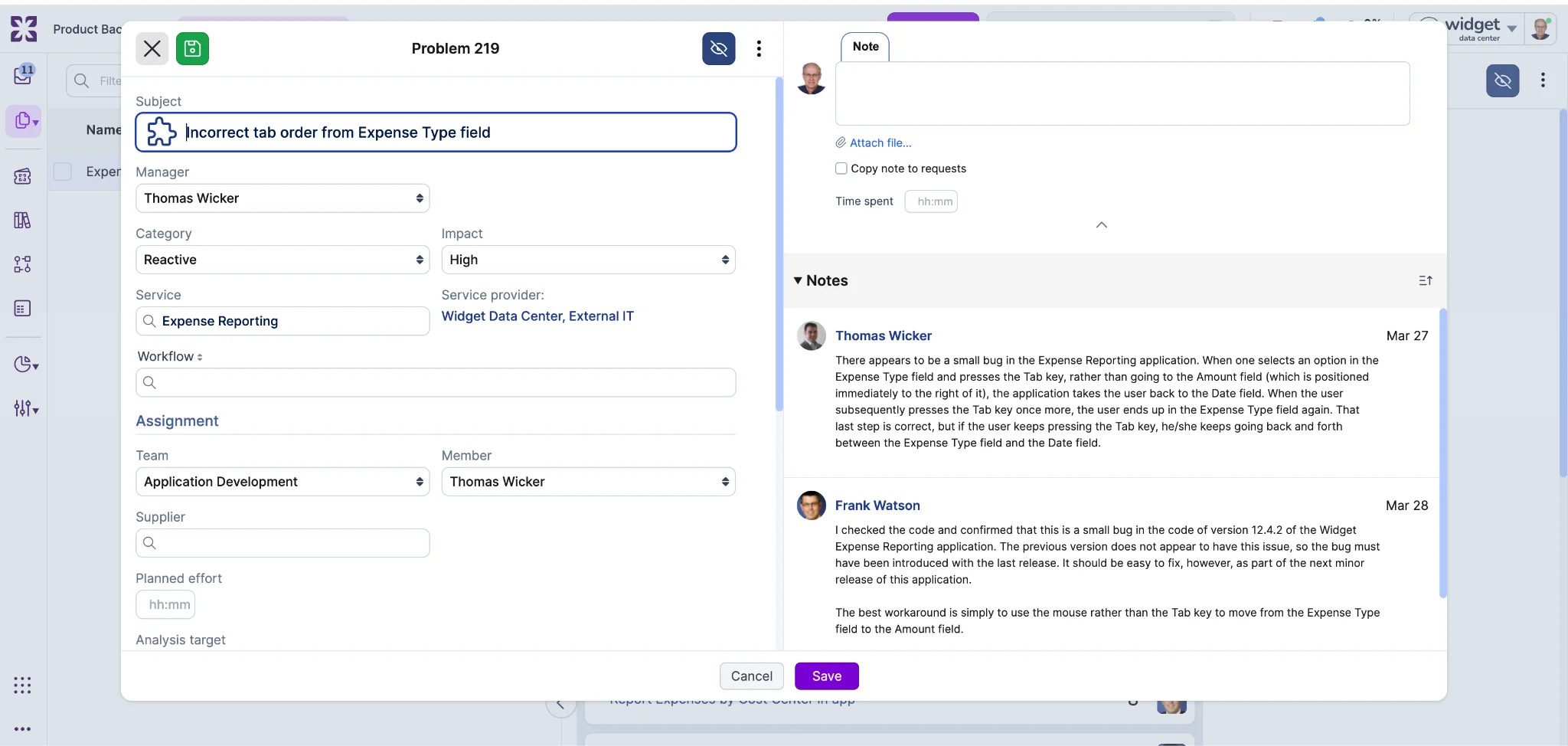
Task template instructions can now be translated. When translations are configured for a template's instructions field, each viewer sees the instructions in their own locale automatically.
In template views, instructions display in the viewer's locale when a matching translation exists. In task views, the system checks whether the task's instructions still match the original template text. If they do, the translated version is shown. If a manager has edited the instructions on the task itself, the edited text is preserved as-is.
For API consumers, GraphQL exposes a translations connection on TaskTemplate for managing translations, and the REST API automatically includes localized_instructions in TaskTemplate responses.
As more customers bring their Virtual Agent into production and leverage directory account self-service, we've heard consistent feedback about how skills pool restrictions should work across accounts. With this update, skills pool restrictions configured on supporting domain accounts now extend to the directory account as well.
Previously, self-service on the directory account was unaffected by skills pool settings, meaning all users could interact with the Virtual Agent regardless of restrictions on supporting domain accounts. Now, if any supporting domain account has a skills pool restriction in place, only person records included in those skill pools will be able to use the Virtual Agent on the directory account. Person records with roles exclusively in the directory account will not have access.

A warning indicator in the directory account settings will show when Virtual Agent access is being restricted by one or more accounts. Removing all skills pool restrictions from supporting domain accounts will restore unrestricted access on the directory account.
Rich text fields now handle Markdown content more naturally in two ways.
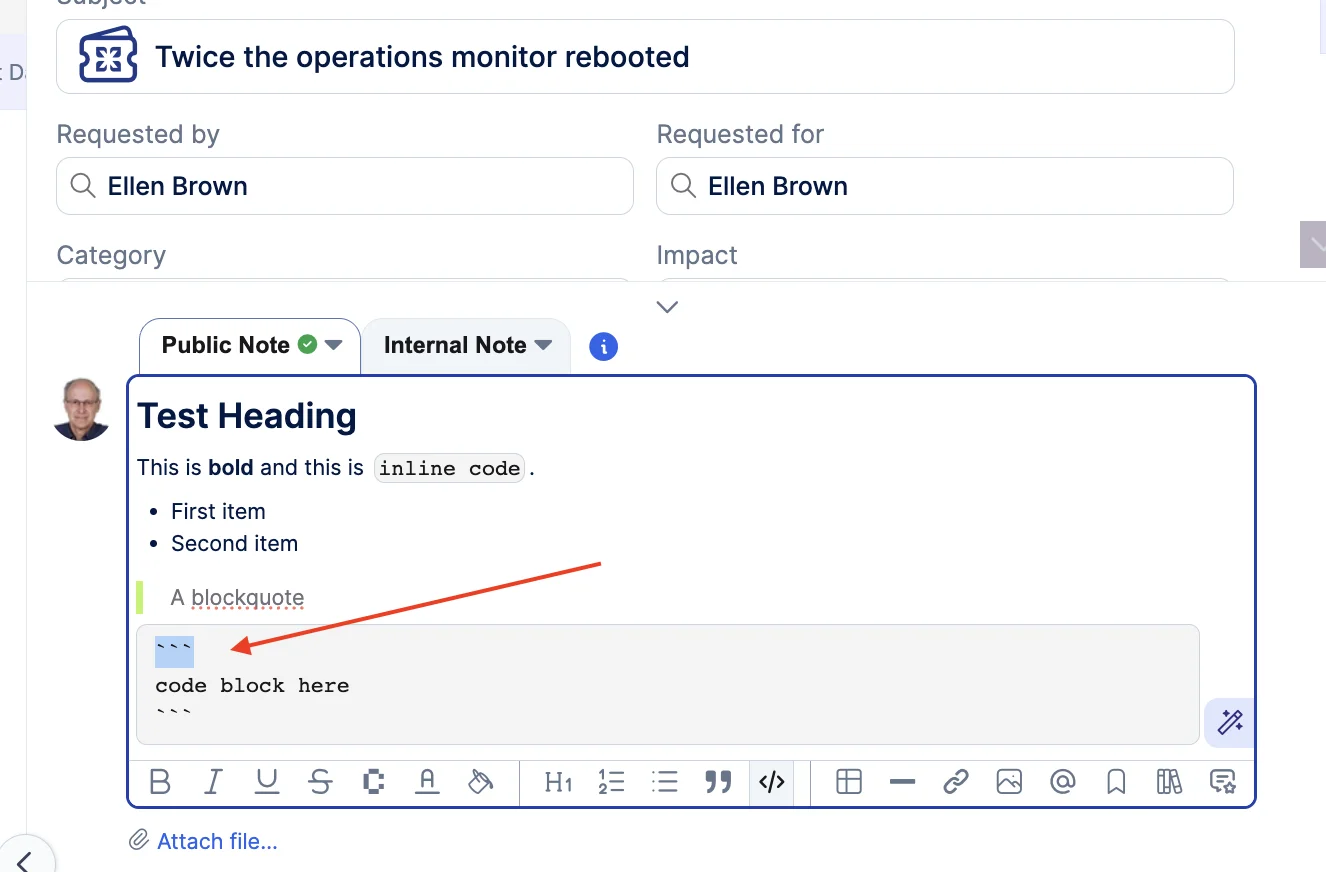
First, pasting Markdown into note fields renders it as formatted text automatically. When you copy from .md files, AI assistant output, or development tools, headings, code blocks, bold text, lists, and other Markdown syntax display as properly formatted content instead of raw syntax. The editor detects Markdown in both plain text and rich clipboard formats (such as content copied from VS Code). Pasting into a code block still preserves raw text, and URL paste behavior is unchanged.
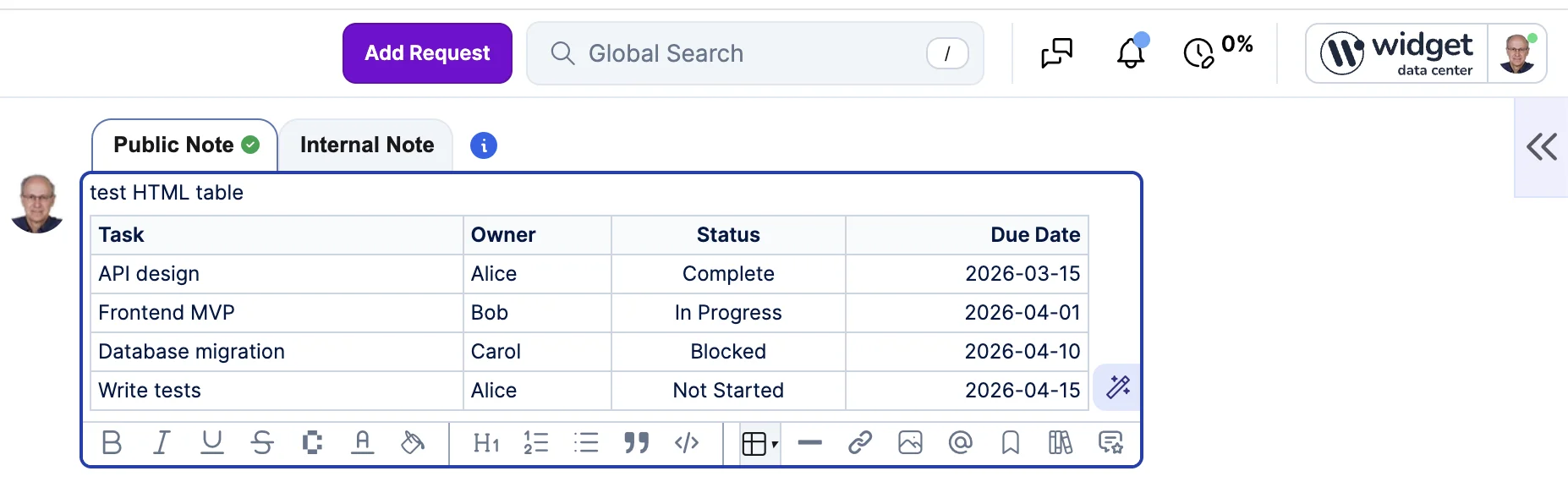
Second, GFM-style pipe tables now render as formatted tables. Previously, only HTML table syntax was supported, so pipe tables copied from GitHub, GitLab, or AI tools displayed as raw text. Table cells support inline formatting including mentions, bold, links, and colors.


.webp)
.webp)
.webp)