







Blog
Insights & updates from our experts


Resolve plant floor and IT issues before they disrupt production.

Stay audit-ready while resolving issues and reducing operational risk.
Resolve issues quickly with an AI-powered system that automates ticketing.

Unifiy IT, HR, Facilities, Finance, and more on a single, AI-powered service platform.

Simplify on-call scheduling, automate escalations, and reduce burnout.

Automate postmortems, AI summaries, and post-incident workflows

Create, organize, and continuously improve your knowledge base to find the right answers with Sera AI.

We're here to help

The integration with Atlassian Jira using the Xurrent Integration Service is

The integration with Atlassian Jira using the Xurrent Integration Service is

The integration with Atlassian Jira using the Xurrent Integration Service is

The integration with Atlassian Jira using the Xurrent Integration Service is

The integration with Atlassian Jira using the Xurrent Integration Service is

The integration with Atlassian Jira using the Xurrent Integration Service is

The integration with Atlassian Jira using the Xurrent Integration Service is

The integration with Atlassian Jira using the Xurrent Integration Service is
Resolve issues quickly with an AI-powered system that automates ticketing.
Unifiy IT, HR, Facilities, Finance, and more on a single, AI-powered service platform.
Simplify on-call scheduling, automate escalations, and reduce burnout.
Automate postmortems, AI summaries, and post-incident workflows
Create, organize, and continuously improve your knowledge base to find the right answers with Sera AI.
Resolve plant floor and IT issues before they disrupt production.
Stay audit-ready while resolving issues and reducing operational risk.

Detect, respond, and resolve incidents fast to cut downtime and MTTR.

Keep your store online, even during your biggest sales moments.

Protect patient data and resolve issues fast, so care teams stay focused on care.

Standardize service delivery across every store and channel.

We are here to help 24/7

Connect with other Xurrent Users

Get insights and tips on how to get the most out of Xurrent

Apps, APIs, and updates

Xurrent service functionality

Eliminate manual tasks, optimize workflows, and deliver faster resolutions.
Learn how organizations have reduced downtime, improved 50% MTTA & MTTR, and cut costs with Xurrent IMR.
Discover Xurrent IMR's quick support, bidirectional integrations with Jira and Slack, and more cohesive incident response capabilities compared to Opsgenie.
Understand why users value Xurrent IMR for its intuitive interface, efficient incident alerting, customizable On-call schedules, and escalations.
We started Q2 by tackling one of the biggest headaches in incident response: communication silos. When a major incident hits, you are usually scrambling to fix the issue and update your public status page at the same time. It’s stressful, prone to errors, and frankly, a waste of valuable time.
That’s why we launched our StatusCast Integration. This isn't just a simple connector; it’s a two-way sync that keeps your internal response and your external communication perfectly aligned. When you create an incident in Xurrent, it can automatically generate an incident in StatusCast to let your customers know you are investigating. Even better, when you resolve the issue in one platform, it updates the other instantly. No more copy-pasting updates or forgetting to tell customers that the system is back online.
Detailed documentation here.
Live call routing, you can now automatically connect on-call responders to incidents through live phone calls, ensuring faster response times and better incident outcomes.
We're excited to announce that Live Call Routing is now supported with Vonage as a provider, in addition to Plivo. This expansion offers you greater flexibility in choosing your voice provider for real-time incident escalations
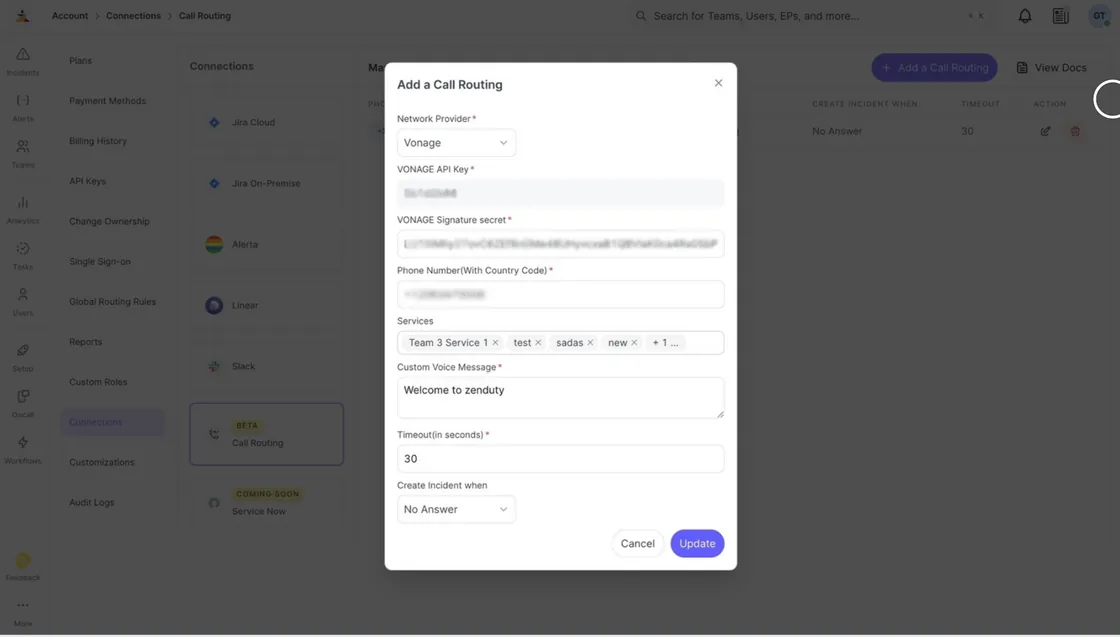
Learn how to set up Live Call Routing with Vonage →
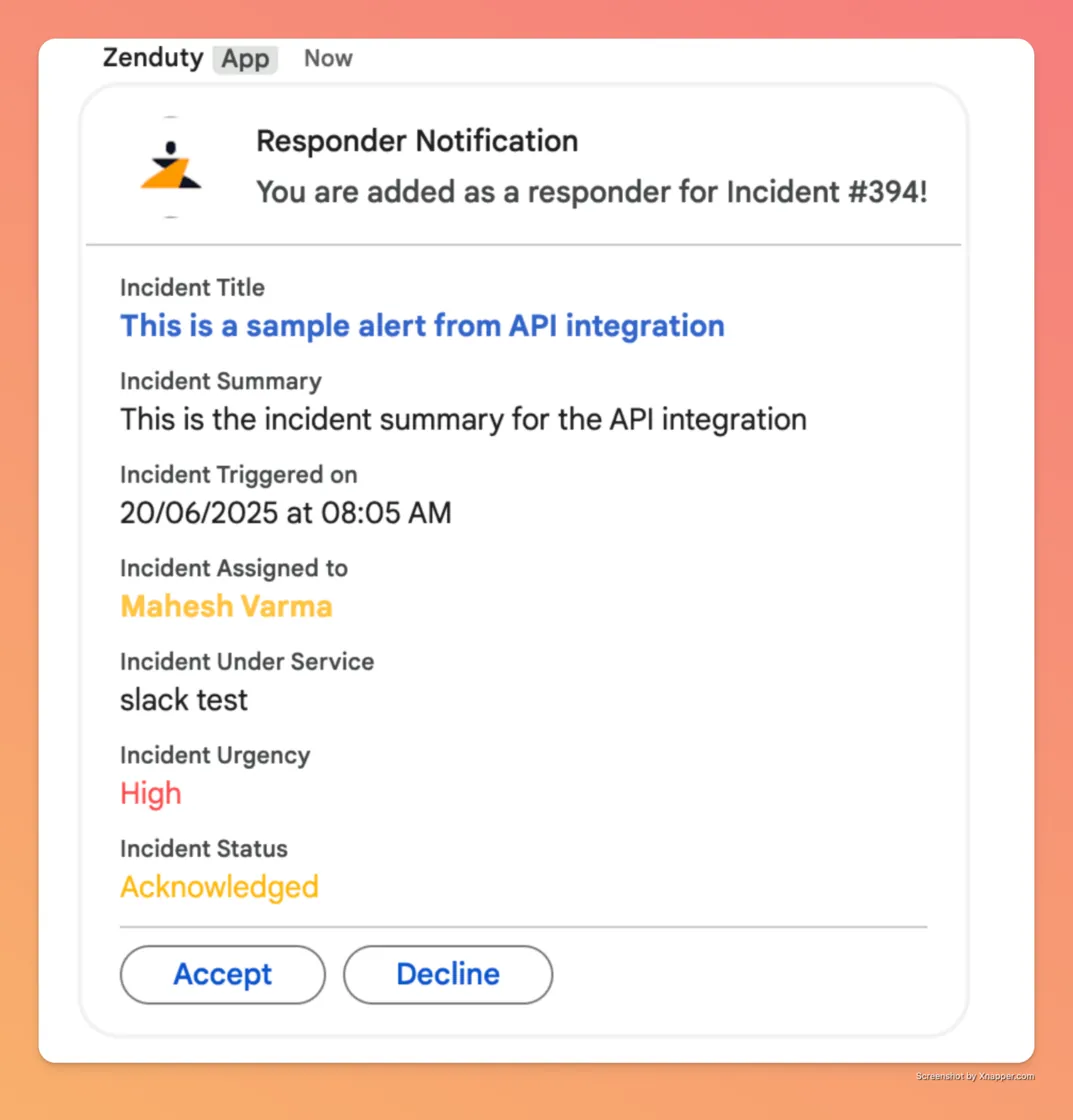
We’ve all been there—an alert goes out, five people get paged, and three people join the Zoom call. But in the chaos, the Incident Commander has no idea who is actually owning the fix and who is just listening in.

We rolled out Responder Journey Enhancements to fix this "ghosting" problem. Now, responders can explicitly "Accept" or "Reject" a request directly from the dashboard or even by pressing a key during a phone call. This small change makes a massive difference in visibility. You’ll see a clear status next to every responder's name on the incident screen, so you never have to ask "Hey, is Mike actually looking at this?" ever again.
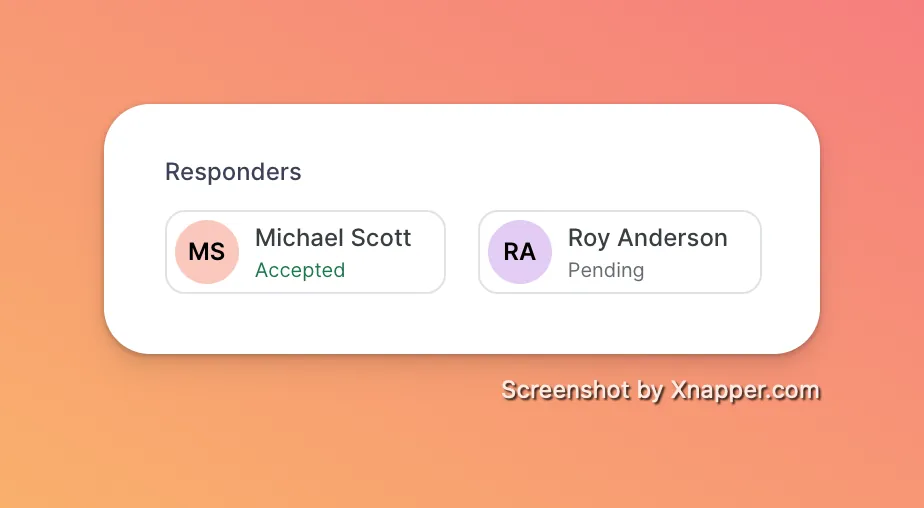
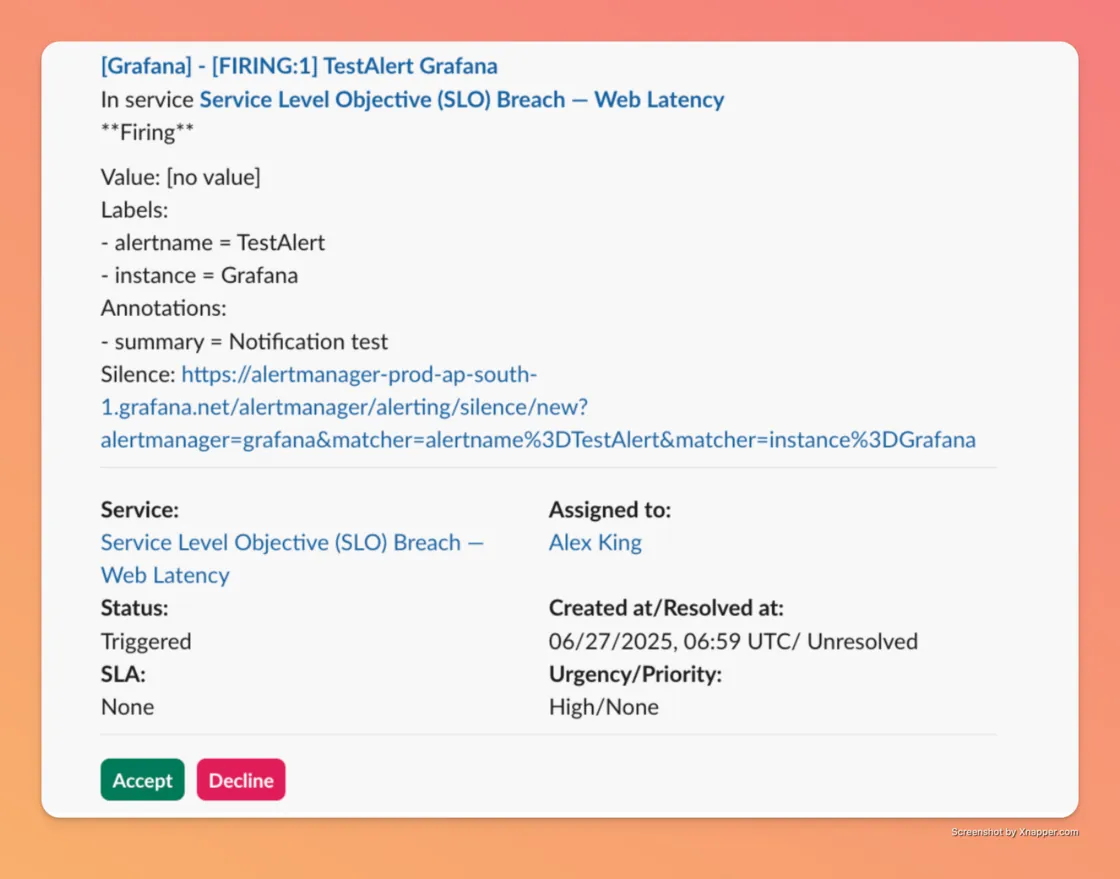
You can now accept or reject responder requests directly from Slack and Google Chat, making it faster and easier to manage incident participation
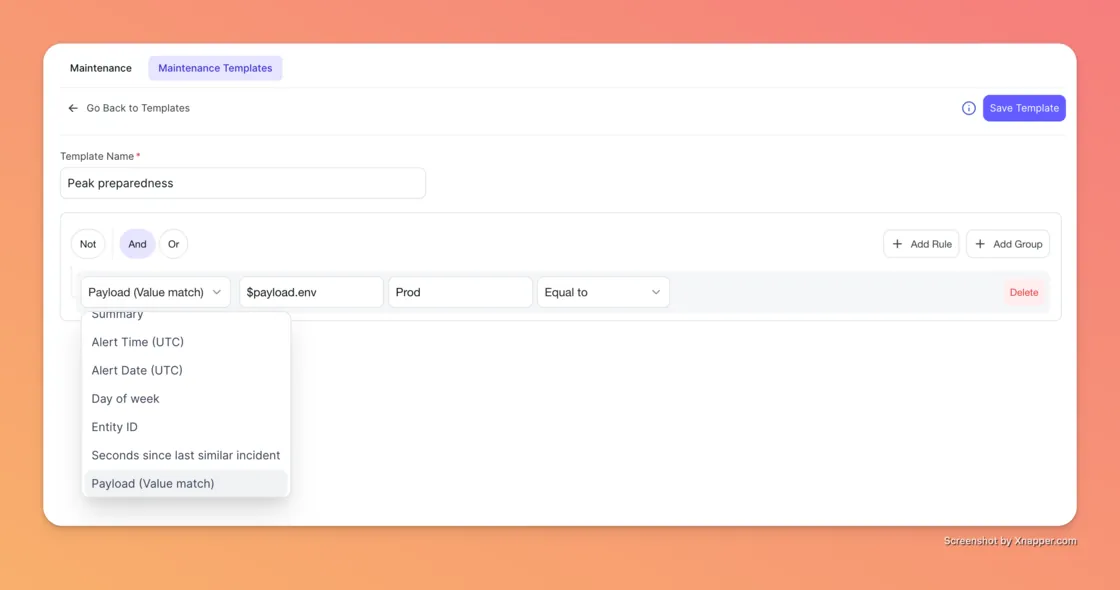
For a long time, maintenance windows were a blunt instrument—you turned them on, and all alerts stopped. But what happens if a critical, unrelated server catches fire during your scheduled maintenance? You wouldn't know until it was too late.
We’ve introduced Advanced Filtering for Maintenance Windows to give you fine-grained control. Instead of silencing everything, you can now define custom rules based on the alert payload, message summary, or even the time of day. You can tell Xurrent to silence the expected noise from your upgrade but still wake you up if a critical database failure occurs. It’s the peace of mind you need during those late-night change windows.
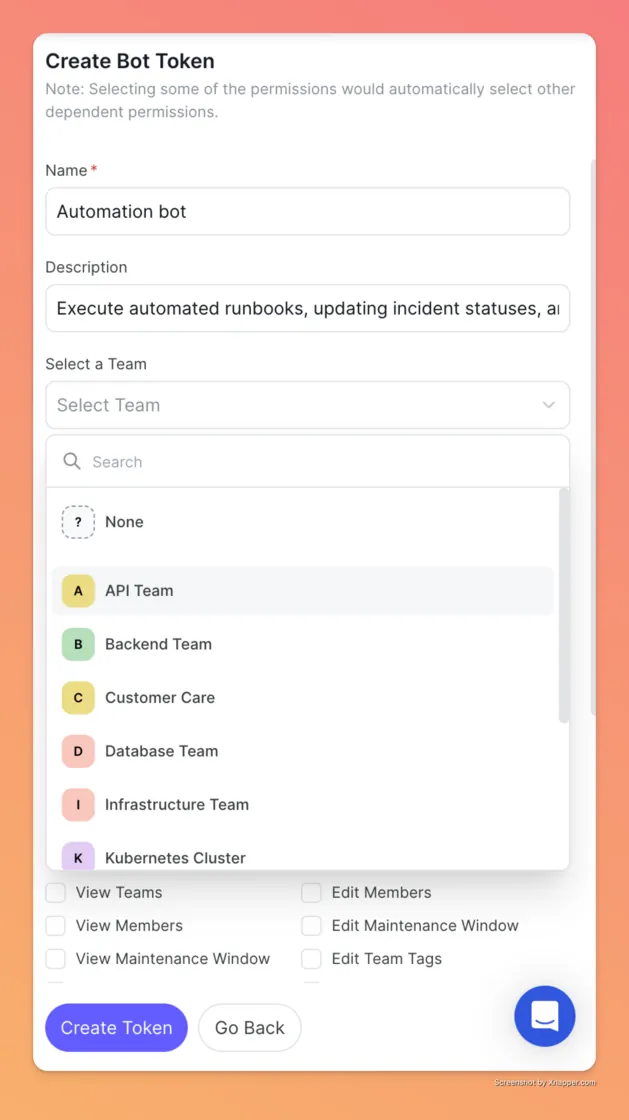
As your team grows, giving a "bot" full admin access to your entire account feels risky—because it is. We heard your concerns about security boundaries, so we introduced Team-Scoped Bot Tokens.
Now, admins can provision a bot token specifically for one team—say, the API Team—and share it directly with them. That token will only have permission to automate tasks and view incidents within that specific team. It keeps your automation powerful but ensures that a script intended for the frontend team doesn't accidentally reboot the backend servers.
Categorizing incidents used to be a manual chore. You’d get an alert, read the payload, and then manually tag it as "VIP Customer" or "Database Issue" so you could find it later. We decided to automate that busywork with Dynamic Tag Creation.
You can now set up rules that look at the incoming alert data and automatically create tags on the fly. For example, if an alert comes in with a client name in the payload, Xurrent can instantly tag the incident with that client’s name. This lets you track trends—like which clients are experiencing the most issues—without lifting a finger.

Finally, we made collaboration a little smoother with Shareable Links for the Incident Dashboard. Previously, if you filtered your dashboard to show only "High Severity" incidents assigned to "DevOps," and you sent the URL to a colleague, they would just see the default view.
Now, the URL updates to match your filters. You can slice and dice the data exactly how you want, copy the link, and send it to a stakeholder. When they open it, they see exactly what you see. It’s a simple fix that saves a lot of "wait, what am I looking at?" conversations.
Let us know how this feature helps you, or if there are any other improvements you would like to see here



.webp)
.webp)

.webp)



