







Blog
Insights & updates from our experts


Resolve plant floor and IT issues before they disrupt production.

Stay audit-ready while resolving issues and reducing operational risk.
Resolve issues quickly with an AI-powered system that automates ticketing.

Unifiy IT, HR, Facilities, Finance, and more on a single, AI-powered service platform.

Simplify on-call scheduling, automate escalations, and reduce burnout.

Automate postmortems, AI summaries, and post-incident workflows

Create, organize, and continuously improve your knowledge base to find the right answers with Sera AI.

We're here to help

The integration with Atlassian Jira using the Xurrent Integration Service is

The integration with Atlassian Jira using the Xurrent Integration Service is

The integration with Atlassian Jira using the Xurrent Integration Service is

The integration with Atlassian Jira using the Xurrent Integration Service is

The integration with Atlassian Jira using the Xurrent Integration Service is

The integration with Atlassian Jira using the Xurrent Integration Service is

The integration with Atlassian Jira using the Xurrent Integration Service is

The integration with Atlassian Jira using the Xurrent Integration Service is
Resolve issues quickly with an AI-powered system that automates ticketing.
Unifiy IT, HR, Facilities, Finance, and more on a single, AI-powered service platform.
Simplify on-call scheduling, automate escalations, and reduce burnout.
Automate postmortems, AI summaries, and post-incident workflows
Create, organize, and continuously improve your knowledge base to find the right answers with Sera AI.
Resolve plant floor and IT issues before they disrupt production.
Stay audit-ready while resolving issues and reducing operational risk.

Detect, respond, and resolve incidents fast to cut downtime and MTTR.

Keep your store online, even during your biggest sales moments.

Protect patient data and resolve issues fast, so care teams stay focused on care.

Standardize service delivery across every store and channel.

We are here to help 24/7

Connect with other Xurrent Users

Get insights and tips on how to get the most out of Xurrent

Apps, APIs, and updates

Xurrent service functionality

Eliminate manual tasks, optimize workflows, and deliver faster resolutions.
Learn how organizations have reduced downtime, improved 50% MTTA & MTTR, and cut costs with Xurrent IMR.
Discover Xurrent IMR's quick support, bidirectional integrations with Jira and Slack, and more cohesive incident response capabilities compared to Opsgenie.
Understand why users value Xurrent IMR for its intuitive interface, efficient incident alerting, customizable On-call schedules, and escalations.
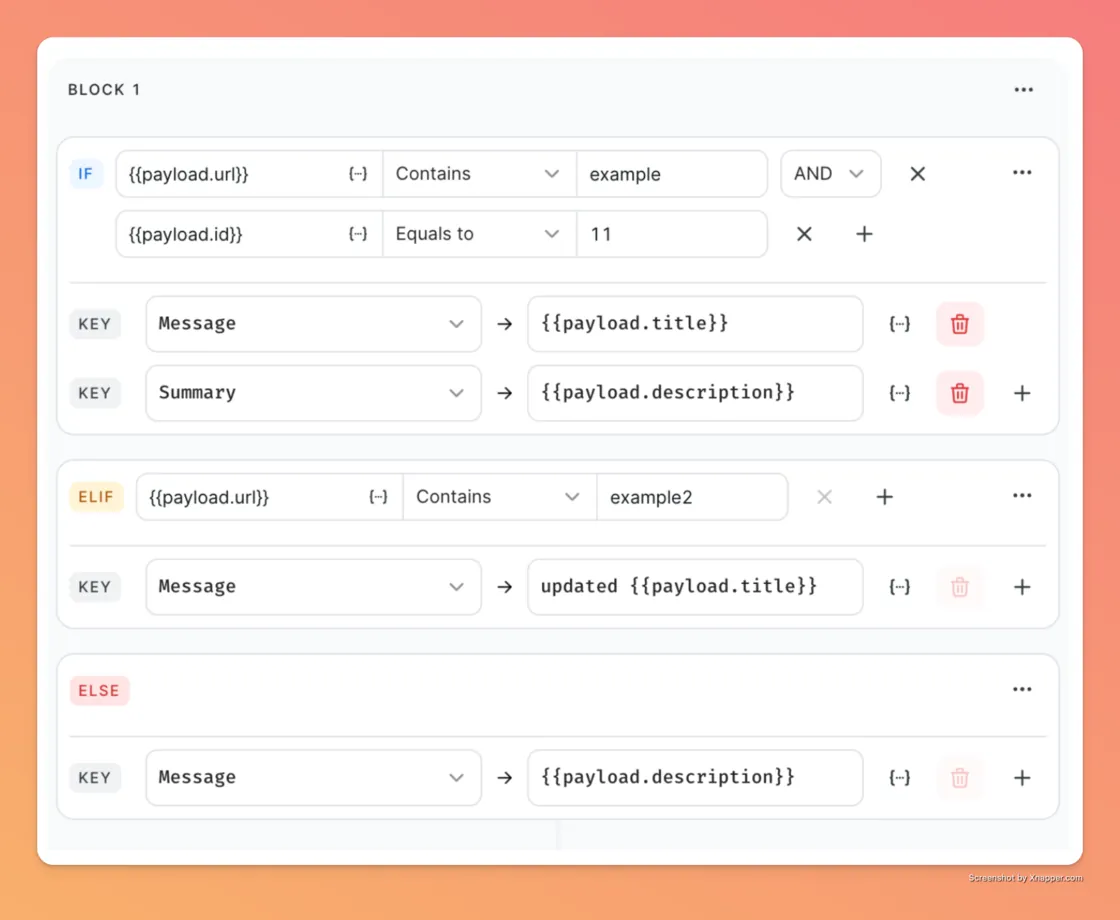
We kicked off the year by solving one of the most annoying problems in incident management: trying to get a niche tool to talk to your incident platform. You know the struggle, you have a custom monitoring script or a specialized tool that sends alerts, but without a native integration, you’re stuck writing complex middleware just to get a notification.
That ends now. We’ve introduced the Generic Integration, which acts like a universal adapter for your tech stack. Think of it as an enhanced version of our API integration that puts the power back in your hands. Instead of writing code, you can now use a simple visual interface to map any incoming data payload directly to Xurrent IMR fields. You define the conditions, you map the fields dynamically, and you ensure that alerts are processed exactly how you want them. It’s powerful, it’s code-free, and it connects everything.
Read the full documentation.
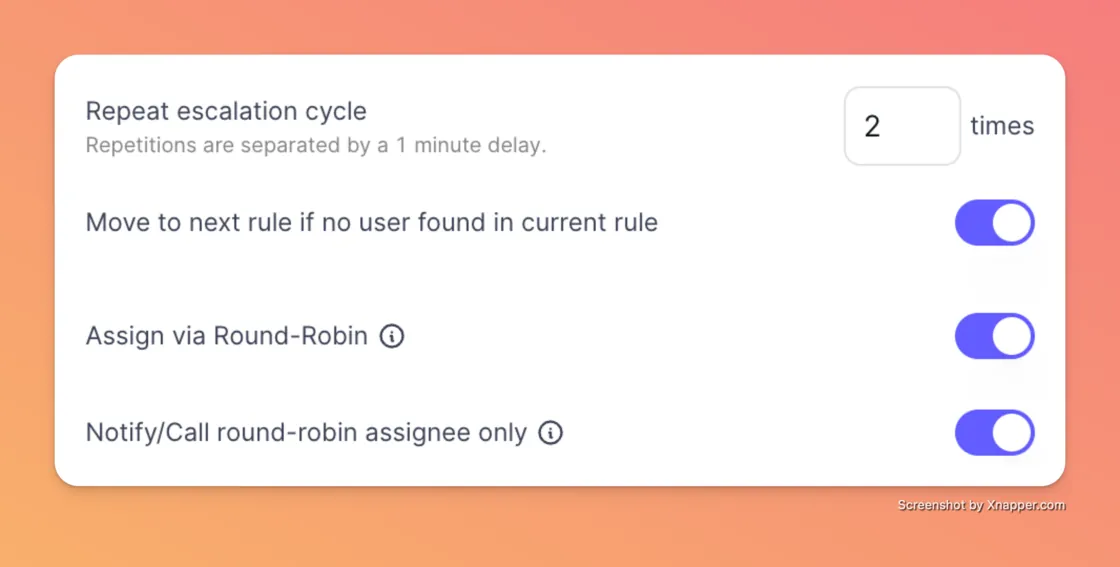
If you’re on an on-call rotation, you know that "Round Robin" is supposed to mean "taking turns." But in the past, even if the system assigned the incident to just one person, the notification rules sometimes woke up everyone in the escalation policy. That defeats the whole purpose of sharing the load.
We fixed it. We added a simple but life-changing toggle for Round Robin Enhancements. When you enable this, notifications or phone calls are sent only to the specific user who is assigned the incident via round-robin. If it’s not your turn, your phone stays silent. It’s a small change in the settings, but a huge win for your sleep schedule.
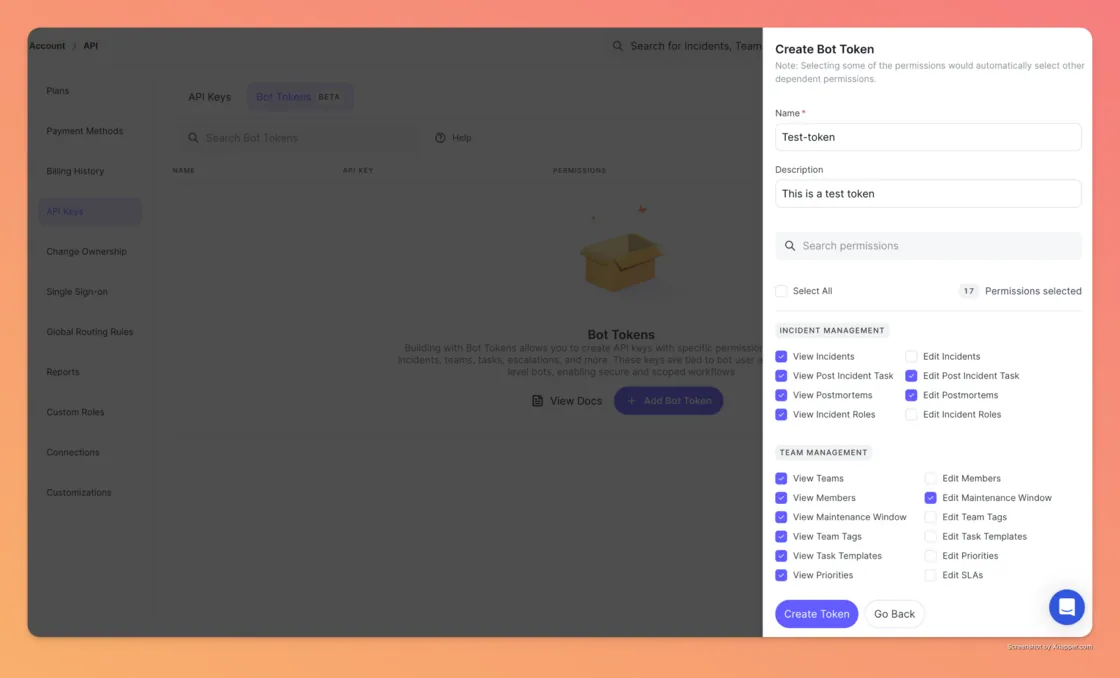
For the DevOps teams running automated runbooks or scripts, we’ve added a new layer of security. previously, if you wanted to use the API to automate tasks—like updating incident statuses or managing teams, you often had to use your personal user API key. The problem? If that key leaked, your entire identity and admin access were compromised.
We’ve introduced Bot Tokens (Beta) to solve this. These are system-level API keys that are tied to a "bot" rather than a human user. This allows you to create specific permissions for your scripts, letting them view or edit incidents and tasks—without exposing your personal credentials. It enables much more secure, scoped workflows for your team.
More detailed documentation here.
We heard your feedback loud and clear regarding our reporting. Many of you told us that you have services with identical names across different teams—like a "Payment Service" for the web team and a "Payment Service" for mobile. When you looked at the weekly reports, it was nearly impossible to tell which one was acting up.
To fix this, we’ve updated the Weekly Reports to include a Team Column. Now, when you are reviewing your Mean Time to Acknowledge (MTTA) or Resolve (MTTR), you will see the associated team right next to the service name. No more guessing games; just clear, actionable data.

Finally, a quality-of-life update that everyone will appreciate. We’ve improved the navigation on the Incident Dashboard with Persistent Pagination.
We’ve all been there: you’re digging through history, you’re on page 4 of your incidents, and you click into a ticket to check the details. When you hit "back," you used to get thrown all the way back to page 1. It was frustrating and broke your flow. Now, the dashboard remembers exactly where you were. When you return, you stay on the same page, keeping your investigation smooth and uninterrupted.
Let us know if there are any other improvements you would like to see here.



.webp)
.webp)

.webp)



