


Real-time alerts from Zabbix and escalation with Xurrent IMR

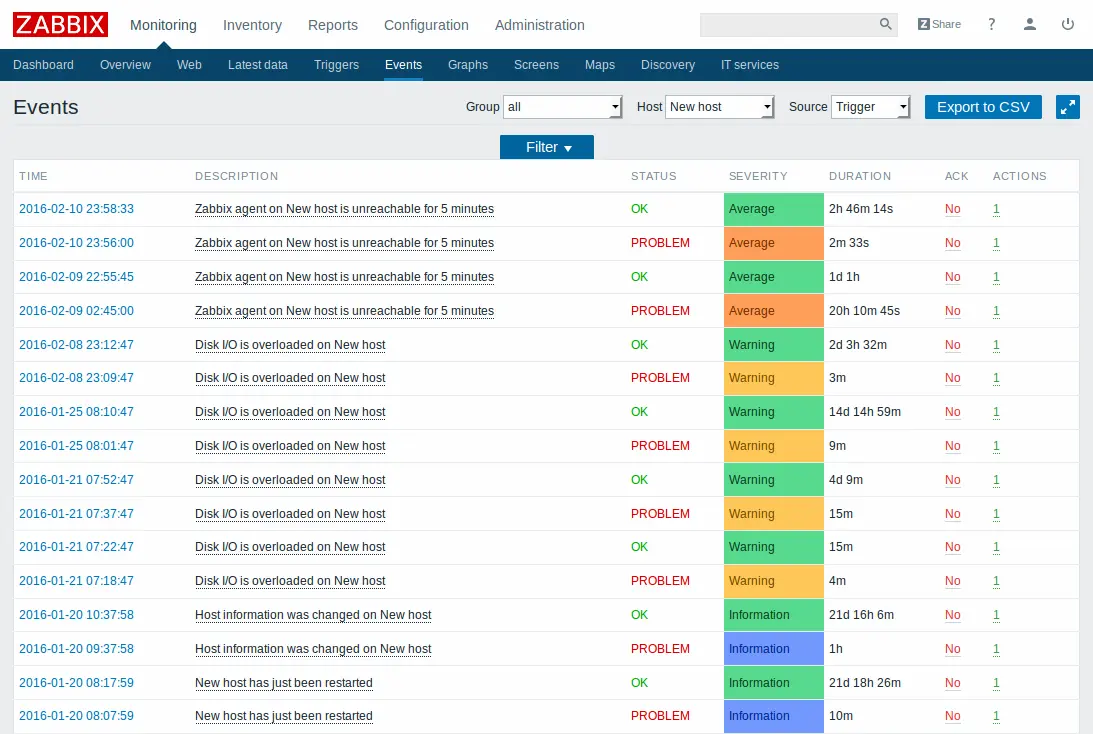

Recently, one of our customers, a 20-member NOC team of a large B2C company, had set up Zabbix to monitor a network of over 1000+ servers, routers, and switches. The NOC team wanted to set up alerting, on-call scheduling, and an escalation matrix whenever a critical network component encountered any downtime. The NOC team used Slack as the primary communication channel and Zoom for real-time communication.
Preheating the oven
For NOC teams like these running a very large operation, setting up alerting can be very tricky. It is imperative that only alerts with the highest criticality are escalated to the NOC on-engineers and therefore the selection of right metrics is critical. Two things to note before we move on to the Zabbix-Xurrent IMR integration:
- The short item update interval dogma stinks. You will need to increase the item update interval to something saner than the (often) recommended “as frequent as possible”. I’d recommend at least 5 minutes — that’s 20 times the default of 30 seconds.
- The Zabbix notification system is surprisingly naive — this is where Xurrent IMR shines. With alert suppression, alert collation, and maintenance modes, Xurrent IMR can stop the flood of Zabbix alerts. To prevent cascading alerts, disable in all triggers “Multiple PROBLEM events generation”.
The Setup — Zabbix alerting with Xurrent IMR
A little background on Xurrent IMR — Xurrent IMR is an end-to-end incident alerting(SMS, Phone/IVR, Slack, MS Teams, Email, Android/iOS Push Notifications), on-call scheduling, and response orchestration platform that helps NOC teams respond to and resolve critical downtime in the least possible time and provide your customers with industry-leading SLAs and reliability.
I won’t bore you with the details of the setup — you can see the setup documentation here. What I will show is how you can setup the escalation policies and how the incident lifecycle would look like.
TL;DR: Setup a team on Xurrent IMR. Setup a service within your team. Add the Zabbix integration to your service.
Sign up on Xurrent IMR here to get real-time alerts from your Zabbix setup.
Setting up escalation policies
Escalation policies dictate who should be alerted first, then second, then third, and so on, until someone responds to a Zabbix alert. In Xurrent IMR, for each escalation “step”, you can either add a user(s) or an on-call schedule(read how you can setup on-call schedules on Xurrent IMR here. video).
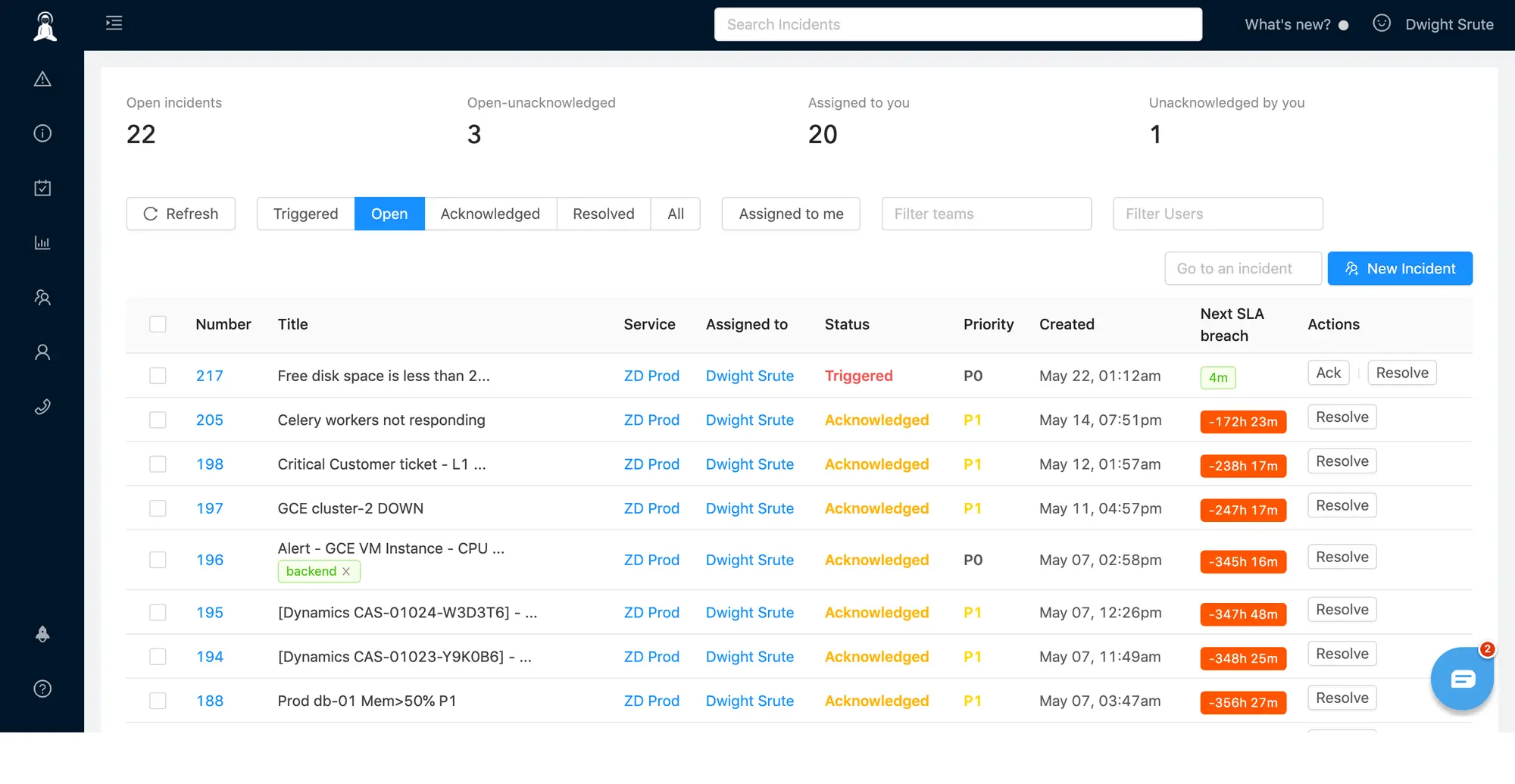
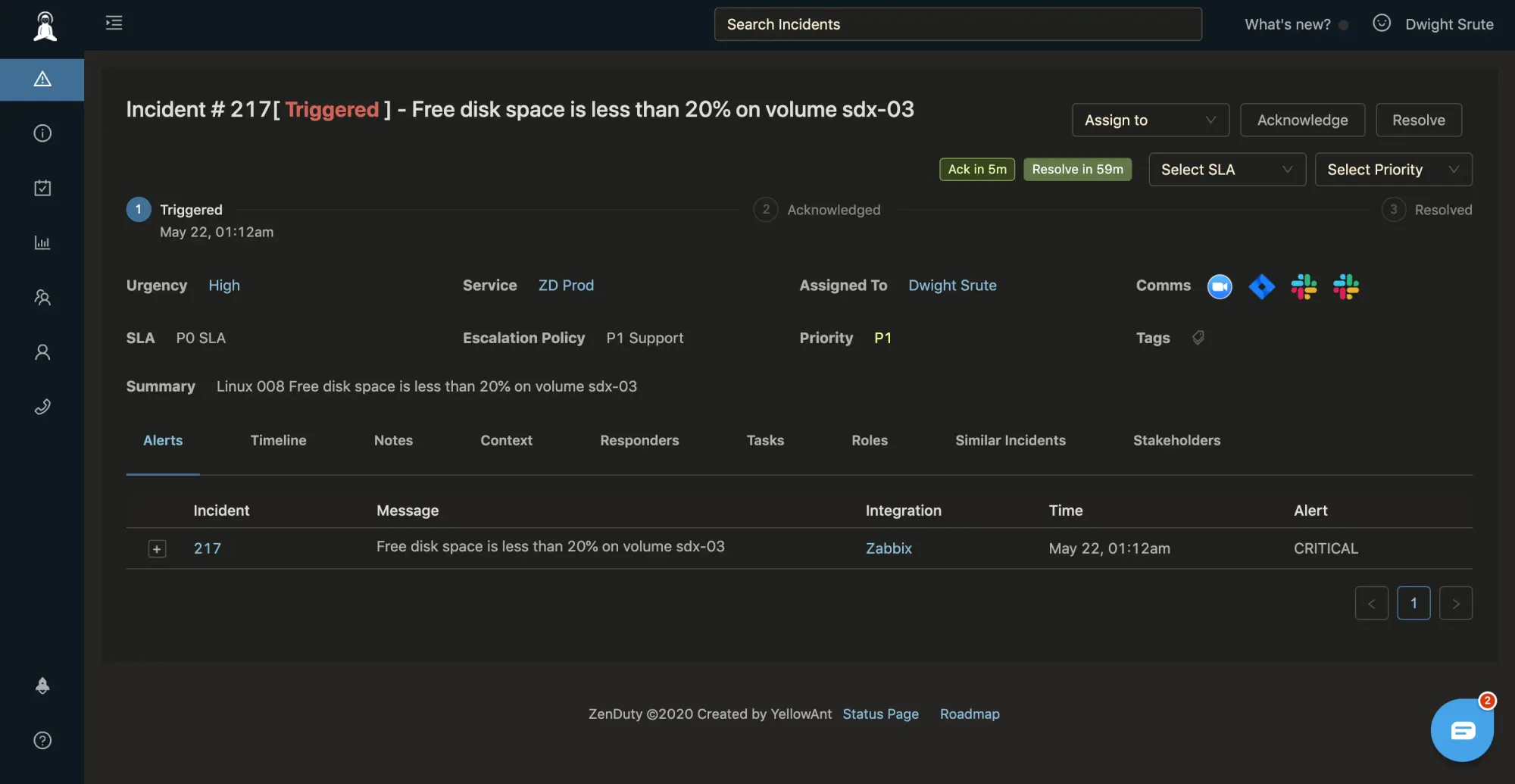
How it all comes together
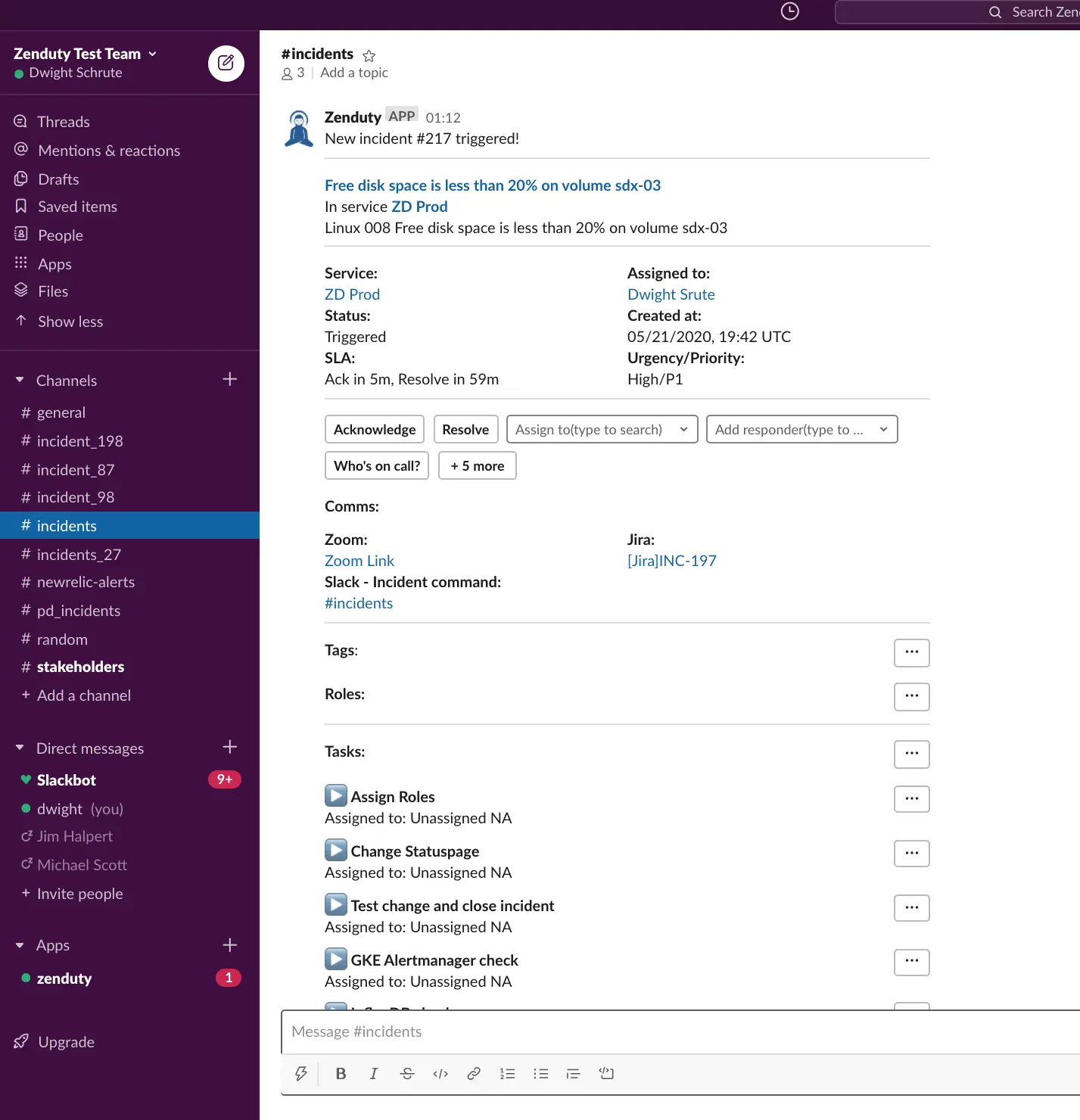
Handling Comms and Collaboration
What else can you do with your Zabbix incidents on Xurrent IMR?
There are a bunch of actionable things you can do for your Zabbix-generated incidents:
- Custom route alerts depending on host or service with Xurrent IMR’s alert rules
- Assign custom incident priorities and SLA alerts for operations managers
- Assign playbooks(or “task templates”) to your incidents outlining remediation steps for critical downtime alerts from Zabbix
- Automatically create comms channels for every critical Zabbix alert — Zoom, Jira, Statuspage, Conference bridge, Slack
Get started on Xurrent IMR for free here! No cc required.
Xurrent IMR’s powerful all in one scheduling, centralization, integration and notification tool and helps you manage all your production Zabbix alerts in a single place, and get cross-channel(SMS, Phone/IVR, Slack, Microsoft Teams, Android/iOS Push notifications and Emaill) alerts and respond with speed, and resolve critical incidents before they affect your customers.
I hope you enjoyed this blog. Sign up on Xurrent IMR for free and get started with our Zabbix integration. Feel free to leave any comments on the blog in the comments section below.


Xurrent named a Market Leader in Research In Action’s Vendor Selection Matrix™ for IT & Enterprise Service Management Solutions
Xurrent earns #1 rankings in customer satisfaction, price vs value, and recommendation index in Research In Action's global ITSM/ESM Vendor Selection Matrix report.
